Point of Sale Software

No physical returns of magazine

As far as I know only our clients can achieve Gold Status from GG, many that have already done so and benefited from *NOT* having to do any physical returns of magazines. This is a real cost saving to them and it of course adds value to our system and their business.

This has not been an easy process for us to deploy this section of our software which we did despite our many concerns over the costs coming out of the XChangeIT links largely dealing with the quality of their data. So we did some soul searching. Our conclusion is that despite magazines sales dropping 8% a year last year and two years ago it was to a magazine seller $500,000/year turnover. So today it would be valued at $423,000, which is still a big department for many of our clients. The cost of physically doing the returns would be about the same for both years and unless someone pulls the plug on the department, these returns have to be done. Having the returns automated, and no physical return make our clients' job easier and it will save them heaps of money and time.

To our users, we hope you enjoy the time saving and extra income that you now get.

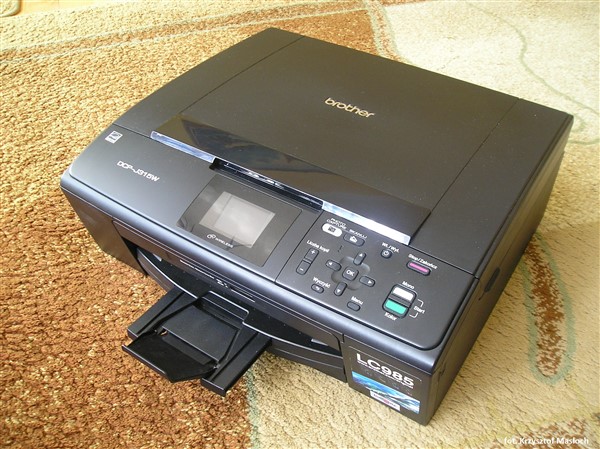
wireless printers

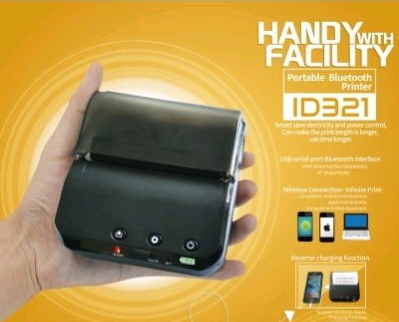
A while ago, I spoke about such printers and said that wireless is not a recommended solution. It does have two big advantages, which is why we do sometimes sell them. Because its portable it can be, very handy if you want to print something in an unusual place, and it can be moved anywhere by anyone. The other big advantage is if you need an emergency printer, you can take one from home to work, if required. So for these people here are some points for them to consider.

So if you do need such a printer, here are some points that you need to consider in selecting such a printer.

- Be aware that the wireless can have problems connecting, particularly in places like shopping centres that are alive with signals. You may need to experiment, where is a good place to place them.

- You need to have instructions nearby because every now and then they do need reinstalling and/or reconnecting. It's a pain, but it happens often with such printers that you need to switch off the computer and printer and restart them. Furthermore, check that these instructions are readable and clear.

- Check that you can get the correct drivers for your computers, also even if you are not on win10 yet, just in case make sure that you can get drivers for win10.

- Check the print quality and remember 95% plus you print will be in black and white.

- If you intend to do envelope printing, check that too.

- How fast does it print? No-one wants to wait.

- How much do you get out of a toner?

- How much are toners, toners today can be dearer then the printer. In fact, some people are buying cheap printers coming with a free toner and as the printer with a toner is cheaper than the toner, when the toner runs out, buy a new printer.

- Ask what happens if you do not use the printer for a while, many will clog up as the ink dries up in them. Also findout what *A WHILE* means for that printers.

- Although probably not so important for printers used only occasionally in point of sale, you should check the power consumption, as some of these printers use a lot of juice.

- Does it look like it can take punishment, shops are not clean offices, staff there are often in a hurry and as sure as the day follows night these printers will get some hard knocks.

Daylight saving

Again its daylight-saving time and it’s time for most of us to check tomorrow that our computers' clocks have the correct time. I suspect that over the next few days, the number one support issue we will have is that the clock in the POS system is incorrect.

Correct information

One useful exercise that you will find is to make a list of reports, that are relevant to you and set up a regular period, I suggest monthly to review these reports. Since our reports take less than a minute to run, unlike other systems, there is no limit for the number of reports you can run.

Once you do this you will find that your point-of-sale system information is a gold mine for discovering real insights into your business that can improve your decision making. However, keep in mind that the information has to be as good as the information you give it. For example a report of the monthly stock movements if you are returning large quantities of these goods for this month, is going to be misleading. The information needs to be up-to-date. Another example would be that your clients according to a study I saw recently showed that 50% of Australian will move every six years. The old clients in your system possibly do not live there any more. It's quite possible that they have changed their telephone numbers, email address, etc.

Furthermore, it needs to be accurate. An accidentally scanning a barcode in the pack size of a stock item was something we discovered today in an old client's database. This resulted in a pretty weird figure in the stock on hand figure.

Here are four questions you need to ask yourself of your information before you run your monthly reports.

1. Is your information accurate?

2. Is your information completed, is almost all the stock being scanned or is it being run up as department keys?

3. Is it up-to-date?

4. Is it consistent, it's not good practice to sell say most of an item sales as "$4 less 50%" and the rest as $2? This is going to cause problem with your reporting.

Automatic price changes

How many of you can remember in the dark ages of DOS point of sale software when systems were so old that you had to change manually the price of newspapers and then stop and start them for public holidays when they would not be issued well luckily with modern systems this process is fully automatic. It saves heaps of time. It was worth upgrading just for this.


The following newspapers will be updated automatically.

[2017-10-01]: The Monday to Friday edition of the Age will change from $2.80 to $3.00 GST inclusive from Monday 2nd of October[2017-10-06]: The Saturday edition of the Age will change from $3.80 to $4.00 GST inclusive from Saturday 7th of October[2017-10-07]: The Sunday edition of the Age will change from $3.30 to $3.50 GST inclusive from Sunday 8th of October[2017-10-01]: The Monday to Friday edition of the Sydney Morning Herald will change from $2.80 to $3.00 GST inclusive from Monday 2nd of October[2017-10-06]: The Saturday edition of the Sydney Morning Herald will change from $3.80 to $4.00 GST inclusive from Saturday 7th of October[2017-10-06]: The Sunday edition of the Sydney Morning Herald will change from $3.30 to $3.50 GST inclusive from Saturday 7th of October

Online advertising

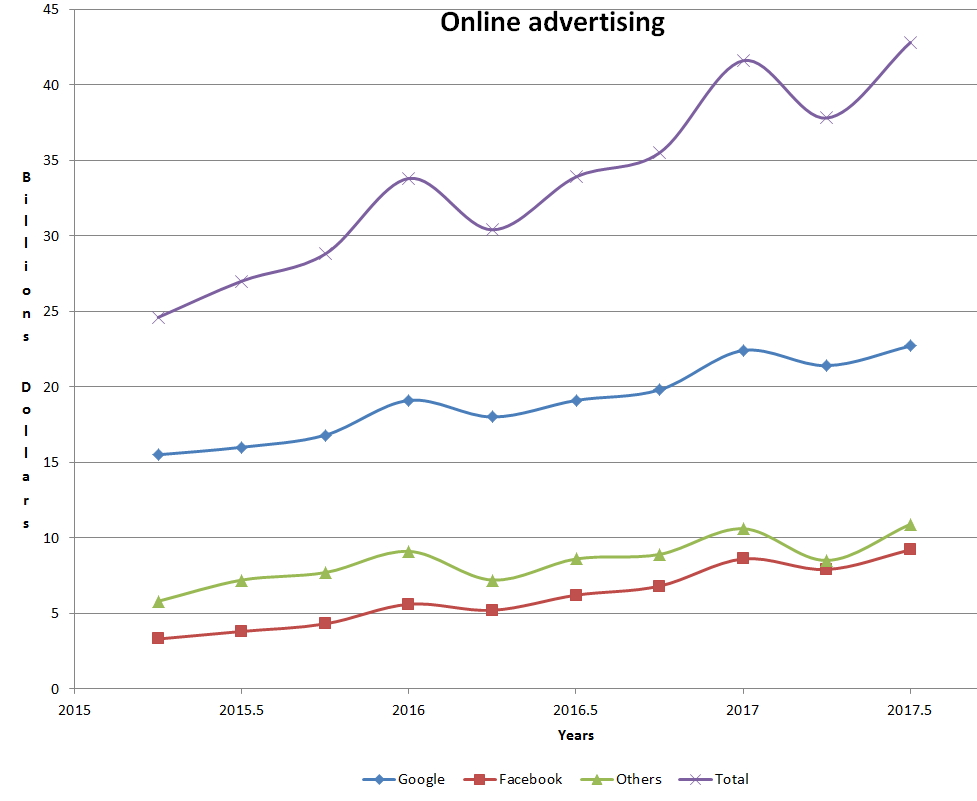
It has been said that if we continue the way we are, there will be two advertisers left Google and Facebook. Well, that is an exaggeration, online is about 10% of the world's advertising budget but its growth is certainly phenomenal see here

https://mumbrella.com.au/google-facebook-continue-dominate-global-digit…

As I did not like their graph, I made a graph to show you what it looks like.

As you can see in two years, the market gone up, 74% of that Google has gone up by 46% and Facebook is 178%. I think SMB needs to start to look at this form of advertising. We have too.

The first one I suggest you look at is Facebook, particularly if your market is local. Part of the reason is that Facebook very easy to use. It is one of the most affordable and is extremely effective. What I like is that it is easy to target a specific audience based on your location, age, interests, etc. This will help you take advantage to spread the word about your offers.

Furthermore, what I suggest you look at is Twitter, Instagram and Pinterest. With these small businesses can run with the big guys often for free. The key here is to know your product, be authentic and above all connect with people. Show your passion!

fingerprinter scanners review

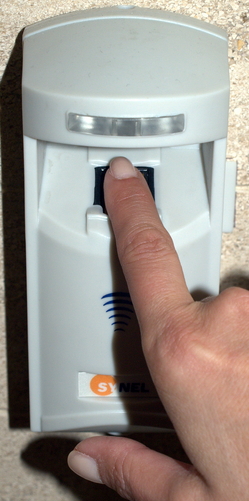
Now people are using fingerprint scanners for EFTPOS and credit cards. This shows how far the technology here has progressed as no one even a few years ago would suggest serious this.

In practice, I have found fingerprint scanners in point of sale quick and easy to use. What has turned out to be very handy with these scanners, is in the morning when a shop is dark, you can use a fingerprint scanner much easier than using a key or punching in numbers and codes. From what I have seen in most places they work really well but there are a few places that report problems, and these are not minor problems.

The actual error rate of a good-quality scanner is generally quoted at about 1 in 50,000. In a shop used by staff who are doing 300 transactions a day, that would be one error in three months, which would probably be acceptable.

Several credible experts do say that they can crack many of these fingerprint scanners. I tested ours with some of their suggestions on our fingerprint scanners like putting my fingerprints on sticky tape and could not fool our scanners. So I want more proof on this but anyone wanting such scanners should be aware of this. So I would suggest that currently do not use it outside the shop but inside where you can monitor it.

In practice, people do need to get used to it. They have to learn to move their finger not too fast and not too slow. Their fingers have to be clean and dry, water even damp fingers from sweat can cause problems in reading the fingerprints. So I do suggest registering a few fingers because sometimes, one finger does not work.

Furthermore, the sensor needs to be clean as well. So I suggest people keep a dry microfiber cloth nearby the scanner.

Moreover, these scanners need to be sturdy, in a shop they will take over many years a lot of punishment. People will while scanning items, hit it. I have seen some smashed scanners when they were hit too hard. Some have spilt coffee over them.

Some will, for some reason, stop working, generally this can be fixed by simply pulling the cable out, waiting a bit and putting it back in. It does not happen much but if it does happen, then this is what you have to know to do.

A problem that you may get is that scanners do get superseded and support stops. Often a change in windows version can cause problems too. A client of ours went from Windows 7 to Windows 10, and we could not get a driver for their fingerprint scanner that worked.

Overall, I think where fingerprint scanners are very good is for internal security, say staff members in a SMB. If you want to know more, click here for a post with many more details.

Want to know more contact us.

Support on AFL GRAND FINAL

POS SOFTWARE

This Friday, is a public holiday in Victoria because of the 2017 AFL Grand Final.


Support will be as usual as we are diverting the phones to our interstate support bays. Our week-end support and after hours numbers will be the same as usual over the weekend.

Hopefully, you will not need it, so you can appreciate the match, come Saturday.

It has been a great season and being a Victorian, I am now going for Richmond, but I do think that Adelaide is the better team. In any case, as neither team have had a win for ages in the Grand Final, so who ever is victorious its long overdue.


Pictures from the Perth GNS Fair

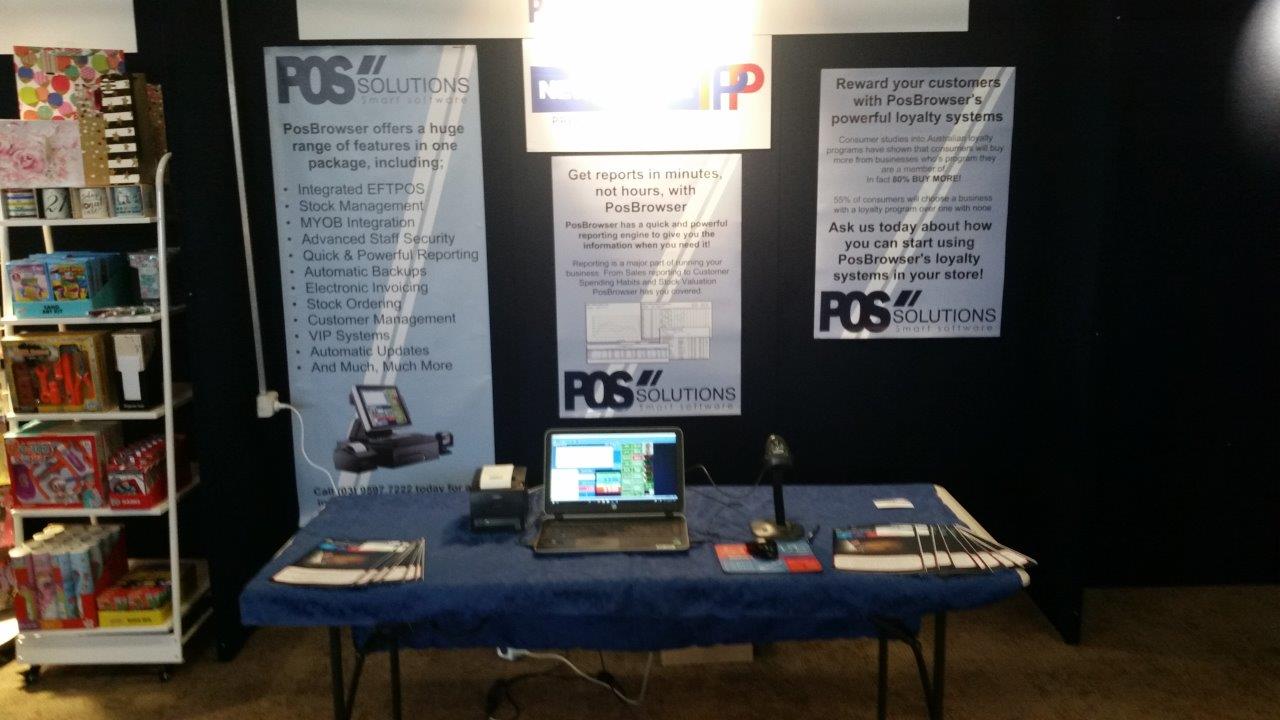
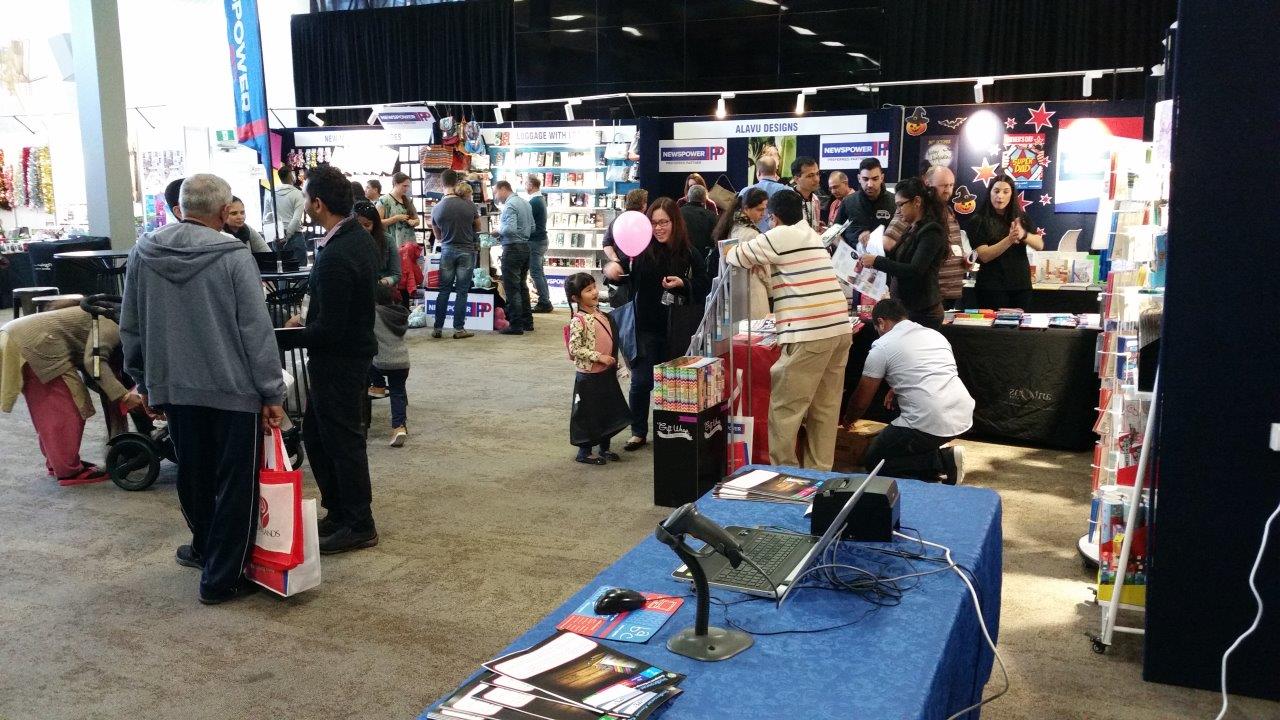
Now we are the only point of sale software provider at the GNS show but there was a time that it had many point of sale software companies presenting. Over the years, the churn hit and one by one they dropped out so over the years many came over to us. Today only we were left in Perth.

Here are some pictures of our stand at the show.

Bill payment markets still going strong

Acceptance of bill payments despite what some say are a huge market today, which is available to all our clients free.

Currently, the Australian market is estimated at $20 billion. That is a lot of foot traffic. Let us say that the people using this service, have an average bill between $50 and $150, that is about 200 million transactions. That is a lot of foot traffic, which is what merchants who offer bill payment services are looking at. A study of those merchants who use it shows that typically, each merchants process around 40-60 transactions per month but some newsagents we see much higher volumes of 200 transactions with some reaching 300 plus.

Apart giving their customers (existing as well as prospective) even more reasons to walk into the shop, the newsagent earns a rebate of $0.50 per transaction which I believe is the highest rate on offer.

Plus there is nothing you have to spend extra with us as you can use your POS Solutions system!

It is fully integrated, all you need to do is a couple of keystrokes, on the cash register screen.

I suggest that you seriously consider it in your shop. You get free posters and signage. There are no costs to the merchant – no monthly fee, no commitment to stay on. So it's not surprising that with this system, about 50 merchants are joining a month.

Most of you on Monday will get a formal letter of offer sent by email from us.

99 cents vs $1, $1.99 vs $2, $2.99 vs $3, etc

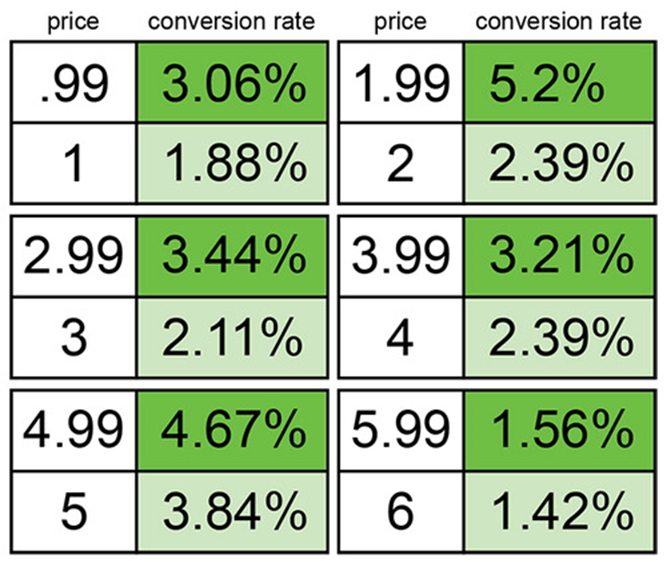
This post is just to get you to think. One trick that most retailers have learned is that for many products it is much better to sell it at 99 cents rather than $1, that $1.99 sells more than $2, etc.

Well research has shown mixed results depending on the products however for some products it certainly works well.

Here is a table by a US site which listed people that viewed products compared to those that brought it broken down by price points, the results are quite spectacular, particularly on items less than $2 where they were getting almost double the sales.

If you read more then click here.

A chatbot for business information

A chatbox is a robot, that talks to you.

This chatbox growthbot is a free business information service specially designed to supply information for business and among other points, it can tell you about other companies and organisations. This is often extremely useful in business and retail in particular. It is I am sure you will find a great source of information for when you are starting to look.

It is now in early beta and its full of errors but it is getting better.

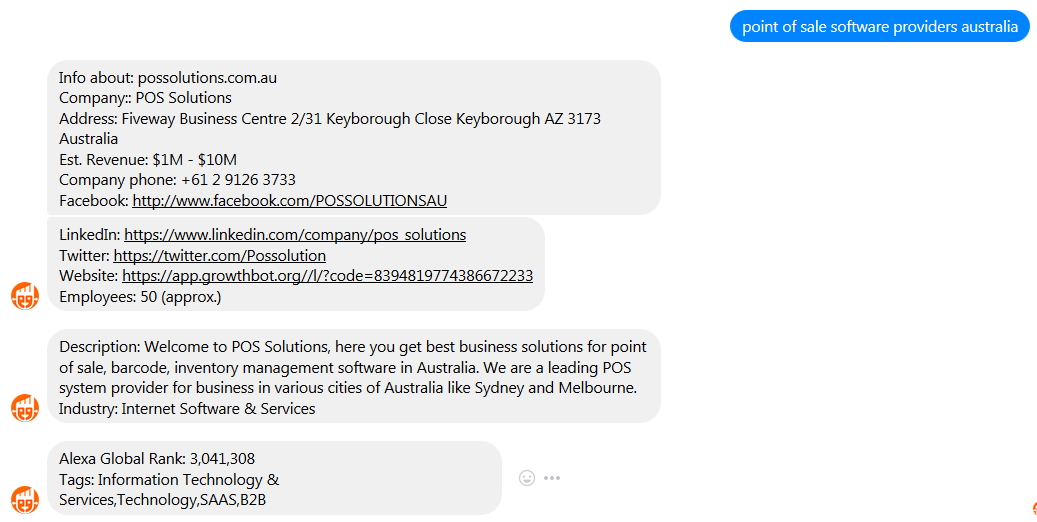
Let ask it firstly who are "point of sale software providers australia"

So it has us number one. Great stuff I like that score.

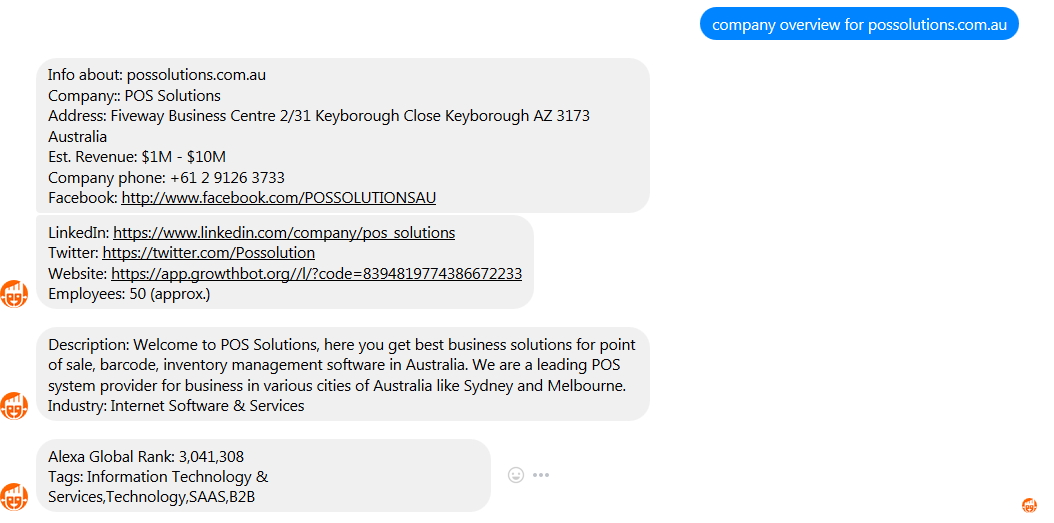
Now say for example I was research my company "POS Solutions", to make it work, I find it better to use the website which is possolutions.com.au which identifies us exactly.

So I ask growthbot here

Which is not a bad answer for a first attempt.

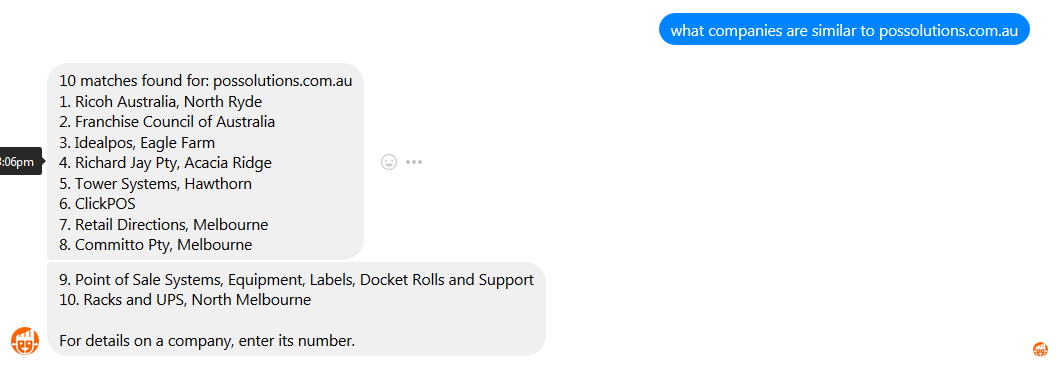
Now lets see what my competitors are

I would not say that most of these are NOT our competitors but it does have some that are right. All I have to do is press the number and I will have details about them.

Let find out our company structure.

Well it missed one but I am there.

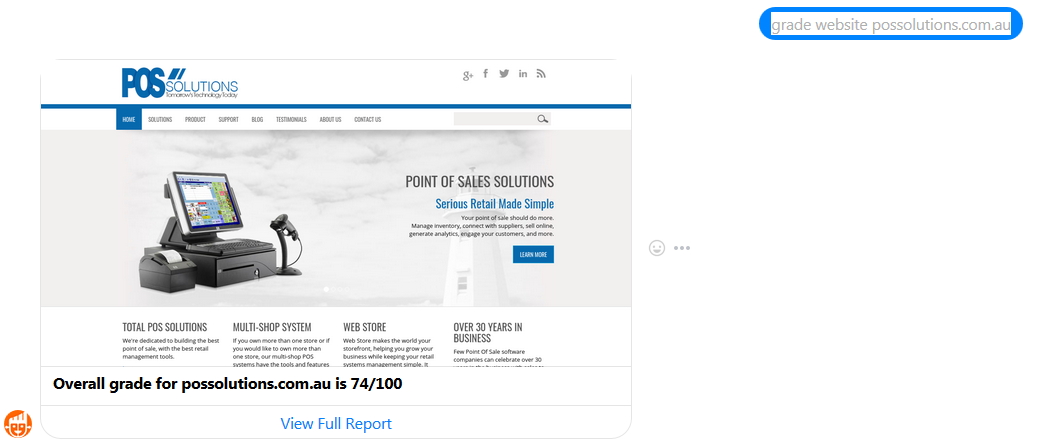
Okay let us check our website

Well its good website but can be improved, actually we are currently working on a new website.

Lets see what google advertising we are using to push our website

This is true, currently we are not using any keywords but we are thinking about doing this so it may change very soon.

Let us see what was popular on our website

Well they are both very important function in point of sale, so I am happy about that.

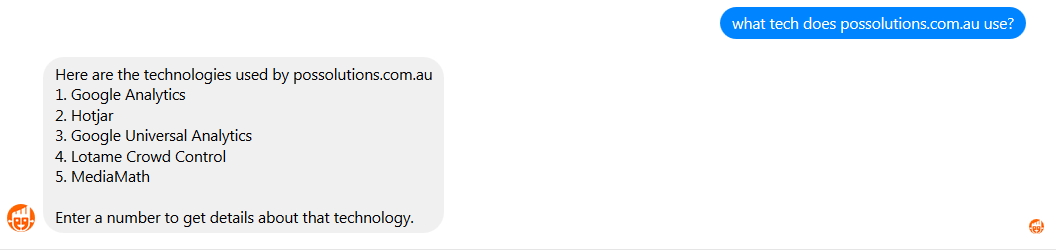
Let see what tech my company uses on the web.

This is something, I am going to have to study

And so on you can go on, there are heaps of question you can ask.

Overall I will say that this is either something you will find very useful or totally useless. So give it a try and see how you go. You will need to have a facebook and messenger account to use it, and if you have these then click here to start.

Our two latest online websites

POS SOFTWARE

Today every retailer needs to consider a website. What makes our system unique is that it works directly through the point of sale software so the person that knows the existing point of sale system can maintain and use the website. There is no new system to learn.

Here are some websites that we have just done.

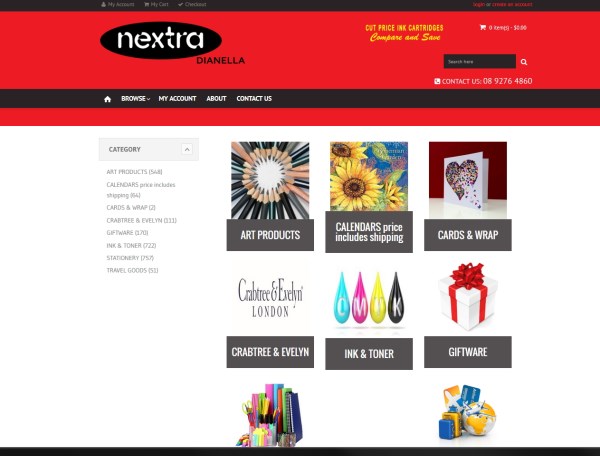
This is a newsagent, Nextra Dianella click here. On their website as you can see they sell a range of art supplies, ink and giftware. They are only new, but they are already getting quite a bit of business through it.


This is a garden supplier, they are a boutique plant nursery that specialises in perennials, shrubs bulbs and seeds.


If you want to know about getting yourself online please click here.


We are fully touch

One big plus unlike other point of sale systems is that we are fully touch so you can run it without a keyboard.

There are many advantages to running touch plus some disadvantages some of which I will run through here:

Advantages:

Speed. It takes more time to use a keyboard and mouse as you have to look at the screen, see what you need to press and then do it. With touch, you see what you need to press and do it. Faster speed is not only good for playing fast games it is also good for entering data into your computer.

Intuitive. For a similar reason, I find it more natural to use a touch screen. There is much less thinking about it. This is often particularly plus with people who are not used to a computer with a mouse and keyboard.

Space: Since a touch screen does not need a keyboard and mouse, it can be mounted on a wall so needing no space. This also removes another big problem of a water or coffee split on the keyboard.

Wider variety of devices: Many devices like the tablet do not have keyboards.

Accuracy: Since you are always looking at the screen, you press much less the wrong button. When you do press the wrong button, you can see it. Sometimes with keyboards, you miss the error.

Future: In the future, I predict all screens will be touch, almost all smartphones and tablets are now so you will sooner or later have to get used to it. Why wait?

Disadvantages:

Price: Touch products tend to be dearer for the same product you will pay a bit more.

Dirt: Touch screens need more cleaning as they tend to suffer more from dirt, dust and grease is often a problem.

Screen size: Often you need bigger screens as the buttons have to be big enough to press.

Arms reach: You need to be within arms reach of the computer. This can be particularly frustrating when you are trying to fix a computer.

Hope this helps.

Emergency power supplies

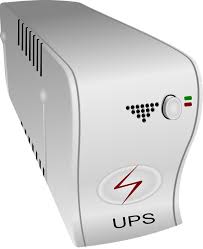
The recent power outage in Melbourne Northern Suburbs show that even places in safe areas you would think safe from power supply powers are not. Unfortunately, this problem of power outages does not appear it will be solved soon.

My view is if it happens once, okay but any more than you need to consider a computer electric backup unit as a point-of-sale system can be seriously affected by power. The problem can be much bigger than just everything turns off, although few shops with a point of sale system like their computers down for an extended period. If the outage is a surge, this surge can destroy everything. I have seen the result of a surge going through an old monitor, exploding it and sending glass flying like bullets through a room. Luckily, it was a store room, and the person in it was not in front of the computer, but behind a shelf when it happened. The problem is that nothing in a computer likes bad power.

If you are thinking of buying such a unit, here are tips to consider:

First point is to make a determination of how long do you think a reasonable power outage will be in your area. If you think, it will be for a few minutes maximum, all you will need is a small unit, if you think, it could go for say an hour, you obviously need to look at something better.

For the slight extra cost it worth getting surge protection. Currently, the surge is a growing problem. An old one that you are throwing out with surge protection can often be used somewhere else such as protecting a Hi-Fi at home.

Check the size, today you can get small units that work fine.

Check the date of manufacture, some units on special, I have noticed are very old units. That the unit being old is not the problem it's the battery. An old battery even if not used is generally no good anymore. So the unit is probably useless unless you can get a new battery. Note batteries are often not returnable.

Switch it on, I have seen some units that do not work, this is not an uncommon problem unfortunately with power units. Most of them today have a self-diagnostic which you can use. One problem is that often these self-tests are not reliable. I have seen units that fail on these self-tests but work fine. So these tests are only good as a guide.

Next you need to check that they are good as soon as you get them, I have seen some with bad batteries that are lemons. What you do is charge it up, then switch off the power and see how long it lasts. Now check if it recharges when you turn the power on, I have seen some that do not recharge. It's the battery, and batteries are noxiously unreliable.

What I really hate is some of these units have a bell or buzzer which working while it switches to battery and for extended periods, this sound is very annoying. I would not recommend such units.

Lastly, these units seem to have very variable life cycles, we give a year warranty on the one we sell so you are safe for a year with us, but many only give three months. In any case you need to test, these units say once a quarter.

Hope this helps.

What I am very proud about my company about?

What I do say about my company and what I am very proud of and what I say is that many people can sell you a computer, but we do know what we are talking about. I personally have not come across a point of sale company that has as much professionalism as ours.

It's not accident either and I practice this myself by keeping up to date and studying computers and software continuously too.

Old Stock

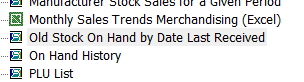
We have a fantastic report in the register reports > stock titled "Old Stock on hand by Date last received"

This gives you a listing of your stock based on when you received it. You can use this report and recommend supplementing this report with a manual method of going down the shelves and while you are cleaning and vacuuming them up, pulling out the old stock.

The old stock itself is not going to do you much good. In accounting, what we tend to do is depreciate between old stock at about 30% a year, so after three years, it has just been written off. Of course the insurance, rental on the property, staff costs, etc. to keep it are not written off.

Once you have identified it, here are six tips to get rid of old stock.

1) Move it around, maybe it was just in the wrong spot. It is actually a good idea to move stock around anyway in the shop as people are creatures of habit. Once they get used to your shop, they go only to the places that they are used too and do not see the rest.

2) Bundle it, this is my favour. Put the old stock that does not sell with something that does sell and make a bundle. It works.

3) Make a concession bin and put the old stock in this bin. Then offer these products at a good price. Bargain hunters like to go through these bins.

4) Gift promotions, by offering your customers, a gift if they buy over a certain amount.

5) There is no excuse not to have a stocktaking sale once a year to get rid of old stock.

6) You can try to sell these items on sites such as eBay.

Afterpay, zippay and oxipay services

Readers here may be interested that my post yesterday on these "Buy now, pay later" services generated much discussion and comments.

What I do agree with is that these services are a credible alternative to Lay-by if the merchant is willing to lose 3% to 4%. Although I do not see any legal problems with the merchant adding these charges on top, although I am sure these services and the public will not like them doing this, but if they did this, it would cost them nothing.

However, it is important to realise that these services also target a different market, the market where people require goods now. For example, lay-by do not work for a girl with a hot date tonight who needs a pair of shoes. It will not work for a person who needs a toy and card for a birthday today or tomorrow, a person who needs stationery now, a person who needs medicine now nor will it work for a person who needs now a new filter for his fish pond. By having these services, a merchant can open up his shop to these *NOW* people too.

Even so, I do believe what I said was accurate. The reason is because we did much research on this market space, did a lot of net searches, spoke to several of our clients where we found that the principal issue most of our clients was how many members does a payment method have as they did not see much difference in the offerings to them from all these services, so we decided that we would go initially with the biggest which is Afterpay. I always say you have to walk before you run. You try one and if works, then you go further. So we feel that if we should pick one, why not the one that is clearly the biggest.

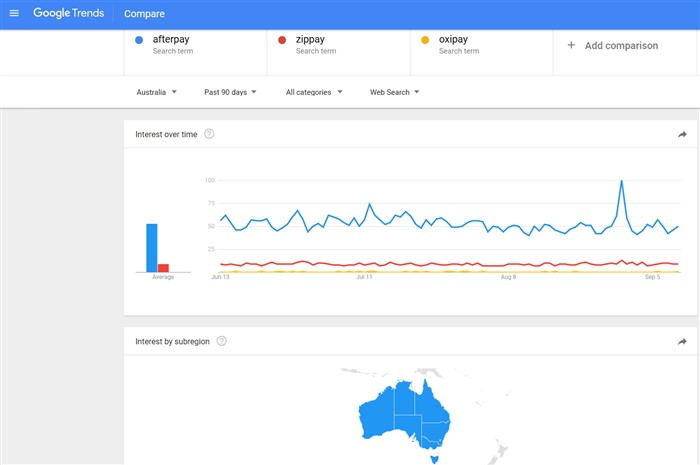
Yesterday, I showed of the interest with Australian public as measured by google of all three offerings over the past 12 months. Here is a graph of the past 90 days, as you can see it the same story, I still say Afterpay is the market leader as measured by interest, and as you can see this is true in all states.

The other point that I liked about Afterpay is that they have promos to their members and push customers onto their merchants. If the others do this too, I have not seen it.

But that does not rule out that we will not expand our offering as time goes on, we now are currently in discussions with the senior Partner Account Executive at Zippay, which are the next on our list, and I will say we were very impressed with their product offering too.

As far as Oxipay, what I said was true. I have only had one enquiry from a merchant in Tasmania, and that was not much of an enquiry and at present; I have little knowledge about their product but after zippay, its next on our list.

I thought then, and I still think now is that we got it right.

The rapidly growing "Buy now, pay later" market.

POS SOFTWARE

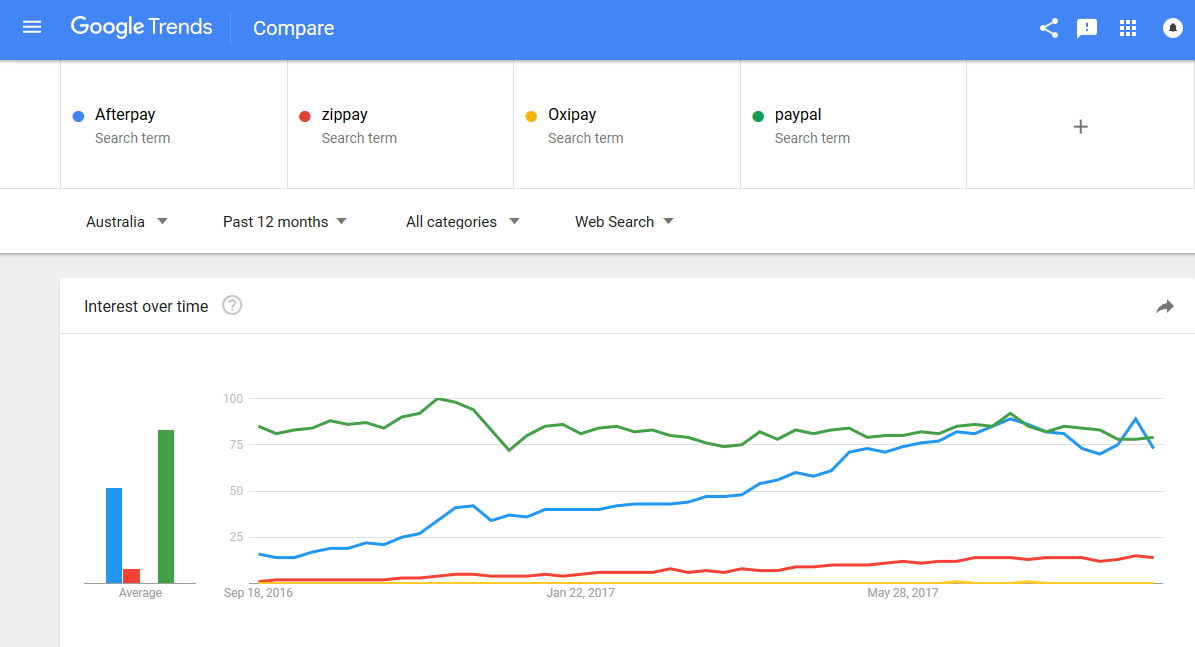
The big trend in retail now, are the newer cards that allows a customer to buy and use a product immediately, and then pay for it later with no interest. This market is dominated by three main players Afterpay (which is by far the biggest), Zippay (which is the talk of town at the moment since Westpac put $40 million dollars into it) and Oxipay (which I know little about other then it is in Tasmania). Paypal is unknown whether it will enter this marketspace. As you can see from this graph, there is as much interest in Afterpay as Paypal in Australia now.


To give you a feel of the size of this market, Afterpay in the second quarter of 2016, had over 375,000 customers who spent $100m and to give you a feel of the growth of this market, that was more than double the $42m people spent with Afterpay in the previous quarter. Growth is expected, for example, overseas in Sweden such cards have about 60% of the market.

With our Point of Sale Software, you have the technology to get Afterpay.

The system works like this. A customer buys and gets an item immediately from a retailer paying with Afterpay. The retailer gets paid straight away minus a fee of about 4%. Then the customer pays Afterpay over an eight-week period with no interest. Zippay is slightly different in that a person has 30 days to pay with no interest, and if they wish, they can take longer to pay but with an interest rate which is a fraction that VISA charges.

Afterpay also runs promos for their merchants which have been very successful, The Afterpay Day on the 30 August, broke retail trade records with $15 million of sales with more than 70,000 orders were processed. See here for more details. {Link was removed}

If you want to know more let me know.