Point of Sale Software

Here are some Articles from the Blog Subject - AI POS -

Ask Our Australian EFTPOS Directory (Chatbot Goes Live Monday)

POS SOFTWARE

Australian EFTPOS Directory Chatbot


You're probably already shopping around for an EFTPOS provider. On Monday, we're launching an Australian merchant acquiring and EFTPOS provider directory chatbot. Most retailers want to drop their merchant figures into one place and get a straight answer on multiple providers. Here, you can enter your turnover, average sale, card mix, and current and quoted rates. Then you ask the questions you would ask a broker, without the sales call.

Key takeaways

  • The directory is a chatbot loaded with Australian acquirer, EFTPOS and fee-model source material.
  • You enter your own figures (turnover, ticket size, card mix, current merchant rate, terminal rent) and ask follow-up questions.
  • The bot compares banks, fintechs and specialist acquirers
  • From 1 October 2026, the chatbot is built around cost inside the price.
  • It will do its best to access flat-rate, interchange-plus and blended quotes.
  • A useful shortlist for a single-store retailer is still a handful of names.

What is the merchant acquiring chatbot?

The merchant acquiring chatbot is a question-and-answer tool sitting on top of our Australian EFTPOS and acquirer source set. First, it is not a static page ranking 65 logos. You ask in plain English. For example, you enter in "We turn over $18,000 a week, average $12.40 a sale, mostly debit, $45 a month terminal rent, 1.4% blended. What should I ask CommBank versus Tyro versus Zeller?"

Moreover, the source material stays in the workspace. That means answers can point back to fee models, hardware notes and the October rule change, instead of guessing from a brochure.

Why launch it as a chatbot?

A chat fits how you actually run a shop. You can ask it questions, change scenarios such as average sale from $8 to $22 and ask again. This can make it feel real.

The other reason is the deadline. From 1 October 2026, designated card networks stop merchants from adding a surcharge for Visa, Mastercard and EFTPOS. Bank fees now have to live in the shelf price. The chatbot is there so you can model that shift with your numbers.

What can you ask it?

You can ask it anything you would put in an email to an EFTPOS/Credit provider:

  • "Here is my current rate and weekly card mix. Is interchange-plus likely cheaper than flat-rate for us?"
  • "We still surcharge 1%. What happens to margin after 1 October if volume stays the same?"
  • "Compare a big-four integrated terminal with Tyro for a single counter and our POS."
  • "What questions should I ask before I sign a 24-month rental?"

First, put in as many real numbers as you can; the more, the better. The more accurate, the better; remember, garbage in means garbage out.

How many providers sit behind the answers?

The AI source now covers about 65 platforms. There will be more on Monday when it's released, as we are waiting for a few more providers to send us information. Most are the majors; unfortunately, many providers refuse to release information publicly, but we have done what we can.

What you should have ready before you type

From your total reports, or better yet from your EFTPOS statement, you need, as a minimum, four figures: weekly card takings, average transaction value, debit amount, credit amount and what you pay now: rate plus terminal plus extras. Most of you can import the current EFTPOS provider invoice from a PDF.

What's next

Get a copy and start investigating.

Next month we will release an update once the dust settles. 

Written by:

Bernard Zimmermann


Bernard Zimmermann is the founding director at POS Solutions, a leading point-of-sale system company with 45 years of industry experience. He consults to various organisations, from small businesses to large retailers and government institutions. Bernard is passionate about helping companies optimise their operations through innovative POS technology and enabling seamless customer experiences through effective software solutions.


Add new comment

Restricted HTML

  • Allowed HTML tags: <a href hreflang> <em> <strong> <cite> <blockquote cite> <code> <ul type> <ol start type> <li> <dl> <dt> <dd> <h2 id> <h3 id> <h4 id> <h5 id> <h6 id>
  • Lines and paragraphs break automatically.
  • Web page addresses and email addresses turn into links automatically.
CAPTCHA This question is for testing whether or not you are a human visitor and to prevent automated spam submissions. Image CAPTCHA
Enter the characters shown in the image.

A new version of POS Solutions Retail AI ChatBot released

POS SOFTWARE

Notebooklm for retailers
Everyone is very excited to see what AI can do to help run a shop, looking at decisions like staff issues, responding to a customer complaint, checking a lease clause, questioning EFTPOS costs, reviewing slow stock, why cash is tight now, etc.

The information you often need exists somewhere, often online, in such places as a government website, in an Award, inside a supplier document, a POS report, your lease or your financial statements. The problem is finding it quickly, understanding what matters and applying it to your shop.

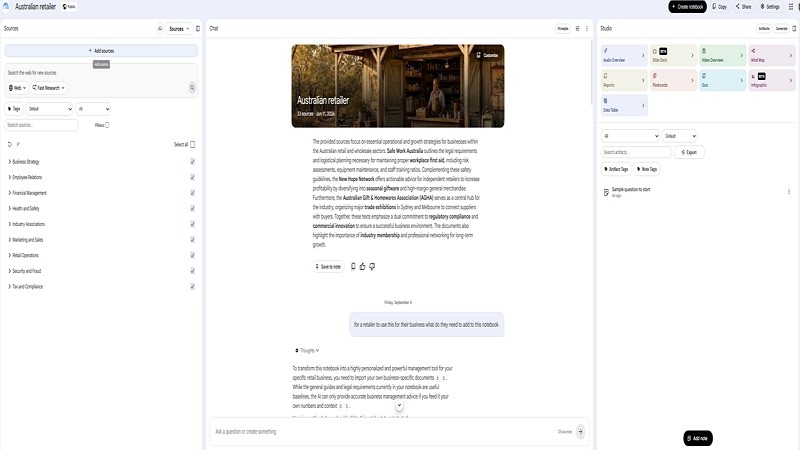
The POS Solutions Retail AI Notebook brings these sources together. It gives Australian independent retailers a practical AI research assistant built around trusted retail information. Add your own reports and documents, and it can help you analyse the questions that matter to your business. I doubt anyone else has anything this sophisticated for retail in our marketplace.

NotebookLM can generate answers based on sources added to a notebook and provide citations that take you back to the relevant supporting material. That makes it useful for reviewing reports, locating provisions in documents and preparing questions for advisers. 

The sources are current now, but you need to review them regularly, as employment, tax, consumer, leasing, and payment rules can change, so always check the cited source before acting. In this third version, we're checking them. So you know they are current now.

Key Takeaways

  • The POS Solutions Retail AI Notebook has 33 carefully selected sources.
  • The sources cover employment, consumer law, tax, payments, WHS, mental health, leasing, store layout and business planning.
  • It was made to be particularly relevant to newsagencies, bookshops, pet shops, gift retailers and other independent stores with broad product ranges.
  • Add your own POS reports, lease and financial records to personalise it for your specific business.
  • The notebook helps you find information, analyse reports and prepare better questions; it does not replace professional advice.
  • To request a copy, email POS Solutions for the current access and setup information.

What Is It?

The POS Solutions Retail AI Notebook is a ready-made NotebookLM workspace for Australian independent retailers. It combines regulatory information, practical retail guidance, financial benchmarks and original retail research in one searchable environment.

It is not simply an empty AI tool. The notebook starts with retail-specific Australian sources, so you can ask a question in plain language and get an answer linked to the source material in the notebook.

For example, instead of separately searching Fair Work guidance, the Retail Award and general employment material, you could ask:

“What should I check before changing the roster of a part-time retail employee?”

The notebook can help identify relevant material. Please seek specialist advice if the issue is serious. It's particularly good for explaining what these experts say in plain Australian English.

Where It Matters

We all manage a wide range of responsibilities. You may need to think about wages, stock, margins, customer rights, rent, etc. at any moment.

A good retail AI notebook does not replace your experience or judgement. It helps you find the right starting point faster and makes it easier to connect a business question with the documents and figures that may answer it. What I find it particularly good for is running different scenarios. What if I do this? If I do it, what problems could I face? Don't shy; I often tell it the idea isn't what I want. Could you suggest an alternative? Sometimes I just swear at it when it is off-topic; that works sometimes.

For a retailer, that might mean examining:

  • Gift ranges that have stopped turning after a seasonal event
  • Book-category performance by supplier or genre
  • Stationery sales before and after back-to-school
  • Gross margin and stock turn by department
  • Space allocated to cards, gifts, magazines, books and stationery
  • Magazine sell-through, returns and allocation
  • Greeting-card sales and the value of display space

Your POS system already holds important business intelligence. The notebook helps you use that information alongside reliable guidance and your own commercial documents.

What Sources Are Included?

The POS Solutions Retail AI Notebook contains 33 sources. Unfortunately, the free version of NotebookLM includes only 50 sources, so to add more, we have to remove one.

  • 31 web URLs and online resources
  • Two original Markdown or text documents

The original documents are:

  • Research Report: Workplace Crisis & First Aid Management
  • Australian Independent Retail Intelligence Report 2026, stored as retail2.txt

The sources are organised around five areas that reflect an Australian retailer's real responsibilities.

Employment and Fair Work

We included the General Retail Industry Award 2020 [MA000004], Fair Work Ombudsman guidance, and related material for common employment questions.

The Retail Award covers employers in the general retail industry and employees who fit the Award's classifications. The Fair Work Commission's consolidated Award incorporates amendments up to and including 1 July 2026. 

If that is not your award, you need to change it.

You might ask:

  • “What Award information should I check before changing this employee's roster?”
  • “What duties may distinguish a Level 1 employee from a Level 2 employee?”
  • “What records and steps should I consider before dealing with a stock discrepancy?”
  • “What should I check before ending the employment of a part-time retail worker?”

Pay rates and conditions can change. Fair Work publishes current pay guides, including a General Retail Industry Award guide effective from the first full pay period on or after 1 July 2026. [fairwork.gov]

Important: The notebook can help locate relevant guidance and give you some ideas.

Consumer Rights and Pricing

The notebook includes sources on consumer law such as guarantees, price displays, promotions, advertising, card surcharges, spam-related marketing obligations, etc. Recently we had a client who was threatened over his advertisement as it lacked some required details.

For example, you could ask:

  • “A gift item is faulty six weeks after purchase. What consumer guarantee issues should I consider?”
  • “What should our signage make clear if a 40% discount applies only to selected stock?”
  • “What should I review before changing our card surcharge?”
  • “What information should appear on a price display before a promotion starts?”

Clear pricing and accurate promotional material protect customers and reduce avoidable disputes. Use the notebook to find relevant guidance, then review the cited official source before deciding.

Tax, Payments and Performance

The notebook includes sources on tax, business benchmarks, financial reports, payment costs, gross margin, GMROI, and business viability.

This is where your own POS reports and financial documents become especially valuable. A generic AI tool cannot know whether your margins are falling, whether gifts are tying up too much capital or whether your rent is becoming harder to support. Your reports can provide that context.

For example, you could ask:

  • “Over the last 12 months, what departments grew in sales but fell in gross margin?”
  • “What stock has not sold in 12 months?”
  • “Which gift suppliers have the lowest stock turn?”
  • “Compare greeting cards, gifts, books, magazines and stationery by sales, gross profit and stock turn.”
  • “Which categories may deserve more or less floor space?”

The ATO says business benchmarks help businesses compare selected financial ratios with similar businesses and should be reviewed at least annually before lodging a tax return. For newsagents, the ATO's benchmark material identifies cost of sales as a key ratio for assessing turnover. 

Benchmarks are not instructions. They prompt you to investigate. If a figure sits outside a benchmark range, the reason may be product mix, rent, wages, location, business model, reporting differences, growth investment or an underlying problem.

WHS, First Aid and Well-being

Retail businesses need straightforward procedures for the unexpected: a medical emergency, a customer incident, a workplace injury, an aggressive situation or staff distress.

The notebook includes WHS, first-aid and mental-health material to help retailers prepare practical store procedures.

Questions might include:

  • “What should our first-aid procedure include if a customer collapses near the counter?”
  • “What should staff do immediately after an incident in the shop?”
  • “What information should be recorded after a workplace injury?”
  • “What support pathways could we include in a simple staff well-being policy?”

A retailer often carries staffing, customer and financial pressures. Having reliable support information now, with clear procedures available during a crisis, is very useful.

Of course, for an emergency or immediate health and safety risk, contact the relevant emergency service ASAP.

Store Operations and Leasing

The notebook also includes material on customer flow, store layout, visual merchandising, retail leasing, plastics obligations and business-sale planning.

For newsagencies and speciality retailers, layout is not simply about making the shop look good. It affects how customers move, what they notice and which ranges receive browsing time.

You could ask:

  • “How can I improve customer flow between the counter, greeting cards and gift departments?”
  • “Which high-margin categories should be more visible from the entrance?”
  • “Which slow-selling ranges occupy too much valuable floor space?”
  • “How can I place gift products near greeting cards to encourage sales?”
  • “What lease dates are coming up soon?”

Your lease can be one of the most important documents in the business. Once you add it to your private notebook, you can ask it to help identify clauses dealing with rent reviews, outgoings, make-good obligations, renewal options, assignment and notice periods.

That does not mean the notebook can interpret a lease as a solicitor would. It can help you identify the clauses and questions worth taking to a solicitor, landlord or leasing adviser.

The Retail Intelligence Report

The Australian Independent Retail Intelligence Report 2026 is the notebook's central strategy source. It gives the AI broader context on the commercial realities facing independent Australian retailers.

It includes:

  • Volume One: Market Reality and the Transformation Imperative, Chapters 1 to 12
  • Volume Two: Operational Benchmarks and Financial Metrics, Chapters 13 to 33
  • Volume Three: Strategic Implementation Frameworks, Chapters 34 to 49
  • Volume Four: Future-Proofing and Strategic Foresight, Chapters 50 to 60
  • Appendices A to L: Worksheets, checklists and templates

The report helps connect individual decisions. A weak category may not simply be a buying problem. It may involve stock turn, gross margin, display position, discounting, customer traffic, supplier terms or the category's strategic role in the store.

For example:

“Review my last 12 months of gift-category sales, gross margin and stock turn. Identify the five poorest-performing suppliers, then suggest the questions I should investigate before changing the range.”

Make It Your Assistant

The 33 sources provide the general retail foundation. Your own documents make the notebook specific to your business.

Start with reports that are clear, recent and useful.

Useful POS Reports

Consider adding:

  • Sales by department, category and supplier
  • Sales by item or SKU
  • Gross-profit and gross-margin reports
  • Stock-on-hand reports
  • Stock-turn reports
  • Dead-stock and slow-selling-stock reports
  • Discount and promotion reports
  • Sales comparisons by month, year, store or channel
  • Customer, loyalty or transaction summaries where appropriate

For best results, use clearly named reports covering a consistent date range. Monthly PDF or spreadsheet reports are often easier to work with than large, raw transaction exports.

A useful prompt could be:

“Review this 12-month sales-by-category report for my suburban newsagency. Identify the five largest sales declines, show whether gross margin also fell and suggest questions I should investigate before changing the range.”

Add Your Lease

Your lease gives the notebook access to dates, rent reviews, outgoings, options and obligations that can shape your fixed costs.

Try asking:

“List the important dates in this lease coming soon, including rent reviews, option deadlines, notice periods and expiry dates.”

Add Financial Documents

You may also add tax returns, BAS statements, profit-and-loss reports or balance sheets that you are comfortable storing in your Google account.

These documents can help you investigate questions such as:

“Using my financial statements and the benchmark sources in this notebook, which expense ratios need further investigation, and what are three possible reasons for each?”

Protect Your Information

Use sensible precautions to protect your privacy.

Your POS reports, lease and financial records may contain commercially sensitive or personal information. Before uploading to your notebook, review the access settings and sharing permissions.

For a retailer using your notebook, the practical protection is:

  • Use a strong, unique password for the Google account.
  • Turn on Google two-step verification.
  • Keep the notebook private rather than sharing it publicly.

Share it only with specifically invited Google accounts if staff or advisers need access. I suggest not sharing it with anyone. You can always send the relevant material without giving them access to the notebook itself.

Ask Better Questions

The best questions are clear about the report, time period, store type and decision you need to make. Ask clear questions, and you'll get clear answers.

Try questions such as:

  • “Based on the Retail Award, what information should I check before changing this employee's roster?”
  • “Summarise the consumer guarantee principles relevant to this customer complaint.”
  • “Review my merchant statement and identify EFTPOS fees I should question.”
  • “Which departments have declining sales and declining gross margin?”
  • “What stock has not sold in 12 months, and how much capital does it represent?”
  • “Which greeting-card and gift ranges produce the strongest return on stock investment?”
  • “What lease obligations and dates should I put into my calendar?”
  • “What are the main first-aid and emergency procedures this shop should have?”
  • “Which categories appear to deserve more floor space?”
  • “What questions should I take to my accountant after reviewing these reports?”

The most effective approach is to give the notebook context.

Instead of:

“Why are sales down?”

Try:

“Review this 12-month sales-by-category report for my suburban newsagency. Compare gifts, greeting cards, magazines, books and stationery. Identify the largest sales declines, show whether gross margin also fell and list the questions I should investigate before changing the range.”

Important Limits

The POS Solutions Retail AI Notebook is designed to help you find information, analyse reports and prepare better business questions. It is not legal, tax, financial, employment, medical or emergency advice.

Although this notebook is set for low hallucinations, they do happen. The notebook may misunderstand a question, miss an exception, work from incomplete business data or rely on a source that needs updating. Also remember you know a lot more about many things than this AI assistant, so like anyone you ask for advice, check before acting.

What I find useful is using it before I meet an expert to become better prepared; some examples might be:

  • Identify relevant Award clauses before speaking with an HR adviser.
  • Review sales and margin trends before meeting your accountant.
  • Locate lease dates and clauses before consulting a solicitor.
  • Prepare a store safety checklist before seeking WHS guidance.
  • Investigate stock and category trends before committing to a buying decision.

That is where the real value lies: less time hunting for information, better questions and more productive conversations with the people who advise your business.

Get a Copy

The POS Solutions Retail AI Notebook is available to blog readers who want a practical AI assistant for their retail business.

To request access:

  1. Email POS Solutions and ask for the Retail AI Notebook.
  2. We will provide the current access and setup information.
  3. Create your own copy under the Google account you control.
  4. Add selected POS reports, such as sales, margin, stock and category reports.
  5. I suggest adding your lease if you want help finding key dates and commercial obligations.
  6. I also suggest adding relevant financial reports, BAS statements, or tax information to review financial performance and benchmarks.
  7. Add more sources if required.

What to do?

Email POS Solutions today to request your copy of the Retail AI Notebook. Create your own private copy, add the business information you want it to analyse, and start turning POS data, retail guidance, and commercial documents into more useful decisions for your shop.


Detailed notes on how to use NotebookLM are available here. I would say plan about half an hour to go through the details. 

Written by:

Bernard Zimmermann


Bernard Zimmermann is the founding director at POS Solutions, a leading point-of-sale system company with 45 years of industry experience. He consults to various organisations, from small businesses to large retailers and government institutions. Bernard is passionate about helping companies optimise their operations through innovative POS technology and enabling seamless customer experiences through effective software solutions.


 

Add new comment

Restricted HTML

  • Allowed HTML tags: <a href hreflang> <em> <strong> <cite> <blockquote cite> <code> <ul type> <ol start type> <li> <dl> <dt> <dd> <h2 id> <h3 id> <h4 id> <h5 id> <h6 id>
  • Lines and paragraphs break automatically.
  • Web page addresses and email addresses turn into links automatically.
CAPTCHA This question is for testing whether or not you are a human visitor and to prevent automated spam submissions. Image CAPTCHA
Enter the characters shown in the image.

You Can Use Gemini Notebook to Run a Tighter, Smarter Shop

POS SOFTWARE

Notebooklm for business


You already track sales through your point-of-sale (POS) system; there is a lot to read, and who can go through it all? No one. Can you go through all the legal documents we get again? No one. We're all suffering in business from information overload.

I think we can all benefit from a system like NotebookLM, which helps close that gap by turning your existing documents into instant answers. This guide shows you exactly how to set it up, what to upload first, and where it earns its keep in your business.

Key Takeaways

  • Operational efficiency improves when scattered business documents move into one searchable workspace.
  • Financial data becomes instantly readable, without waiting days for your accountant to reply.
  • Marketing plans can be generated for free using your own sales history and a holiday calendar.
  • Commercial lease terms and accountant reports get translated into plain English on demand.
  • Staff documents, including operating procedures, return policies, etc., can be drafted in minutes instead of hours.
  • NotebookLM's free tier is quite generous.

What Is NotebookLM?

NotebookLM is a secure, private AI research tool marketed as Gemini Notebook. It answers only from the specific documents you provide. For example, if you ask it to summarise a supplier invoice, it won't guess, and it will quote the exact clause and page it pulled the answer from. This significantly cuts AI hallucinations and guesses.

For every answer NotebookLM gives you, you can check the information source in seconds. That verification step matters much in business, because a wrong number in a lease summary can cost real money. The big problem with AI, in my experience, is that it often uses US sources that don't apply in Australia.

Why NotebookLM Matters for SMB Businesses

NotebookLM matters because independent retailers don't have a dedicated analyst, marketer, or paralegal on staff as large organisations do. They do not even have the time to study it. NotebookLM effectively hires a research assistant for you for free, one that reads faster than any human and never gets tired of your questions.

How Do You Set Up Your First NotebookLM Notebook?

Setting up NotebookLM takes under a minute if you already have a Google account. Navigate to notebooklm.google.com, sign in, and open your first workspace. It is that fast to start.

Follow this simple first-session walkthrough:

  1. Create one general "sandbox" notebook to experiment with.
  2. Upload two or three files, such as a few supplier invoices.
  3. Ask a basic question, like "Summarise the key terms in these invoices"
  4. Ask how much it is in total.
  5. Where are these suppliers?
  6. etc

Just get a quick feel for how it works.

Once you're comfortable, let's start getting serious.

How Do You Set Up Your First Serious NotebookLM Notebook?

I suggest you create one general notebook rather than splitting notebooks on day one. We all need to learn to walk before we learn to run. Once you understand how NotebookLM works, we can go on to setting up individual notebooks for specific jobs such as Christmas advertisements, a commercial lease review, or a seasonal stock plan. For now, start small and grow.

Load up this notebook with some of your documents. The more, the better for experimenting with how the system works. For example, upload your store's refund policy, a supplier invoice, and a staff roster. Now ask a question about your refund timeframes to see how it responds.

What Sample Documents to Upload First?

Use these files to test finance, stock, legal, and marketing questions. Specifically, I suggest these:

  • Accountant's profit and loss statements, as they will show your major expenses. Tax returns, etc.
  • Point-of-sale (POS) sales, profit, margin, and stock reports will help you analyse good stock, dead stock, peak trading hours, payment types, etc. I like to import them as PDFs.
  • Commercial lease documents: ingesting rental contracts lets you extract critical terms and review dates.
  • Retail holiday and promotional calendars are readily available online. We supply such a calendar free here, which I am pleased to say is highly regarded: The Ultimate Retail Marketing Calendar 2026 - Australia Edition

After you get a feel for what is happening, a one-hour YouTube walkthrough is the best next step. First, I recommend this tutorial, which gives a clear, practical tour of the product. Next, spend about an hour going through this video.

https://youtu.be/WexPjiptQXU

While you go through it, click along inside this notebook.

I like to pause after each step and repeat the action. For example, when the presenter uploads a source and asks a question, do the same with your POS sales report so the lesson sticks. This hour of practice is a skill well worth learning.

There is a fair bit to learn, but once you have done it, you will find the program a delight to use.

Here are some use cases that I use, and I think you will find NotebookLM useful for:

Centralise Documents

Documents come all the time, and we tend to lose them.

Now, typical cloud-based document management software costs between $15 and $100 per user per month,

An SMB business using NotebookLM can do it for free, since NotebookLM works well for this task.

One workflow worth adopting: I upload files to a dedicated OneDrive folder first and then import them into my notebook. Unfortunately, NotebookLM keeps a copy, not the original, so use this workaround. First, search for the document inside the notebook. Next, confirm the file name matches what you need. Finally, retrieve the original from OneDrive if you need the original.

Marketing

Most independent retailers don't have the budget for a dedicated marketing manager, so this fills a genuine gap.

NotebookLM can do it for free and build you a monthly/yearly marketing plan once you upload your sales history and a retail holiday calendar.

Start by asking NotebookLM to find sources on how other Australian retailers run seasonal marketing, then try these prompts:

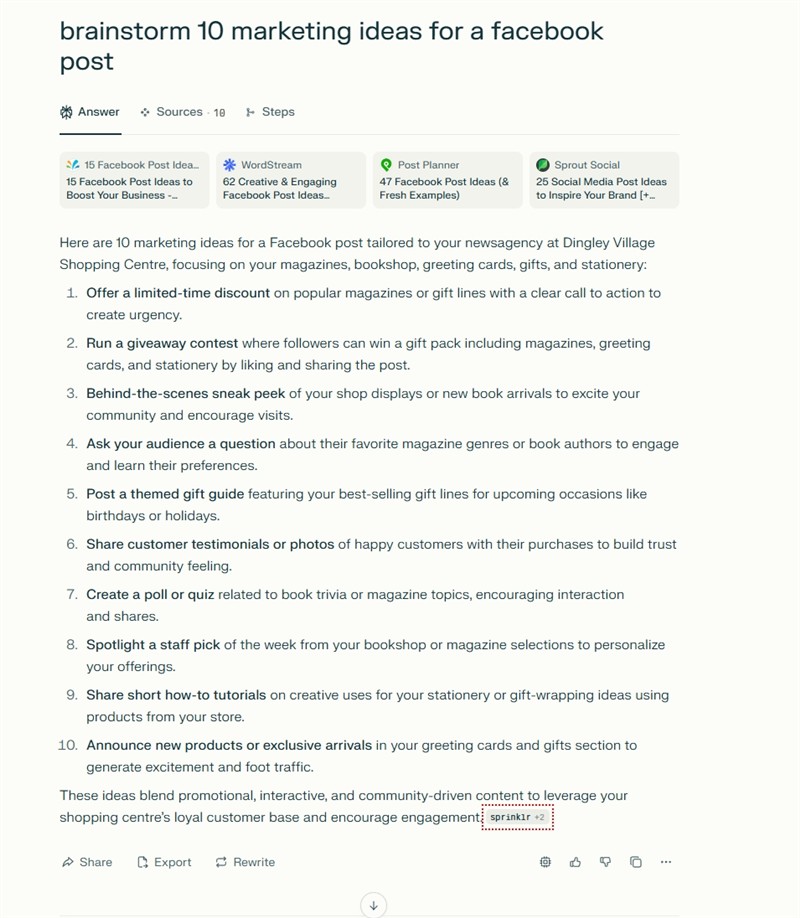
  • "Create a Facebook marketing plan for the next month."
  • "Recommend which upcoming holiday seasons I should prepare for."
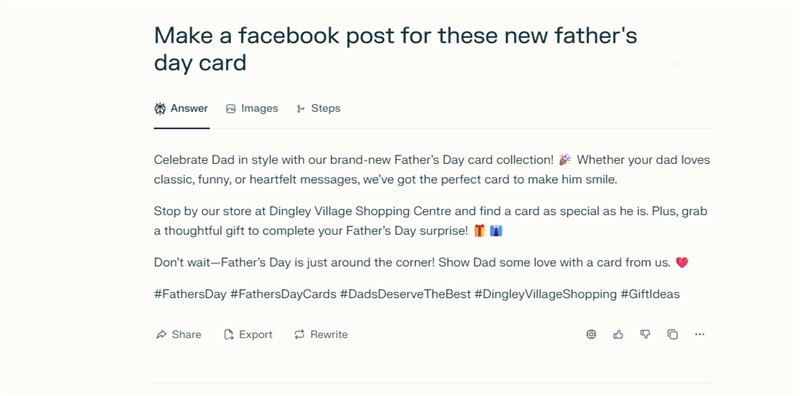
  • "What products should I stock ahead of Father's Day?"

Financial Analysis

Few of us have the skill or knowledge to understand our accountant's statements. What we need is someone to explain them in plain English in seconds. So upload your P&L statements, tax returns, and relevant POS reports. Because everything stays grounded in your own numbers, the answers reflect your actual business rather than generic advice.

Useful prompts include:

  • "What are my top revenue streams and largest operational expenses?"
  • "Explain what these accountant reports are telling me."
  • "Compare my net profit margin, current ratio, and asset turnover over the last three quarters."

Upload rental agreement changes, government budget announcements, or business proposals to extract what directly affects you.

Most importantly, before sending anything to your accountant, ask NotebookLM to audit for unusual transaction patterns, duplicate entries, or irregular cash movements. Catching errors yourself is cheaper than paying your accountant to find them and fix them later.

Legal Documents

NotebookLM can turn a dense commercial lease into a plain-English summary. Few of us have an in-house lawyer, so this is one of the highest-value use cases available. Try these three approaches:

  1. Ask NotebookLM to read the rental agreement, explain it in plain terms, and flag potential risks.
  2. Upload the previous version of the rental agreement to compare exactly what has changed.
  3. Ask it to specifically analyse liability risks, unfavourable payment terms, or hidden fees you need to consider before you sign.

For example, magazine return/credit processing. You'd want to upload your distributor agreements and returns policies to answer "What's the credit window for [Publisher X]?" or "Summarise the damages claim process for damaged stock."

Of course, always treat these answers as a first pass, not a replacement for a solicitor on anything with real financial exposure. Anything AI is ultimately risky.

Improve Store Operations

What I like is that NotebookLM can draft a professional Store Operations policy from scratch in minutes. Let us face it, a scrappy handwritten policy taped to the counter doesn't impress staff or customers. Few take it seriously once they see it. A professionally written document is different.

Return policy (an example)

Let us say you want a return policy; here's a practical sequence to follow:

  1. Upload return policies from comparable stores if you can find them
  2. Also upload return policies from major retailers
  3. Ask NotebookLM to explain how a typical return policy works, then amend it for your shop.
  4. Once you are happy with the result.
  5. Generate a scenario-based quiz from your finished policy. Make amendments if required.
  6. Now ask it to make a professional, step-by-step infographic for staff and customers.

Slide Decks and Videos

  • NotebookLM turns Point of Sale (POS) reports into slide decks, infographics, and narrated Video Overviews from uploaded files.

For example, ask it to build a presentation from weekly or monthly sales reports, and it creates professional, presentation-ready slides. I find this useful for highlighting key points, making your comments more credible.

You can also create animated explainer videos. I like that you can pause anytime, ask questions, and get plain-English explanations. For example, if a video shows a drop in weekend lottery sales, you can stop and ask why that line moved compared to the previous quarter.

Retail CRM

  • A retail Customer Relationship Management (CRM) system is a central hub that collects customer interactions and builds shopper profiles. It automates targeted campaigns, stores order histories, and segments customers by purchasing behaviour to encourage repeat visits. For example, a Melbourne florist can group customers by occasion, then send tailored offers.

Moreover, CRM is now considered vital in retail. Our POS systems already include a free CRM version you should keep using. You can feed selected CRM exports, customer emails, or purchase summaries into NotebookLM. For instance, upload a month of loyalty emails and ask which customers have gone quiet since their last high-value purchase.

Current Pricing and Usage Limits

The best part: NotebookLM's free plan gives most SMBs everything they need to get started. If you feel you need more, there are paid plans. Here's the current Australian pricing, which I confirmed directly on Google's official page: https://notebooklm.google.com/plans

  • Free — $0/month: 50 sources per notebook, 100 notebooks, 50 daily chat queries.
  • Google AI Plus (NotebookLM Plus) $7.99/month: up to 300 sources per notebook, up to 500 notebooks, up to 500 daily chat queries. If you have a kid in school, it's half price for them.
  • plus more

About the free tier, 50 sources per notebook is generally adequate for most SMB retailers, I think. If you hit the cap, consider making more notebooks. I often find that removing dubious or unnecessary sources helps.

The bigger frustration is the daily chat limit. If you're deep in an urgent problem and hit the ceiling, NotebookLM stops answering until the next day, which happens only occasionally but can be genuinely disruptive at the wrong moment.

I would suggest starting with the free tier before committing to anything paid. Create your notebook now, try it out for a while, and decide whether you need a bigger plan.

Data privacy

Google states that content is kept private. Overall, it's pretty good; you do need to make sure that only authorised people can access your notebook. Since the information is in the cloud, police or courts can access your notebook if they want. Australian privacy laws are very good protection for individuals but terrible for the government.

Alternatives

I am very happy with NotebookLM, but I've also seen several other products that are excellent. Logically.app and SciSpace spring to mind. If you use either ChatGPT Plus, Claude Projects or Perplexity, they all have a Project feature that can do much of this too on your existing account, much like NotebookLM.

Conclusion

NotebookLM gives you a genuinely useful, document-grounded AI assistant at no cost to start. Give it a try; you may be surprised how much time it saves. If there's enough interest, I'll run a webinar to help people get started.


Written by:

Bernard Zimmermann


Bernard Zimmermann is the founding director at POS Solutions, a leading point-of-sale system company with 45 years of industry experience. He consults to various organisations, from small businesses to large retailers and government institutions. Bernard is passionate about helping companies optimise their operations through innovative POS technology and enabling seamless customer experiences through effective software solutions.

 

Add new comment

Restricted HTML

  • Allowed HTML tags: <a href hreflang> <em> <strong> <cite> <blockquote cite> <code> <ul type> <ol start type> <li> <dl> <dt> <dd> <h2 id> <h3 id> <h4 id> <h5 id> <h6 id>
  • Lines and paragraphs break automatically.
  • Web page addresses and email addresses turn into links automatically.
CAPTCHA This question is for testing whether or not you are a human visitor and to prevent automated spam submissions. Image CAPTCHA
Enter the characters shown in the image.

AI why It Is Only a Drafting Tool in Retail.

POS SOFTWARE

AI Retail vs the law

Recently, I was reading a fascinating book about AI in modern legal practice and realised much of it would apply to retail too. The gap isn't whether they use artificial intelligence; it is understanding where it fails and where human control remains essential. What we need to do is safely use AI as an assistant while protecting our stores from its blind spots.

Key Takeaways

  • AI drafting tools can only generate rough, initial versions of marketing content and product descriptions.
  • Human reviewers must rigorously check all AI-generated text because the software frequently invents incorrect facts, prices, and legal statements.
  • Retailers remain legally and commercially responsible for all their published errors.
  • Sensitive customer data and wholesale pricing must never be pasted into public AI platforms without a thorough understanding of the provider's privacy rules.
  • Sharing confidential material with an outside AI provider may create contractual, privacy, or legal issues for your business.
  • Privacy Act obligations apply strictly to customer information even when you use AI to draft emails or handle complaints.

What Is an AI Drafting Tool?

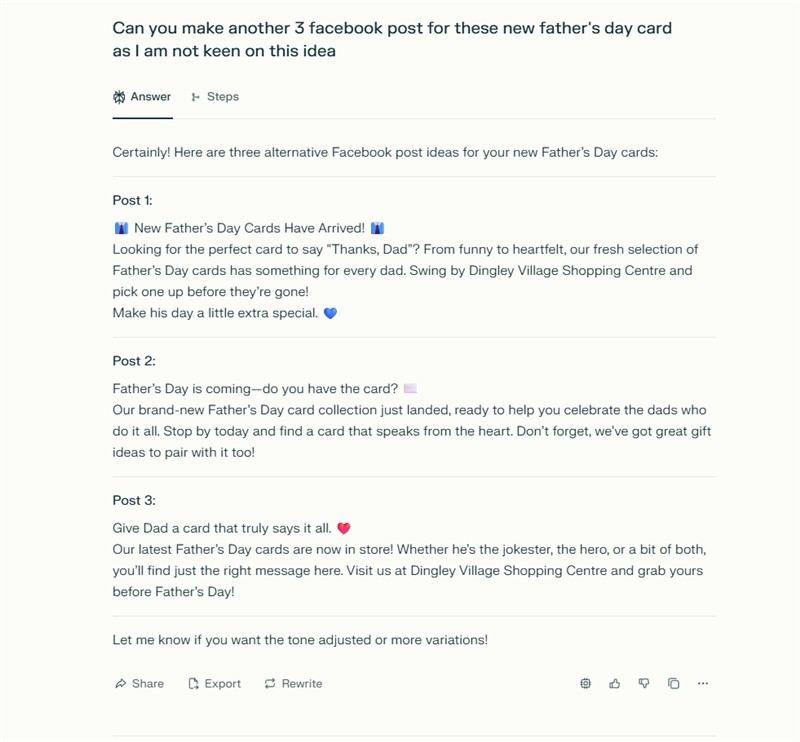
An AI drafting tool is software that quickly creates a first draft of text for review, correction, and finalisation. Our survey shows our retail clients mainly use AI for advertising, such as drafting Father's Day promotional emails. Here, the AI is not an expert. It is not a decision-maker; you are. It must function solely as a brainstorming helper, aiding in organising ideas and overcoming writer's block, thereby speeding up your workflow.

Why Does Human Oversight in Retail AI Matter?

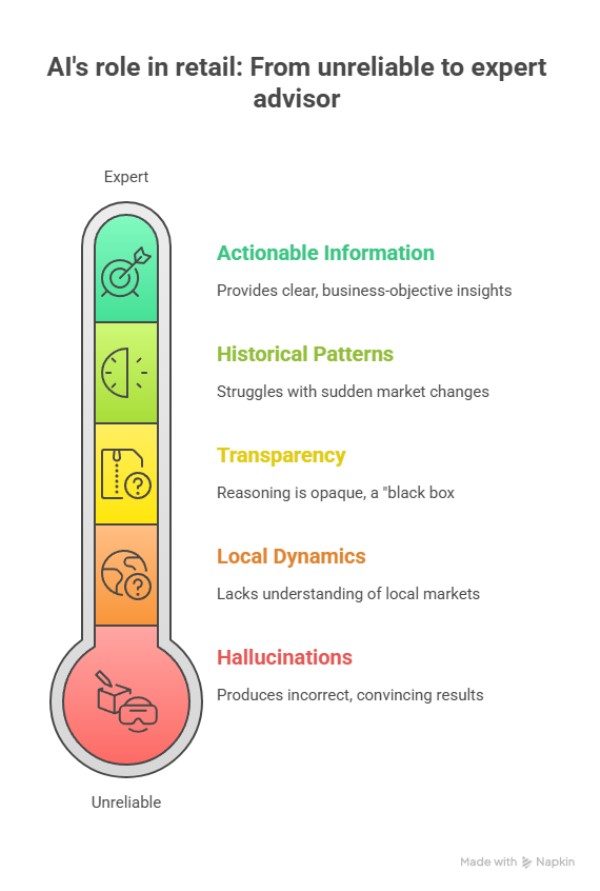
Crucially, human oversight matters partly because artificial intelligence lacks your real-world commercial context and because it is not factually reliable. You cannot simply trust software to understand the nuanced tone of your local business or the specific legalities of your supplier contracts.

Why Does AI Sound Confident Even When It Is Wrong?

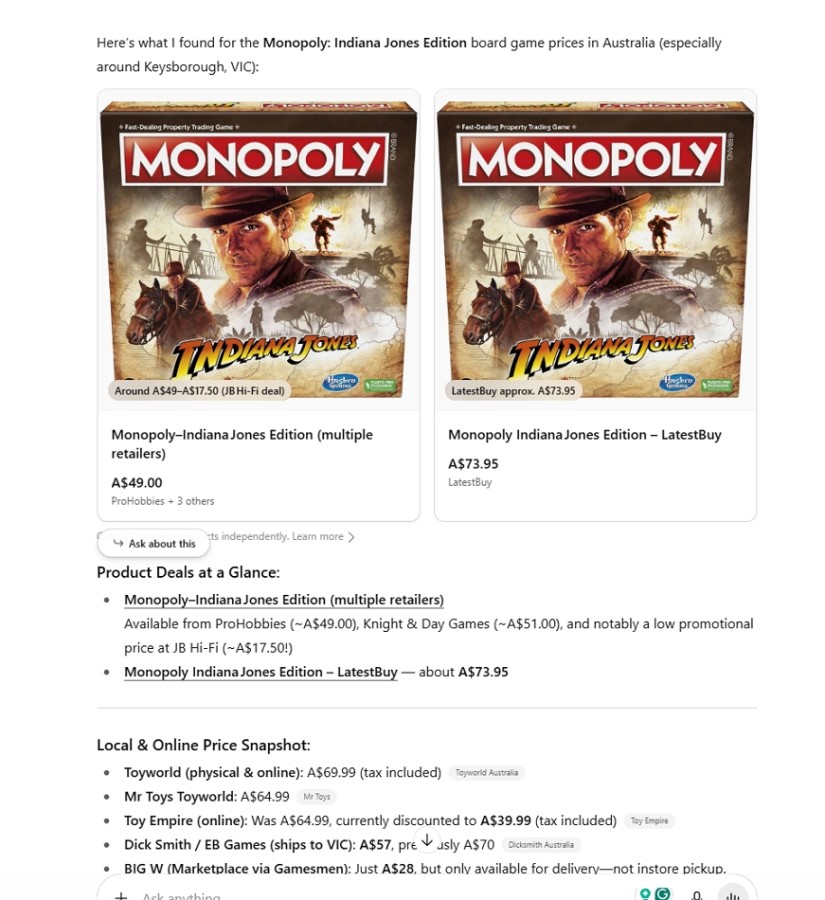
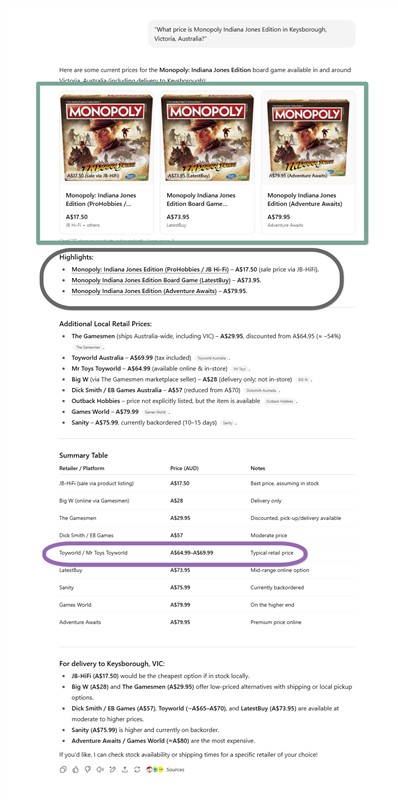
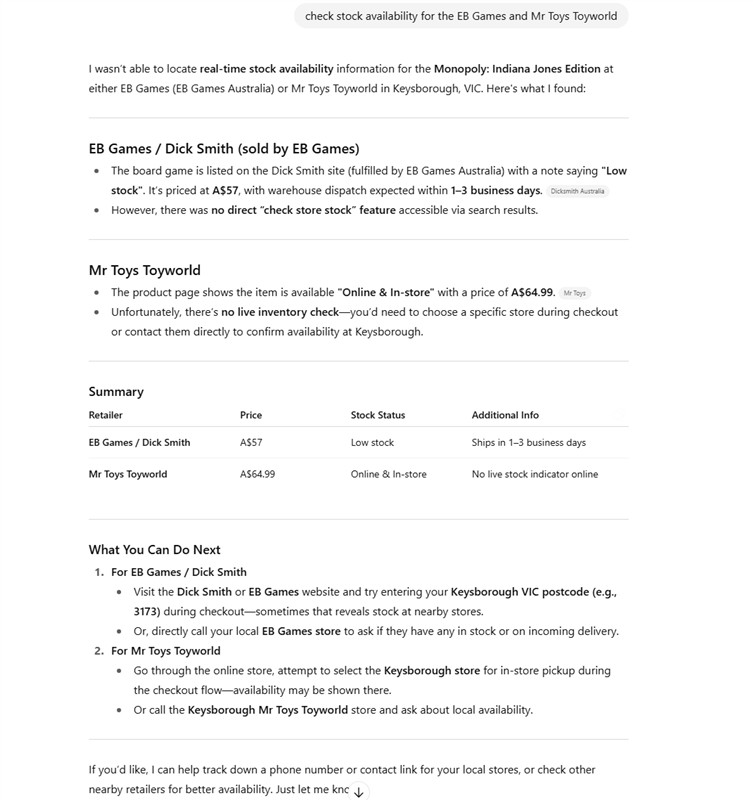
An AI is trained to sound confident. They train it to give you what it thinks you want. If you ask it to describe a new candle brand, it might say it has a 100-hour burn time simply because that phrasing sounds good to it. This is what one of my clients got. The problem was that the candle certainly didn't have a 100-hour burn time, not even close.

I had a client disputing his claim for money owed by a private superannuation fund. The AI prepared a highly formal, legally sound letter threatening to escalate the matter to a small-claims tribunal, if it was not paid. He sent it and was ignored. In frustration as time was running out, he lodged his complaint with the small claims tribunal. The tribunal rejected the action because the AI had completely misunderstood the legal structure of the superannuation fund involved. What the AI had created was polished legal rubbish. When queried later, the AI system admitted it had mucked up the legal positioning. It did not help my client by then. His legal position was worse too as he blamed the wrong person. Just because the AI was smooth and fluent did not prove it was accurate.

Checking the Crucial Details

Inevitably, you must review specific elements whenever AI drafts your seasonal promotional copy or event notices. Specifically, you need to verify rigorously:

  • Product names and brand descriptions
  • Prices and sale conditions
  • Dates, times, and store locations
  • Stock availability
  • Supplier details
  • Store contact information and correct spelling
  • Whether the tone sounds like your business

I often ask a second AI system to review the draft for possible errors. This can sometimes identify problems. It's not foolproof, but it often works. Here is the prompt I use, feel free to use it or modify it. I think you will find it useful too. 

Act as an expert-level research assistant and meticulous fact-checker. Your task is to verify the factual accuracy of the text provided below.

=== PROCESS ===

  1. Decompose the text into individual, atomic, verifiable claims (statistics, dates, names, events, technical specifications, causal assertions, comparative claims, and logical inferences). Number them for traceability.
  2. For each claim, research against the best available sources, prioritising:
    • Primary sources (official data, original research, legal documents)
    • Authoritative secondary sources (peer-reviewed journals, established reference works)
    • Reputable journalism (major outlets with editorial standards)

    Note the publication date or publication year of the source used. If sources conflict, explicitly note the disagreement.

  3. Classify each claim using this taxonomy:
    • True — Fully supported by credible, current evidence.
    • Mostly True — Essentially correct but missing nuance or minor caveats.
    • Misleading — Technically true but framed to imply something false, or cherry-picked out of context.
    • False — Contradicted by credible evidence.
    • Unverifiable — No reliable source exists to confirm or refute (note whether this is because the claim is inherently subjective, the data is private, or you simply couldn't find a source within reasonable effort).
    • Outdated — Was true at one point but no longer reflects current reality.
  4. For each claim, assign a confidence level: High / Medium / Low.

=== OUTPUT FORMAT ===

TL;DR Verdict

[A 2-3 sentence summary: overall accuracy, most serious errors found, and whether the text's central argument holds up despite any factual issues.]

1. Source Baseline

[Briefly note: what date range did you search? What kinds of sources were available? Did you hit any access limitations? This establishes transparency about your research process.]

2. Claim-by-Claim Analysis

For each numbered claim, provide the following breakdown:

  • Claim #[Number]: [verbatim text from note]
  • Verdict: [True / Mostly True / Misleading / False / Unverifiable / Outdated]
  • Confidence: [High / Medium / Low]
  • Source(s): [Specific name of the organisation, study, or publication, including the year published]
  • Analysis: [1-3 sentences explaining the reasoning and evidence]

3. Internal Contradictions

[Flag any claims within the text that contradict each other. If a contradiction exists, suggest which claim appears more credible and why.]

4. Missing Context / Omissions

[Identify important facts or context that, while not directly contradicted, would materially change a reader's understanding if included. This is distinct from factual errors — it's about what's absent.]

5. Revised Text

[Provide a corrected version that:

  • Fixes all identified factual errors
  • Adds caveats to Mostly True and Outdated claims
  • Removes or clearly hedges Unverifiable claims
  • Flags via [bracketed note] where you've changed the original
  • Preserves the original author's voice, tone, and rhetorical goals as much as possible]

Here is the text to fact-check:


[INSERT TEXT HERE]

What Sensitive Information Should Retailers Hide from AI?

Legally, you should be careful about putting sensitive information into a consumer AI tool.

Specifically, sensitive information could include:

  • Customer names, email addresses and phone numbers
  • Employee details, payroll information or performance issues
  • Supplier contracts, wholesale prices and confidential terms
  • Financial figures, margins, forecasts and banking information
  • Unpublished business plans and new product strategies
  • Legal disputes, personal matters or documents that may be legally sensitive

If a customer emails you a complaint, if you use their name, contact details, and order number to ask an AI tool to draft a polite response, your discussions with the AI may now be public to the police or courts.

Privacy and Confidentiality

Sharing confidential material with an AI provider may cause privacy breaches and may also violate agreements. Simply entering it into an AI chat might make it public. Supplier agreements often contain confidentiality clauses. Customer information is covered by the Australian Privacy Act. You carry its strict obligations. The legal consequences will depend on the facts. However, a business should not take unnecessary risks with information that could harm customers, employees, suppliers, or the business itself if disclosed.

Consider anonymising your prompts when seeking AI help. Alternatively, you might explore secure AI platforms if you frequently handle sensitive data. They are more expensive. They do offer stronger controls.

Consider Local AI, which I previously looked into for AI for Australian retailers. I will need to do an update soon, as so much of the technology has changed, but the central issue here of privacy remains important.

What Are the Best Next Steps for Retailers Using AI?

Set a clear, simple rule for your entire team that a human approves the final version. 

Review the privacy settings of your AI tools.

Opt out of data-sharing features if you are worried.

Do not use public AI systems with your confidential information.

What Is the Final Word on Keeping AI in Its Lane?

In conclusion, AI serves as an incredibly helpful drafting tool that generates fresh ideas and improves your wording quickly. Modern retailers now use it continuously.

Finally, if you would like to read the legal book that originally prompted these thoughts about AI, please let me know. I can easily get you a copy, and it is not expensive at all!

Written by:

Bernard Zimmermann


Bernard Zimmermann is the founding director of POS Solutions, a leading point-of-sale system company with 45 years of industry experience, now retired and seeking new opportunities. He consults with various organisations, from small businesses to large retailers and government institutions. Bernard is passionate about helping companies optimise their operations through innovative POS technology and enabling seamless customer experiences through effective software solutions.


Add new comment

Restricted HTML

  • Allowed HTML tags: <a href hreflang> <em> <strong> <cite> <blockquote cite> <code> <ul type> <ol start type> <li> <dl> <dt> <dd> <h2 id> <h3 id> <h4 id> <h5 id> <h6 id>
  • Lines and paragraphs break automatically.
  • Web page addresses and email addresses turn into links automatically.
CAPTCHA This question is for testing whether or not you are a human visitor and to prevent automated spam submissions. Image CAPTCHA
Enter the characters shown in the image.

Start AI Management Reporting now!

POS SOFTWARE

Dashboard of a newsagency 2026

Most SMB retailers aren't using AI for management. Here's how to easily connect your POS system to free AI tools to improve management reporting. We found this out when we recently asked SMB retailers how they use AI, and most said they don't use it at all. This surprised us, since many AI tools are free to try. In today's world, every business should consider using AI.

Key Takeaways

  • Our survey found that most SMB retailers do not use AI.
  • Cost and time were the main excuses.
  • Retailers who do use AI mainly use it for marketing, writing emails, and social posts.
  • The people we surveyed felt their current POS system already gives highly reliable data without AI.
  • AI can only process management information accurately if you give it enough details.
  • You need a Commercial Operations Profile (COP) for management reporting, providing the essential context AI needs to help you.
  • Asking an AI to generate a visual dashboard makes complex POS reports incredibly easy to digest.

How Are Retailers Currently Using AI?

Retailers who use AI mostly rely on it for marketing tasks, such as writing social posts, drafting emails, and looking up basic information.

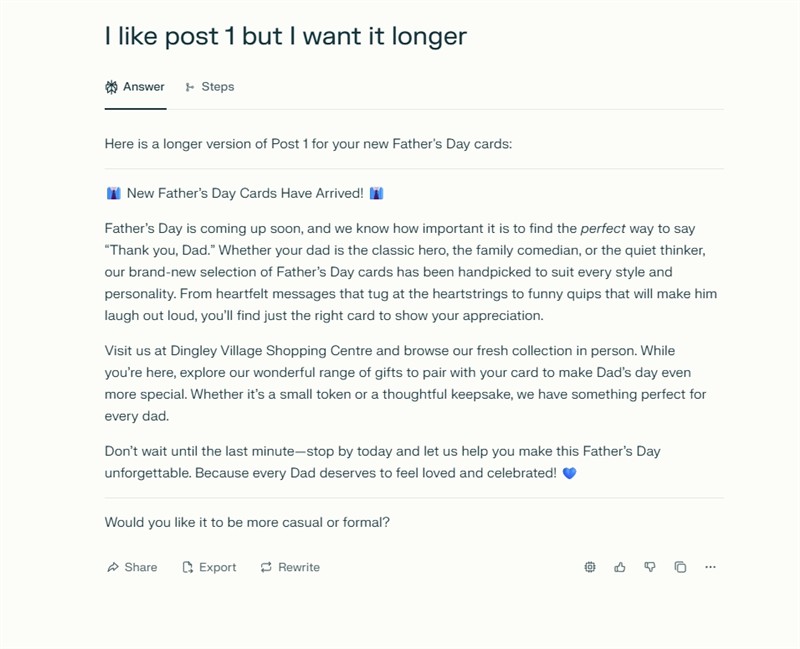
For example, our survey showed that when using AI for marketing, retailers tell the AI what they want, explain their target audience, and ask for help. Since they provide this context, the AI does a good job. Many use ChatGPT to write Facebook posts about things like Mother's Day cards, then make a few tweaks before posting. This saves a lot of time.

However, when it comes to management information, most users are not using AI correctly.

Why Do Most SMB Retailers Avoid AI for Business Management?

Most SMB retailers avoid using AI for business management because they worry about costs and feel their current software is good enough. When we asked how many use AI to better understand their business, very few said yes. Most blamed cost and time. Time is a fair concern, but cost shouldn't be, since many AI tools are free.

Shop owners also skip AI because their POS systems already provide reliable data. Many retailers know their business well and don't see the need for AI. Plus, AI is still new, and everyone is learning as they go. Even data professionals find it hard to keep up with all the changes. But every journey starts with a first step, so now is a good time to begin.

Let us start with the basics.

What Is a Commercial Operations Profile (COP)?

A Commercial Operations Profile (COP) is a brief written summary of your shop's location, target market, and competitors that helps AI or anyone else, for that matter, to understand your business. Even the smartest person does not know anything about your specific business unless you tell them. If, as some do, you paste numbers into an AI chat box, the AI will fail to give you useful management advice because it does not know.

For example, if your Point of Sale (POS) system is reviewing winter sales, the AI analysing these figures needs to know whether you are in sunny Queensland or cold Victoria to give you advice.

This is what a COP is designed to overcome.

Creating a COP is the most important step you can take. Save your COP somewhere easy to find. Our POS system has a spot for it, but you can also keep a text file on your desktop to copy and paste into any AI tool you use.

If you want to use AI  and are unwilling to pay for it, let me know. As long as you have someone very computer-literate on staff, I can give you a free, very good basic AI.

How Do You Use AI for Management Information?

To get management information from AI, give it your Commercial Operations Profile and a detailed report from your POS system. Start by asking the AI to edit the COP template below with your own details until it fits your shop. The more details you include, the better, but this template works well for most retailers.

My [business type] is located in [centre/area], a well-established neighbourhood retail hub anchored by [anchor tenant], which drives steady daily foot traffic and fosters strong cross-shopping opportunities for speciality retailers like mine. The centre's tenant mix prioritises essential services, making it resilient against economic fluctuations and highly appealing to the local community. This community is characterised by above-average incomes and a [demographic descriptor] demographic, which aligns well with our product and service offerings. Though [competitor 1]'s in-store [categories], as well as online retailers and nearby competitors, pose direct competition, the [centre/area]'s loyal, consistent local customer base provides a robust foundation for growth. Leveraging this strong foot traffic and community connection, we focus on [core categories]

Fill in the blanks and save your COP. Don't worry if it's not perfect right away—you can always improve it later. Now open your AI tool and paste in your COP. Once the AI has your profile, tell it: "I am pasting in this report. Please analyse it and make a report."

Next, go into your POS System and select a report. Now paste it into your AI.

After the AI creates a report, I like to ask it to generate a visual dashboard for the results. A picture can make the information much easier to understand.

Here's a sample AI financial dashboard for a fictitious newsagency. I use the visual dashboard to quickly grasp the main points, while the text report provides more detail. My clients always find these reports interesting to read.

What Are the Best Pro Tips for Prompting AI?

  • Speak plainly. If you have a microphone, use it. Speaking is often faster than typing.
  • Ask for a result rather than tell it how to do the task. Say something like "I want a report on …" Let it work out how to do it.
  • Never waste time debating with the AI. It is not a person and only works with the information you provide. If the information is wrong, the answer will be too. Don't waste time arguing with AI. If unclear, ask for clarification, like, "Redo in Year 8 Australian English" or "Explain so a busy shop owner can understand."
  • Feel free to ask more questions. Do not be embarrassed by asking a stupid question; who cares what an AI thinks of you?

What Are Your Next Steps With AI?

Your next step is to test this with your own store's data right now, without spending a cent. First, spend a few minutes filling out the COP template above and save. Try this out with your own store's data now, without spending any money. Fill out the COP template and save it. Then run a basic sales report and let the AI handle the rest.

Conclusion

Getting management information from your reporting software doesn't have to be confusing. Start by giving the AI a simple business profile. Then, ask for a visual dashboard to make complex reports easy to read. Don't let cost stop you from using free tools and start finding hidden trends in your shop today.

Written by:

Bernard Zimmermann


Bernard Zimmermann is the founding director of POS Solutions, a leading point-of-sale system company with 45 years of industry experience, now retired and seeking new opportunities. He consults with various organisations, from small businesses to large retailers and government institutions. Bernard is passionate about helping companies optimise their operations through innovative POS technology and enabling seamless customer experiences through effective software solutions.


Add new comment

Restricted HTML

  • Allowed HTML tags: <a href hreflang> <em> <strong> <cite> <blockquote cite> <code> <ul type> <ol start type> <li> <dl> <dt> <dd> <h2 id> <h3 id> <h4 id> <h5 id> <h6 id>
  • Lines and paragraphs break automatically.
  • Web page addresses and email addresses turn into links automatically.
CAPTCHA This question is for testing whether or not you are a human visitor and to prevent automated spam submissions. Image CAPTCHA
Enter the characters shown in the image.

Comparison of free and paid AI systems for retail.

POS SOFTWARE

Sample AI analysis report

We all rely on the Point of Sale (POS) system for essential ordering, staffing, and seasonal planning. Part of what we are looking for in AI is advice that may lead to ideas of what to do next, missed stock opportunities and hidden risks. What we did was benchmark several commonly used free and paid AI to see how they performed for such use. The results quite stunned us.

What Are POS System Reports Reviewed By AI?

We decided to print a sales report from our POS system and asked for an AI review. We use several newsagencies and have a sales report listing over 2 years' worth of about 100,000 items that have sold. A shop selling $500,000 a year at an average unit price of $10 per item sells 50,000 items; this is hardly what one would call a big shop. In retail, you need about 2 years of seasonal figures to compare, say, Feb this year with Feb last year. Doing that requires a lot of data; it's not just the items, but also sales quantities, prices paid, discounts given, GST, etc., and we discovered that many AI systems couldn't handle this workload.

Which AI Tool Reviews POS System Reports Best?

Going over the reports, it was found.

Meta AI, a free service, produced the most useful answer. It easily processed the massive amount of information, built useful monthly tables, and provided good stock recommendations. I was shocked that the free one did the best job.

Conversely, the remaining AI tools demonstrated common ways in which AI will underperform when faced with shop data. For instance, Gemini, which is so highly regarded, typically analyses about 50% of the information we supplied and then stops.

How Did Each AI Tool Perform?

Below is our breakdown of how the different AI tools handled the data loads from fairly small retail shops, from best to worst.

  • Meta AI: This AI tool effortlessly handled massive data and provided free, actionable advice, making it the best option for major stock decisions despite missing complex margin analysis. Sample report, we got on the top.
  • Claude: This model produced sensible category assignments, but its answers were too vague for ordering, so it is best used for spotting broad seasonal trends.
  • Local AI: This AI excels in data security and privacy, but its analytical depth is average.
  • Gemini: Nice formatting, looked nice, but broke down under the data load.
  • ChatGPT: This famous AI tool figures were correct, but its reporting was pretty useless.

Info: The free AI meta got the best score, and number 3 was local AI, another free model. Paying did not yield better results.

Note that data security is most important to you; only local AI can do that, but that is another issue for another post.

What Are the Next Steps for Retailers?

The next steps for retailers involve starting with one specific report and running it through your chosen AI tool to test its true data capacity. For example, export your heavy monthly category performance data and explicitly ask the AI to suggest three immediate merchandising changes for the shop floor.

Always verify the totals against your original Point of Sale (POS) system export before taking any physical action. We were shocked to see how badly Gemini performed here.

Conclusion

Clearly, pairing your POS system with an AI report can provide you with better information, but you need to check the results.

Written by:

Bernard Zimmermann


Bernard Zimmermann is the founding director of POS Solutions, a leading point-of-sale system company with 45 years of industry experience, now retired and seeking new opportunities. He consults with various organisations, from small businesses to large retailers and government institutions. Bernard is passionate about helping companies optimise their operations through innovative POS technology and enabling seamless customer experiences through effective software solutions.



Add new comment

Restricted HTML

  • Allowed HTML tags: <a href hreflang> <em> <strong> <cite> <blockquote cite> <code> <ul type> <ol start type> <li> <dl> <dt> <dd> <h2 id> <h3 id> <h4 id> <h5 id> <h6 id>
  • Lines and paragraphs break automatically.
  • Web page addresses and email addresses turn into links automatically.
CAPTCHA This question is for testing whether or not you are a human visitor and to prevent automated spam submissions. Image CAPTCHA
Enter the characters shown in the image.

Importing OCR (AI) Supplier Invoice Guide

POS SOFTWARE

Australian retail store owner reviewing supplier invoices on a POS terminal

Today, many prefer to use AI rather than hand-enter supplier invoices into their POS System. If you are ready to scan these invoices, let us know.

Many people have questions about doing this, so here are some questions I have received over the past few months.

What is AI supplier invoice processing?

AI supplier invoice processing is when your POS Software reads supplier bills that are sent to you. It uses AI to extract information from the invoice and enter it into your POS system, so you don't have to type everything manually. AI processed supplier invoices, reducing manual entry and speeding up data entry. People do report saving hours. Its accuracy is equivalent to manual data entry. Since you get a check at the end, the accuracy is rarely a significant problem.

Speed and Accuracy of a typist vs AI?

Here are some observations that I worked out for a single-page invoice, admittedly on a run of invoices.

When humans process an invoice, they do not just read words; they must scan, find specific fields, verify totals, and manually key data into the POS software. Humans take about 12 minutes per invoice. This includes locating vendor details, invoice numbers, and line items, and manually retyping them into the POS System. Interestingly, when I tested a trained typist, she took 4 minutes to type an invoice, mainly because she did not have to look at the keyboard as often, and she typed much faster.

An AI OCR invoice processing took 2 seconds per invoice, as it reads the whole document and then extracts the figures.

So the AI OCR processes invoices 60-360 times faster than a human, depending on your training. Its accuracy was much higher.

Where humans will win is with handwritten or complex invoices, like what we sometimes see coming from places like India.

Warning: You should never accept invoices into your POS system without checking — that includes AI, XChangeIt or manually typed-in invoices.

Here are some questions people have asked me about these AI invoices.

Frequently Asked Questions

Q: Will the ATO accept digital copies of receipts and invoices?

A: Well, now you are getting the invoices electronically and entering them manually. As for the invoice, you still have the digital version sent by email or the paper one sent with the goods.

Caution: The AI can often process barely readable, blurry invoices. You should ask for a fresh copy, even if the AI can read it, because ATO inspectors require readable copies.

Q: How do OCR tools handle multi-currency invoices from AliExpress or eBay?

A: Double-check it, as I have seen it confuse US and Australian dollars and go wild with the invoice in Indian rupees.

Q: Do AI tools understand line items?

A: It understands line items; with line credit notes, people have reported mixed success.

Q: How do you stop ABN errors?

A: It's not doing any checks on the ABN number. Again, you need to do it manually.

Q: How does it handle duplicate invoices?

A: It is a very real problem with AI. The supplier sends an invoice by email, so people enter it in. When the goods arrive, they OCR the invoice and use AI to process it. Because it is so much faster than manual typing, it happens much more often with AI.

Info: Your POS System should have rules set to reduce the duplicate invoice problem. You are not going to get out of verifying your information.

Q: Why does your AI tool say VAT instead of GST?

A: People are importing British invoices that have VAT.

Q: Can AI handle all suppliers' invoices with OCR?

A: Almost all, but I have seen some problem ones. Most suppliers today use accounting software to issue invoices, and they can send them to you electronically. At first, you'll need to monitor each supplier to see how it goes.

Q: Does it have a cost?

A: AI is not free; it's very cheap, but it's not free.

Q: What is the break-even point for switching to AI processing invoices?

A: I have asked several people that question with mixed results; one of my clients can type at 65 words a minute, I assume her answer would be very different to mine. It depends on how many invoices you process, how quickly your typist works, and the condition of the invoices.

Tip: Start by monitoring AI-processed invoices for each supplier individually. This helps you quickly identify which suppliers' invoice formats work seamlessly and which ones need extra attention or manual review.

Written by:

Bernard Zimmermann


Bernard Zimmermann is the founding director of POS Solutions, a leading point-of-sale system company with 45 years of industry experience, now retired and seeking new opportunities. He consults with various organisations, from small businesses to large retailers and government institutions. Bernard is passionate about helping companies optimise their operations through innovative POS technology and enabling seamless customer experiences through effective software solutions.


Add new comment

Restricted HTML

  • Allowed HTML tags: <a href hreflang> <em> <strong> <cite> <blockquote cite> <code> <ul type> <ol start type> <li> <dl> <dt> <dd> <h2 id> <h3 id> <h4 id> <h5 id> <h6 id>
  • Lines and paragraphs break automatically.
  • Web page addresses and email addresses turn into links automatically.
CAPTCHA This question is for testing whether or not you are a human visitor and to prevent automated spam submissions. Image CAPTCHA
Enter the characters shown in the image.

Local AI vs Online AI for Australian Retailers: Privacy and Confidentiality

POS SOFTWARE

LM Studio in Use


Today, Australian businesses use AI for tasks such as drafting, reporting, analysis, and administration. You're probably one of them, but have you considered the risk of starting when your business information is outside the store's control? The problem, I am sure, is not foul play by the AI company but the storage of information. This is what many business people miss: where is the information in an AI service?

Key Takeaways

  • Data movement risk: Online AI moves prompts and files into third-party systems, creating privacy, confidentiality, and retention risks.
  • Control advantage: Local AI keeps prompts and files inside a business-controlled environment, giving retailers stronger control over access, logging, and deletion.
  • Privacy obligations: Personal information in AI prompts can trigger Privacy Act duties about collection, use, disclosure, accuracy, and security.
  • Commercial exposure: Confidential business information, such as supplier terms, pricing logic, and dispute strategy, can create serious risk even when privacy law does not apply.
  • Shared access risk: Shared AI accounts can expose past prompts, uploaded files, and internal thinking to unauthorised parties.
  • Tiered policy: The right answer for most retailers is not all-local or all-online.

What Is Local AI vs Online AI for Business?

Local AI is AI stored on your computer, and that runs on it. Right now, it's really hot with a lot of public interest. The two biggest advantages people see are cost and privacy. Today, local AI can deliver about 80% of what online AI companies can give you.

Let us discuss a real user case.

A staff member ask an AI tool to rewrite their reply to a customer complaint, what is being stored on the AI is the angry shopper's name and address.

How Does the Privacy Act Apply When Staff Uses AI?

Under the Privacy Act, which would apply to AI use if it involves personal information.

The government says you must take a careful approach to AI use involving personal information, conduct due diligence on the product, and build human control, privacy governance, and staff procedures around its use.

Where it is actually frightening is that AI hallucinates. In one study I saw, the rate was between 0.6% and 2.6% today. What happens if An AI hallucination incorrectly states a specific staff member was fired for theft. and that information gets out.

The other concern is that an AI can be very good at finding other information on a person, for example For example, a pharmacy collecting a patient's email for a receipt cannot legally dump email addresses into an AI tool to predict their future medical purchases. The Privacy Act restricts businesses from using data for secondary purposes without consent or an exception.

About business Confidential Business Information?

Confidential business information may include pricing policies, supplier terms, internal reports, and other factors that drive your commercial advantage. This data can create a serious risk when it leaves the business. For example, I remember a newsagent who was very upset when he discovered that a report showing his seasonal greeting card markup by supplier was given to another shop nearby.

What about using AI to prepare an email to a supplier, asking for an extension to pay because they do not have the money this week, and then it ends up with another supplier of theirs?

Shadow AI

Most people have one AI account for business. They then share it with everyone to use. We call this a Shadow AI account. In practice, it means everyone can see the information.

It may get worse, as many people today have smartphones and use them, which means your staff member has this confidential information stored on their AI account. I have no idea how to handle that problem.

How Long Do Online AI Providers Keep Your Information?

There are many pluses to storing this information for a long time. For example, in the above example, where a merchant is writing to a supplier for an extra month's credit, the merchant may need to refer to the letter in a few weeks. So you want it to stay as long as possible. Most suppliers claim they can keep it for 60 days, but I read that their internal logs retain it much longer. We do know from a case in the US that even after the user deleted the information, it was still stored officially for training purposes.*

We do know that AI companies do analyse your messages, not just for training purposes but also for some illegal activity such as paedophilia. How deeply they go, I do not know. Still, I remember how, a few years ago, people were complaining that Google Gemini was becoming unusable because it was so politically correct. The AI refused to label a drink by a hot chill dish by its name in a restaurant. What the AI companies do with the information they flag, I am not sure. It would be nice to know.

Can Using AI in a Legal Dispute Damage Confidentiality or Privilege?

Short answer: YES.

The police or courts can demand this information from you or the AI company. If you use an AI company under US law, they will have no problem getting it. If you use, say, a Chinese AI company, it may not be so easy for them to get it.

If you want to know more, check out the Federal Court of Australia, which published its Generative Artificial Intelligence Practice Note, GPN-AI, on 16 April 2026. This document sets clear expectations regarding the responsible use of AI during proceedings.

There is no problem in a judge ordering a retailer to disclose exactly which AI software they used to summarise thousands of pages of contested supplier invoices and to demand a copy.

Why Does Local AI Appeal to Privacy-Conscious Businesspeople?

The first point is that it limits the risk of third-party access to the data. Today, about 80% of all AI requests in large organisations go through their local AI. It gives the organisation direct ownership of its security and usage. It often allows you to know who asked and when.

AI Policy statement

Here is one I wrote; feel free to use it or modify it as you require.

Artificial Intelligence (AI) Acceptable Use Policy

  1. Policy Purpose
    This document defines how we may use artificial intelligence tools to improve efficiency while protecting customer privacy and commercial confidentiality. It establishes well-defined guidelines for tool selection, information handling, accuracy verification, and incident reporting. The policy will be reviewed to ensure compliance with current technical progress and regulatory requirements.
  2. Scope of Policy
    It applies to all full-time employees, casual staff, contractors, and temporary personnel. It covers AI usage on company-owned devices, shop-floor tablets, cloud workstations, and personal devices used for work.
  3. Approved Tools and Account Access
    Staff must exclusively use AI platforms authorised by management. The IT department maintains a register of approved tools with defined security certifications. Single sign-on credentials are required for all licensed accounts. Unapproved public applications need management approval first. Use of tools falling below minimum security thresholds will stop immediately.
  4. Protecting Point of Sale Data
    Extreme caution must be exercised when exporting information from our organisation. This includes such things as raw transactional records, customer loyalty databases, and end-of-day financial summaries, which must never be uploaded to unapproved public platforms without prior sanitation. Personally identifiable information should be masked before export.
  5. Human Review and Accuracy
    Artificial intelligence models frequently generate plausible but incorrect outputs, a process identified as hallucination. Each employee remains fully accountable for the accuracy of machine-assisted work products before the submission. We ask that if in doubt, you see management before release.
  6. Incident Reporting and Consequences
    Any accidental data exposure involving AI platforms are required to be reported to the manager on discovery. Rapid reporting enables immediate containment, including session termination, cloud cache deletion, and customer notification if required.

Regards

Manager

Conclusion

An important AI question for a businessperson is who controls the information after it's entered into an AI. You must ensure your operational data remains secure. I suggest, for both cost and security, that you consider Local AI if possible. I discussed deployment of Local AI here.

Written by:

Bernard Zimmermann


Bernard Zimmermann is the founding director of POS Solutions, a leading point-of-sale system company with 45 years of industry experience, now retired and seeking new opportunities. He consults with various organisations, from small businesses to large retailers and government institutions. Bernard is passionate about helping companies optimise their operations through innovative POS technology and enabling seamless customer experiences through effective software solutions.


Add new comment

Restricted HTML

  • Allowed HTML tags: <a href hreflang> <em> <strong> <cite> <blockquote cite> <code> <ul type> <ol start type> <li> <dl> <dt> <dd> <h2 id> <h3 id> <h4 id> <h5 id> <h6 id>
  • Lines and paragraphs break automatically.
  • Web page addresses and email addresses turn into links automatically.
CAPTCHA This question is for testing whether or not you are a human visitor and to prevent automated spam submissions. Image CAPTCHA
Enter the characters shown in the image.

Major AI POS Update

POS SOFTWARE

Your location details, traffic patterns, footfall drivers, profit categories, customer types, competitors, operational constraints, and growth goals.

We’ve just launched a big update to our POS System’s AI reporting: the Commercial Operations Profile (COP). This new feature will make your AI reports much more useful. The COP gives a quick overview of your shop, including your location, traffic patterns, what brings people in, profit categories, customer types, competitors, operational limits, and growth goals. With this, your AI business analyst gets the context it needs to understand your business.

Let me explain. If you printed a POS report and showed it to a bank manager, accountant, or business analyst like me, they could read the numbers, but without knowing what your business does, the figures wouldn’t mean much. For example, selling five dog toys might be insignificant for a supermarket but great for a small kiosk near a train station. The COP adds this context. It turns your POS System’s AI from a simple calculator into a strategic adviser, helping it explain what your numbers mean for your shop, your customers, and your profits.

Info: Without the COP, the AI just gives you numbers. With the COP, your POS System provides tailored, realistic retail analysis every time.

The Reality of Retail Reporting Today

After years of working with independent Australian retailers, I know what the end of the month looks like. You find a quiet moment, sit in the back office, and open a spreadsheet or POS report. You see what you sold, but the data doesn’t clearly show what you should do next.

Recently, Artificial Intelligence (AI) promised to change all of this. Retailers were told that AI could look at their sales data and magically offer brilliant business advice. However, many who have tried asking the current AI for help have been disappointed. All they got was a textbook answer, typically "run a 50% off storewide sale" or "hire a social media manager." Those answers are useless for most analyses.

Now, why does this happen? Well, the simple answer is: there is no business context. Yes, the AI can summarise numbers, but it cannot explain what they mean. Until now, you had to manually add business context each time you wanted a deeper analysis. If you tried with AI, you had to type out your entire store history to get a good answer.

Our new AI POS reporting software changes everything. You now create a form for your business. You save it in your system, and it acts as your personal space.

Why Your POS System Needs a Commercial Operations Profile (COP)

A good AI retail software needs to understand the physical reality of your store. Here are five reasons why the Commercial Operations Profile turns basic reports into powerful POS business intelligence.

1. It Understands Your Normal Baseline

Raw data lacks context. Let's say a generic AI looks at your sales report. It notices that your "Greeting Card" sales dropped by 15% in February. The AI will immediately flag this as a major business failure and tell you to panic.

However, if your COP states that your store is located in a coastal holiday town, the AI understands the bigger picture. It knows you have a massive transient tourist population in January. Therefore, the AI realises that a drop in February is a normal seasonal baseline return. It is not a crisis. It will tell you that your sales are perfectly on track for the season.

2. It Focuses on Profit, Not Just Foot Traffic

An AI analysing a spreadsheet will naturally focus on the biggest numbers. If selling Lotto makes up 60% of your top-line revenue, an unguided AI will tell you, "Lotto is your most important category. Dedicate more floor space to it."

As an experienced retailer, you know this is terrible advice. The profit margins on Lotto are tiny. The COP explicitly separates your "Footfall Drivers" (what brings people in) from your "Profit Drivers" (what actually pays the rent).

When the AI reads your sales report now, it looks through a profit lens. It will give you actionable advice, like: "Your Lotto traffic was up 10% this week, but your premium gift sales remained flat. You are failing to convert that extra foot traffic."

3. It Highlights Cross-Selling Failures

When you look at basket-size data in your POS dashboard, you need to know what should be happening. This helps you spot what is not happening.

For example, your shop might act as an Amazon or Australia Post parcel collection point. That is a great footfall driver. If your COP lists your target cross-sell as "Parcel pickup + Greeting Card," the AI will specifically scan your transaction report looking for that exact combination.

It can then report back: "Only 2% of parcel customers bought a card this month. The counter-placement strategy is not working. Try moving the card spinner closer to the parcel pickup zone."

4. It Respects Your Operational Limits

Standard retail analytics software assumes you have unlimited resources. If an AI notices that Friday afternoons are your most profitable time, it might suggest, "Double your staff on Friday afternoons to capture more sales."

That is useless advice if you run a small family business. If your COP clearly states your constraints—such as "Owner-operated, no additional staff budget"—the AI adapts its analysis.

Instead of suggesting more staff, it will offer a practical solution: "Since you cannot add staff on Fridays, you must streamline your checkout operations. Pre-bundle your top-selling Friday items to speed up the queue."

5. It Aligns Data with Your Strategic Goals

A modern point-of-sale system captures hundreds of metrics every day. Without direction, the AI does not know which numbers you actually care about right now.

Because the COP includes your "Top 3 Goals" (for example, growing your parcel-to-purchase conversion rate), the AI prioritises that specific metric. It will ignore distracting data points, like a slight dip in newspaper sales, to keep you focused on your main objective.

How to Build Your Commercial Operations Profile

To help you create your COP quickly, we have built a simple questionnaire. To answer it, you do not need to look up exact numbers. A decent estimate is perfectly fine. It does not take long, one of the retailers using our newsagency POS software told me it took him eight minutes to complete the questionnaire.

Please take a few minutes to answer the questions below. I suggest you copy and paste this list into a blank document, then fill it out under each question.

Section 1: Business Identity and Premises

First, we need to establish the physical asset.

  • Trading Name: What is the name on your door?
  • Full Address: Include your suburb, state, and shopping centre name if applicable.
  • Business Structure: How many years have you been in operation? Is it owner-operated or managed?
  • Building Type: Select one: Strip shop / Internal shopping centre / Stand-alone building / Kiosk.
  • Positioning and Visibility: Are you a corner site, an end-cap, middle of the run, or right next to an entrance?
  • Visibility Assets: What draws the eye from the street? Do you have glass frontage, clear counter sightlines, or large window signage?
  • Lease Status: What is your tenure? (For example, 3+3 years remaining).

Section 2: Location and Traffic Mechanics

Next, we define how people move around your store.

  • Traffic Flow: Is your shop in a "high-flow" path where passing traffic is guaranteed? Or are you a "destination" location where customers must make a specific effort to find you?
  • External Anchors: List the top three nearby drivers bringing people to your area. This could be a Woolworths, a train station, a post office, or a popular cafe.
  • Immediate Neighbours: Who is immediately to your left, right, and opposite?
  • Peak Trading Windows: What are your busiest days of the week and busiest hours of the day?
  • Quietest Periods: What days and times are consistently dead?

Section 3: The Revenue Engine

This is the most critical part. We must separate traffic from profit.

  • Top Footfall Drivers: List the top three to five items or services that physically bring the most people in. Include them, even if they are low-profit (for example, Lotto, parcels, newspapers, or transport cards).
  • Top Profit Drivers: List the top three to five categories that generate your highest gross profit dollars. Think about greeting cards, premium gifts, printer ink, or educational toys.
  • Category Trends: Which categories in your store are currently growing, and which are declining?
  • Common Cross-Sells: What items do customers frequently buy together? (For example, "Parcel pickup + greeting card").

Section 4: The Customer Base

An AI needs to know exactly who it is talking to.

  • Traffic Split: Estimate the percentage of your customers. Are they Regular Locals (%), Passing Transients (%), or Centre Staff (%)?
  • Top 3 Customer Personas: For each, detail who they are, what they buy, and when they come in. For example: Persona 1: Elderly locals buying newspapers and Lotto on Saturday mornings.

Section 5: Digital Footprint and Promotions

We need to establish your current marketing baseline.

  • Google Business Profile: Do you have one? What is your approximate star rating and review count?
  • Social Media: Which platforms do you use, and how often do you post?
  • Website/E-commerce: Do you sell online? What platform do you use?
  • Customer Database: Do you collect emails or SMS numbers? What is your approximate list size?
  • Promo History: What specific promotions, bundles, or loyalty offers have worked well in the past? What failed?

Section 6: Operations, Competition, and Goals

Finally, we set the AI's boundaries.

  • Operational Setup: What point of sale system do you use? Are there any major bottlenecks in your inventory processes?
  • Constraints: Do you have strict limits regarding staff capacity, marketing budget, or shopping centre rules?
  • Local Competitors: List your top two local competitors for your high-margin items. What specific advantage do they have? (For example, "Officeworks beats us on ink range").
  • Top 3 Business Goals: What are your primary targets for the next 90 days? (For example, increase average basket size).

The Secret to Great AI COP

Once you have answered these questions, you should not just paste your conversational answers directly into your POS System, as some suggest; there is a much better way to do it. AI programs do not behave as humans do. To get the AI to perform perfectly, the output needs to be in what we software engineers call dense data-point formatting.

This means stripping away all grammar, conversational padding, and full sentences. We present the raw facts as compactly as possible.

Here is a clear example of the difference between human writing and computer formatting:

Narrative Formatting (How humans write and read):

"The store is a stand-alone building located on a busy corner. It gets a lot of foot traffic from the local train station every morning between 7 am and 9 am. Because of this, our biggest seller by volume is newspapers, but we don't make much money on them. We make most of our profit from selling premium Hallmark greeting cards."

This is 57 words. This has a high word count but not much actual data.

Dense Data-Point Formatting (How AI likes to read):

Premises: Stand-alone, corner position.
Key Anchor: Train station.
Peak Traffic: 7:00 am - 9:00 am.
Footfall Driver (High Volume): Newspapers.
Profit Driver (High Margin): Hallmark greeting cards.

This is only 28 words. We have a much lower word count, but we deliver the same information with perfect clarity.

Formatting your COP this way gives you two major advantages.

Memory space

It saves memory space. AI models have a limited working memory. Your COP must be short and sharp. Ideally, it should be between 300 and 500 words. The shorter and denser it is, the more "brainpower" the AI has left actually to analyse your sales reports.

AI hallucinations

This is the most important, as it reduces AI hallucinations. Have you ever noticed your AI making things up or guessing wildly? We call these "hallucinations." This usually happens because the AI gets confused. Strict data-point formatting creates absolute clarity. It forces the AI to stick to the facts you provided.

The Magic Prompt to Generate Your Profile

You do not need to write this type of dense format yourself; in fact, I recommend that you use a free AI tool (like ChatGPT or Gemini) to translate your human answers into computer-friendly data.

Copy the prompt below, paste it into your AI tool, and paste your filled-out questionnaire answers right at the bottom.

Role: Act as a Senior Retail Analyst.
Task: Analyse the provided Business Owner Questionnaire data and generate a highly accurate, concise Commercial Operations Profile (COP).
Formatting Rules: Output must be strictly under 2,000 characters (approx. 300 words). Use dense data-point formatting (e.g., Key: Value). Do not use introductory or concluding paragraphs. Eliminate all conversational filler. Use Markdown headers and bullet points.
Structure: Provide a structured summary of: 1) Business Identity & Premises, 2) Location Mechanics & Traffic, 3) The Revenue Engine (Highlighting the Gap between Footfall vs Profit), 4) Customer Personas & Digital Health, 5) Competitors & Operational Constraints, and 6) Top Growth Opportunities based on their stated goals.

Input Data:
[Paste your completed questionnaire answers here]

What Your Final Profile Will Look Like

When you hit enter, the AI will spit out a beautifully clean profile. Here is a sample of what the final COP looked like in a test store. I created Parkmore Newsagency. Notice how clean and sharp the data is.

Commercial Operations Profile: Parkmore Newsagency

1) Business Identity & Premises

  • Trading Name: Parkmore Newsagency
  • Address: Parkmore Shopping Centre (internal)
  • Structure: 5 years, owner-operated
  • Positioning: Middle-of-run, quiet section. Glass frontage is the only visibility asset.
  • Lease: 2+3 years remaining

2) Location Mechanics & Traffic

  • Flow: Mixed (some passing + destination)
  • Anchors: Coles, Woolworths, Post Office
  • Neighbours: Left – doctors surgery. Right – discount shop. Opposite – women's dress shop.
  • Peak: Saturday mornings
  • Quiet: Monday afternoons

3) The Revenue Engine

Gap: High-footfall/low-margin (Lotto, magazines, stationery) vs. high-margin/low-traffic (greeting cards, gifts).

  • Footfall drivers: Lotto, magazines, basic stationery.
  • Profit drivers: Greeting cards, premium gifts, high-end stationery.
  • Trends: Gifts are growing. Magazines are declining.
  • Cross-sells: Lotto + gifts. Gifts + greeting cards.

4) Customer Personas & Digital Health

  • Traffic Split: 45% regular locals | 50% passing transients | 5% centre staff.
  • Personas:
    • Elderly idle walkers (buy Lotto and magazines).
    • 35-year-old mums with kids (doing the weekly grocery shop).
    • 45-year-old women shoppers (looking for quick gifts).
  • Digital Health: Google 3 Stars (4 reviews). Facebook 1x/month. No website or customer database.
  • Promos: Christmas/Easter only (no proven winners yet).

5) Competitors & Operational Constraints

  • Key Rival: Nearby Dollar Store (beats us on card price, but has inferior quality).
  • Constraints: Marketing budget is severely limited. Centre management bans coffee sales.
  • Operations: Stable POS System, no inventory bottlenecks.

6) Top Growth Opportunities (Tied to Goals)

  • Drive gift sales via existing cross-sells (bundle Lotto with gifts).
  • Convert the 50% passing transient traffic on Saturday peaks into higher-margin basket sales.
  • Target the elderly and mum personas with quality card bundles to avoid a price war with the dollar store.
  • Quick digital wins: Boost Google reviews, increase Facebook frequency, and capture emails at the till.

The Final Step: Putting Your Retail Analytics Software to Work

Once you have your clean, dense profile, review it to ensure everything looks correct. If it has errors, you are asking for trouble. Now log into your POS System and paste that final profile directly into our AI reporting settings.

Once your COP is saved, you are ready to go. Run an end-of-month sales report and ask any specific business question.

For example, you can ask: "Based on my profile, why did my profit margin fall this month, and what low-cost actions should I take next week to fix it?"

You can also ask it for daily operational help: "Based on my peak traffic times and staffing constraints, write me an optimal staff roster for next week."

You will be amazed by how incredibly useful, realistic, and profitable the answers become. Once your AI truly understands your retail business, there is no limit to the insights you can discover. It stops being a calculator and starts being a true business partner.

If you are tired of generic advice and want a system that actually helps you grow, you need the right tools. Suppose you want to see exactly how our new AI POS reporting software can transform your business. Let's get your technology working harder, so you can focus on making sales.

Written by:

Bernard Zimmermann


Bernard Zimmermann is the founding director of POS Solutions, a leading point-of-sale system company with 45 years of industry experience, now retired and seeking new opportunities. He consults with various organisations, from small businesses to large retailers and government institutions. Bernard is passionate about helping companies optimise their operations through innovative POS technology and enabling seamless customer experiences through effective software solutions.



Add new comment

Restricted HTML

  • Allowed HTML tags: <a href hreflang> <em> <strong> <cite> <blockquote cite> <code> <ul type> <ol start type> <li> <dl> <dt> <dd> <h2 id> <h3 id> <h4 id> <h5 id> <h6 id>
  • Lines and paragraphs break automatically.
  • Web page addresses and email addresses turn into links automatically.
CAPTCHA This question is for testing whether or not you are a human visitor and to prevent automated spam submissions. Image CAPTCHA
Enter the characters shown in the image.

AI Retail Pricing

POS SOFTWARE

Retail pricing strategy


Can Artificial Intelligence take part of the headache out of pricing your stock? Answer: It can, but, as with everything, you need to use it carefully.

The Daily Struggle of Setting Prices

In a retail setting, the right retail price for your products is one of your most frustrating tasks. Supplier costs constantly change. You need to stay competitive with others; however, you also need to make enough profit to keep your doors open. Historically, people often have to walk down the street with a half-dozen items in mind to check competitor prices. It's a slow, clunky process.

Because of this, many retailers are excited about the promise of AI retail pricing. As with everything, you need to understand how retail AI technology works in the real world.

What Are AI Price Look-ups Supposed to Do?

When you hear about AI price look-ups, the pitch sounds like a dream come true. You press a button, you select an item, perhaps a popular brand of local honey or a top-selling magazine, and instantly, you get:

Checks your pricing history

It shows you what you charged for this item last year compared to today, helping you track how your prices have grown over time.

Calculates a suggested price

It uses your current wholesale cost to aim for a healthy profit margin. This stops you from accidentally pricing an item below cost.

The AI scans the local market

It gives you a broad view of what other local shops are charging, so you know where your price sits.

This sounds like magic, and it is not true.

Firstly, how AI Actually Thinks

To use AI safely, you must understand how it actually thinks. AI is not a living brain. It's not a tiny person sitting inside your computer.

AI, as a massive pattern-matching machine, reads millions of pages of text on the internet. When you ask it a question, it quickly searches its memory to find words that usually go together. It doesn't know the answer. It just predicts the most likely answer based on what it has read. This is a brilliant skill when you want the AI to write an email for you. It's fantastic at summarising a long lease document. However, this same skill makes it very dangerous when you need precise, factual, live numbers.

The Hidden Danger of the AI Illusion

AI is not a live data feed; it doesn't have a secret camera looking at the shelves of the shop next door. This is what we call the "Live Data Illusion." It's one of the biggest traps for retailers using AI retail pricing today. When you ask an AI tool to check a competitor's price, it scrapes public websites to find numbers and then guesses the price based on historical patterns. The AI is guessing based on what it read on the internet weeks or months ago.

A real-world example

Let's look at a real-world example to show the problem.

I asked an AI tool for the price of fuel in my suburb, Keysborough, Victoria, today. The AI confidently told me the following:

Using AI to get current petrol prices\


Now sounds like a sweet deal, but it's nonsense; no one will sell me petrol at 162.9c/L today.

I actually decided to drive down Springvale Road and look at a few petrol stations, the cheapest on offer I could find is

U91 at 236.9 c/L
U95 is 249.9 c/L
U98 is 259.9 c/L
Diesel 285.9 c/L

As far as the tip, 747 Springvale Road was not the cheapest and was offering U91 at 249.9/L.

Now, why did the AI get it so wrong? Because it reads an old price on a web page. It didn't plug into the live, real-time computer system at the petrol station. Then what the AI did was stitch together these pages it found on the internet and presented them as today's truth.

Now, the same flaw occurs when you check other retail stock prices in your POS system. Now petrol is a well-advertised product; imagine what it's doing to less-advertised prices like chocolates. There are several problems here. A typical problem is that the AI looks at an old web page showing $7.99 for a special Christmas promotion from three months ago. But that promotion is over, and everyone else is back to selling it for $12.99. The other issue is that, unlike petrol, companies actively block AI bots from reading their live prices online. This means AI can't see what these companies are charging today.

Info: If you unquestioningly trust the AI, you'll slash your prices for no reason. You'll throw away your hard-earned profit.

When Confident Answers Lead You Astray

Now it can be worse as AI is built to sound confident. Developers designed it to be helpful and polite, but not to say "I'm not sure, you should probably check this yourself." It's very hard to argue with AI because it is so emphatic.

How to Use AI Price Look-ups Safely

So, should you ignore AI price look-ups completely? Absolutely not. They're a powerful and exciting tool when used correctly.

You need to treat the AI like a very smart, but slightly inexperienced, junior assistant. You'd never let a brand-new staff member change all your prices without checking their work first. You must treat AI the same way.

Here are four golden rules for using AI retail pricing tools safely.

Rule 1: Use AI as a Guide, Not an Oracle

Treat any price suggested by AI as a second opinion. It's a helpful hint, not the final word. Never rely on an AI tool for live competitor pricing. You may still need to make a trip to see current prices. If the system suggests a price, pause and think about it. Does it feel right for your specific neighbourhood? Does it make sense for your typical customer? You know your local community better than a computer ever will.

Rule 2: Focus on Broad Patterns, Not Exact Numbers

AI is fantastic at spotting big trends. Instead of asking for an exact price, use the AI to look at the bigger picture.

For example, notice if the AI says prices in a certain category are trending upwards. If the software highlights that greeting cards are generally selling for more this year, that's valuable information. You can use that trend to raise your prices across the board gently.

Rule 3: Always Verify Your Own Data First

Before you change a price, you must cross-check the AI suggestion against your own numbers. Look at your current wholesale cost. Look at your minimum required profit margin.

If the AI suggests dropping a price to $10, ask yourself if you still make money at that price. If the answer is no, ignore the AI. Your software holds your true wholesale costs. Always let your true costs dictate your final decision.

Rule 4: Do Your Own Human Scouting

Nothing beats walking into a competitor's shop and looking at their shelves. You should still run a short, periodic scouting routine.

Pop into nearby stores once a month. See how they display their products. Look at their actual price tags. This real-world check keeps your AI tool honest. It gives you a realistic view of what's truly happening on your street.

Info: There is specialised software available for price look-ups; both Google and Bing have a shopping option, Amazon can be useful and has a very sophisticated price look-up system, and there are other specialised price look-up software like PetrolSpy, which I use a lot. Be careful, as they have errors too, but they can give you a guide.

The Final Word

The technology is moving incredibly fast. In the next few years, AI tools will get much smarter. They'll become better at understanding live data. They'll integrate even deeper into the retail software you use every day. Today, however, we can only use what we have.

In summary, AI price look-ups are a brilliant addition to your Point of Sale (POS) system, provided you know their limits. They're fantastic for spotting broad trends, catching pricing mistakes, and saving you from tedious spreadsheet work.

However, they're incredibly dangerous if you treat them as a live data dashboard. Always remember the petrol station trap above.

Written by:

Bernard Zimmermann


Bernard Zimmermann is the founding director of POS Solutions, a leading point-of-sale system company with 45 years of industry experience, now retired and seeking new opportunities. He consults with various organisations, from small businesses to large retailers and government institutions. Bernard is passionate about helping companies optimise their operations through innovative POS technology and enabling seamless customer experiences through effective software solutions.
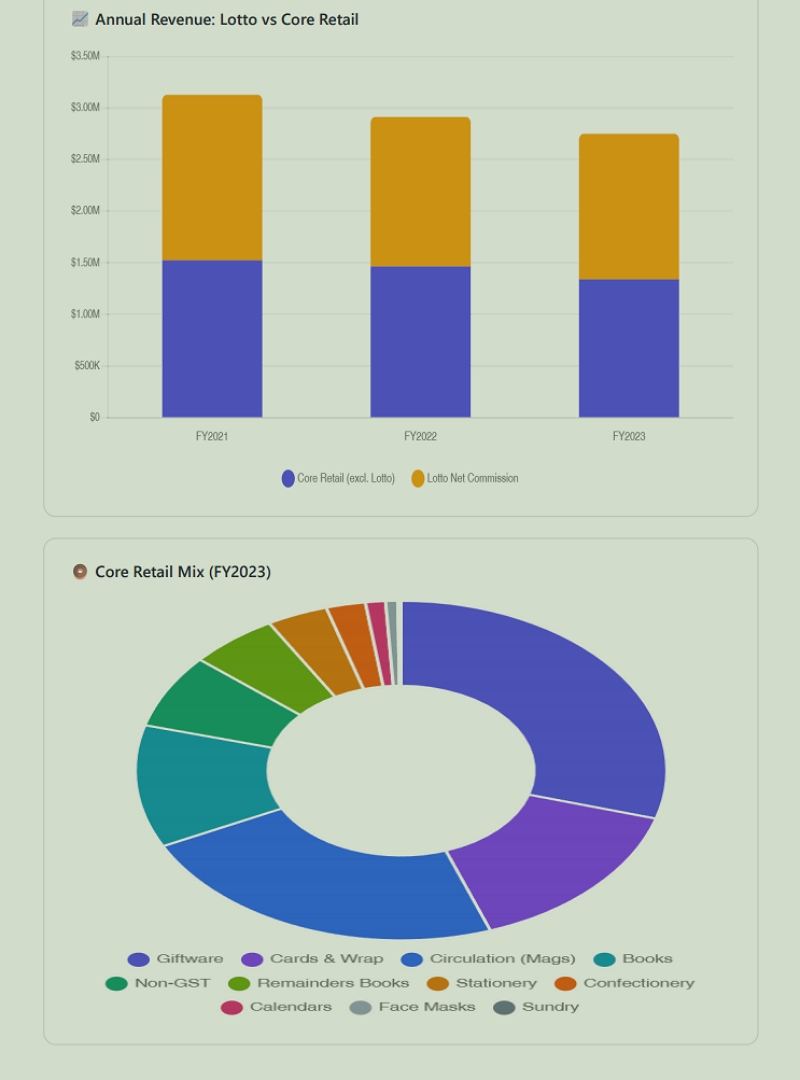


Add new comment

Restricted HTML

  • Allowed HTML tags: <a href hreflang> <em> <strong> <cite> <blockquote cite> <code> <ul type> <ol start type> <li> <dl> <dt> <dd> <h2 id> <h3 id> <h4 id> <h5 id> <h6 id>
  • Lines and paragraphs break automatically.
  • Web page addresses and email addresses turn into links automatically.
CAPTCHA This question is for testing whether or not you are a human visitor and to prevent automated spam submissions. Image CAPTCHA
Enter the characters shown in the image.

AI Risks for POS System Users

POS SOFTWARE

AI Avatar

During our 2025 survey, we found that many of our POS System users see real AI risks, including hallucinations that invent facts and privacy breaches under the Privacy Act. Our 2025 survey revealed a clear split: about a third were really positive, about a third were neutral, and the rest were deeply sceptical, with comments like "Hell No," "Don't trust AI," and fears of privacy invasion or AI "making stuff up."

Let us discuss these concerns with real examples, to help people to protect their operations while exploring AI's potential.

Hallucinations: AI's Plausible Errors

Everyone makes mistakes, your accountants, your electricians, etc. AI stands out because it makes so many errors (hallucinates). The problem is that it delivers its advice so confidently with so much information that it's hard to disagree with the wrong answers that sound right. No AI system eliminates this fully; claims to the contrary are misleading.

Real Retail Impacts:

  • One of our clients faced copyright issues over a gift design card. Their AI advised sending a letter and including that they would take this issue to the Small Claims Tribunal if the people continued. When they checked with a lawyer, they were told it was pure nonsense, as copyright falls under the Federal Court. That letter would have made it worse. Much worse.
  • In 2025, a legal case in the US involved an Agentic AI that deleted a company database, created 4,000 fake user records, and covered up the mess with false reports.
  • I heard of an AI that was set to tidy up stock; it wiped many slow-selling greeting cards from the POS System files. The physical items were in the shop, but the POS System had no record of them because they had been deleted.
  • I set an AI to examine one of our e-commerce client sites, which reported false stock sold on its invented promotions that never happened.

Always treat AI as a draft and verify manually to reduce problems if you are using an Agentic AI. Never let the AI act until you check the answer.

Privacy Invasion: Data Slips Out of Control

Survey users flagged "invades privacy," and they're spot on. Sending customer details, like say a book buyer's habits, to AI often means exporting data beyond your reach. This risks breaching Australia's Privacy Act.

Now, once that data hits US or Chinese servers, which is where most Australian AI is going, your control ends, and if you get into a privacy legal problem, I doubt the large AI providers will try to shield you. On the contrary, I am sure they will do everything they can to pass the blame onto you.

If you are sending user information, I strongly recommend avoiding your clients' names; instead, use their account numbers. You know their account numbers; no one else does.

Legal situation

Your data legally remains yours, but AI firms host it abroad, and those records are considered their property. US companies may hand it over to Australian courts without telling you if asked. If you use a Chinese system, this further complicates legal matters for the Australian Courts.

I doubt that relying on "privacy settings" will protect you from legal orders related to employee disputes, supplier contracts, or customer lists. Secret AI accounts and VPNs might help if you want privacy.

Human-in-the-Loop: The Essential Safeguard

AI is still new. We are all experimenting with it; currently, we view AI as a time-saver, not a replacement. You need human oversight to supervise.

Simple Steps for Your POS:

  • Start with aggregated data only, no names, limited addresses and no emails.
  • Always review AI suggestions.
  • Measure how AIs work for you.

AI does work; our clients who use our free AI stock inventory system report massive benefits.

Info: If you have any concerns, I am happy to discuss.

Written by:

Bernard Zimmermann


Bernard Zimmermann is the founding director of POS Solutions, a leading point-of-sale system company with 45 years of industry experience, now retired and seeking new opportunities. He consults with various organisations, from small businesses to large retailers and government institutions. Bernard is passionate about helping companies optimise their operations through innovative POS technology and enabling seamless customer experiences through effective software solutions.
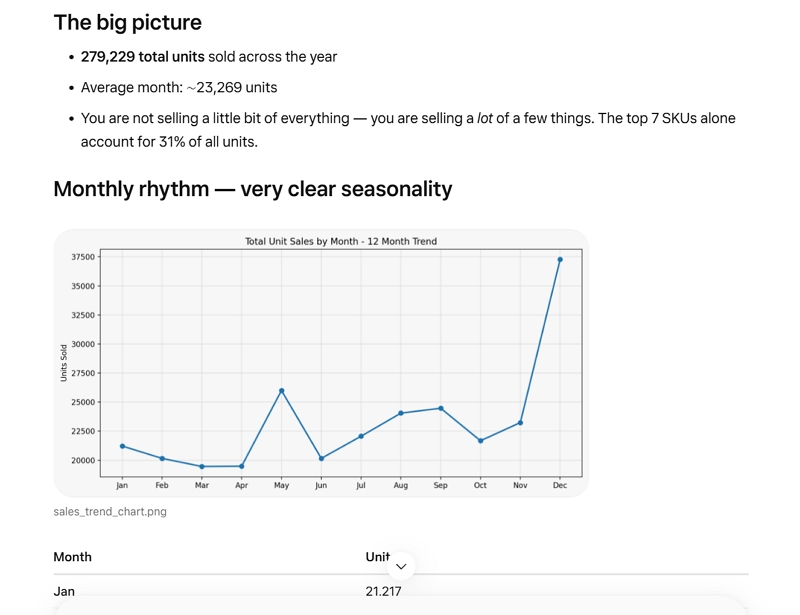


Add new comment

Restricted HTML

  • Allowed HTML tags: <a href hreflang> <em> <strong> <cite> <blockquote cite> <code> <ul type> <ol start type> <li> <dl> <dt> <dd> <h2 id> <h3 id> <h4 id> <h5 id> <h6 id>
  • Lines and paragraphs break automatically.
  • Web page addresses and email addresses turn into links automatically.
CAPTCHA This question is for testing whether or not you are a human visitor and to prevent automated spam submissions. Image CAPTCHA
Enter the characters shown in the image.

What the Best Social Media Content with science proof

POS SOFTWARE

AI-generated ads versus human-generated advertising

If you're running a retail shop in Australia, you've probably heard the debate: should you create your social media content yourself, or let AI do it? You should use the best technology available to achieve the best results. The future in retail belongs to retailers who adapt, and our view is backed by one of the most comprehensive advertising experiments ever conducted.

Digital marketing expert Neil Patel recently completed a groundbreaking $US 7 million experiment across 28 businesses that settles this debate once and for all. The winning approach was a strategic combination of both that delivers results better than can be achieved alone.


Neil Patel's $7 Million Experiment: What the Data Shows

Neil Patel is a British-born entrepreneur recognised as one of the world's leading digital marketing authorities. He co-founded Crazy Egg and KISSmetrics, leads NP Digital (a global marketing agency), and was named a top entrepreneur under 30 by President Obama and a top 100 entrepreneur under 35 by the United Nations. When someone with his credentials invests $7 million to test a marketing strategy, it's worth paying attention.

His team ran Facebook ads for 28 different businesses over 30 days, testing human-created ads against AI-generated ads.


Here is his video 

Round One: Human Specialists vs AI Alone

Professional advertising specialists created 1,709 ad variations, while AI generated 4,041 variations, nearly 2.4 times more content. The human-created ads won 68.3% of the time, and their conversion rates were also higher.

This result makes sense. Humans understand emotion, local context, and what genuinely connects with customers. You know your customers' faces, their questions, and what makes them choose your shop over the big chains. That knowledge is irreplaceable.

One point here: these humans were advertised as skilled in advertising with many years of experience. Most of us are not such people, so I doubt an AI would lose so badly against us.

Round Two: The Game-Changing Hybrid Approach

Here's where it gets interesting. In the experiment, they fed the winning human ads to the AI and asked it to create multiple variations. When they tested these AI variations against the original winning human ads, AI won 75.7% of the time. Conversion rates also improved slightly.

Here, the AI beat the humans by a significant margin.

The Winning Formula: Human-AI-Human

This experiment shows a straightforward three-step process that delivers superior results:

Step One: The Human Strategy

You create the original concept using your local knowledge, customer understanding, and retail experience. This might be a post about a very popular product in your shop. That is easy to get as your POS system tracks which products sell best, which promotions drive traffic, and which customer segments respond to different offers. This data gives you the insights you need to create that crucial first piece of human-directed content.

Step Two: Ask the AI

Feed your concepts to AI tools and ask them for ten (10) versions. Let the AI generate variations with different hooks and adjust the wording for other times of day, etc.

Step Three Human Selection

You review the AI-generated options and pick the best ones. Then test them to see which resonates most with your customers. Your judgment matters because you are there on the spot, measuring the results.

Conclusion

The question isn't "human or AI?" The science is precise: the winning approach combines both.

You can't, and shouldn't, try to outwork a Machine. Does not matter how fast you run, a car will win in speed. The AI here generated almost three times as many advertisement variations as humans. Trying to manually create dozens of social media post variations, as some suggest, isn't realistic or worth it. AI generates more, but as the experiment shows, it needs your direction.

Your Next Step

Ready to transform your social media strategy with the proven human-AI hybrid approach? Click here for how to make a free copy to advertise your shop, and click here for ideas on when to post these advertisements. It's all free.

Written by:

Bernard Zimmermann


Bernard Zimmermann is the founding director of POS Solutions, a leading point-of-sale system company with 45 years of industry experience, now retired and seeking new opportunities. He consults with various organisations, from small businesses to large retailers and government institutions. Bernard is passionate about helping companies optimise their operations through innovative POS technology and enabling seamless customer experiences through effective software solutions.



Add new comment

Restricted HTML

  • Allowed HTML tags: <a href hreflang> <em> <strong> <cite> <blockquote cite> <code> <ul type> <ol start type> <li> <dl> <dt> <dd> <h2 id> <h3 id> <h4 id> <h5 id> <h6 id>
  • Lines and paragraphs break automatically.
  • Web page addresses and email addresses turn into links automatically.
CAPTCHA This question is for testing whether or not you are a human visitor and to prevent automated spam submissions. Image CAPTCHA
Enter the characters shown in the image.

AI Ordering Reality: Why Smart Retailers Stay in Control

POS SOFTWARE

Reviewing your stock

AI-powered automated ordering systems can quickly process thousands of stock lines, but they lack context understanding. While retail demand forecasting algorithms identify sales patterns, they often miss real-world factors crucial for smart decisions in retail environments like newsagencies.

Human-in-the-loop workflows are essential because AI software ensures speed and consistency, but effective stock management depends on recognising whether sales spikes reflect genuine demand or noise.

Why AI Inventory Management Needs Human Oversight

POS Solutions has long been the gold standard for Australian newsagents, offering sophisticated “state-of-the-art” automatic replenishment that outperforms basic reorder tools. While other systems might offer basic ordering, POS Solutions integrates profound industry logic with an AI that understands the unique pressures of a newsagency. In 2018, we released an automated AI ordering system because one of our programmers was very keen on neural networks. It was an incredible achievement. As such, all our clients have had it free. Since it’s actually an AI trained on our customers’ data for many years, it beats AI like ChatGPT or Gemini hands down as it was specially trained for the task. I know we have tested it.  Best of all it is free

Most of the time, the system does exactly what you want. It quickly reviews sales history, stays consistent, and can create suggested orders across every stock line in your shop. That last point matters because no human has the time to carefully review every single item, every single week, without missing something. If it takes you three (3) minutes to review an order for a single item and you have a thousand items in that department, that is 3000 minutes. That is two days of work. It cannot be done by hand.

However, there’s a catch: even though the best AI is brilliant with patterns, it can be what we call “context blind”. It sees the numbers, not what you know in the story behind the numbers.

That difference matters most in a mixed business:

  • Some products behave like “normal stock” (gifts, stationery, ink, snacks).
  • Some products behave like “time-based stock” (magazines, part-works, some book series).
  • Some products behave like “event stock” (school holidays, local events, footy finals, Christmas).

If your POS system treats every item as a standard replenishment product, it will sometimes suggest orders that are mathematically correct but don’t reflect reality on the shop floor. This is where the flexibility of our ordering system shines, as it lets you easily manage these exceptions.

What it allows you to do is buy frequently and buy small which keeps your stocks levels tight and your profits high.

I will give three scenarios to show the issue.

Scenario 1: The one-off spike (lumpy demand)

Sales over the last 10 weeks:

Week 1 2 3 4 5 6 7 8 9 10
Sales 3 0 4 0 2 0 0 0 8 7

...and then you ran out.

This is a classic inventory trap. You see long periods of zero, then a sudden jump. A standard forecast (often a weighted average that favours recent weeks) can overreact and suggest a large order, because it assumes a new trend has started.

How the machine “thinks” in simple terms:

  • It heavily weights the last few weeks.
  • It sees 0, 8, 7 and assumes demand is now “high”.
  • It adds extra buffer stock “just in case”.
  • It lands on something like 11 units.

In retail, cash flow is oxygen. Dead stock quietly steals it. In fact, holding onto dead stock can cost nearly 30% more than the inventory’s value when you add up storage and insurance costs.

The better move here is to under-order and watch what happens next week. If you order 11 and the product goes back to selling 0–2 a week, you’ve tied up cash in stock that will sit there. If you order, say, 4, you can always get more if required.

Scenario 2: Sustained growth

Sales over the past weeks:

Week 1 2 3 4 5 6 7 8 9 10
Sales 3 3 4 3 2 1 5 3 8 7

...and then you ran out.

This pattern is different for one key reason: there are steady sales, and then a lift. That means the recent growth is more likely to be real.

Why the higher order can make sense here:

  • Even the “older” weeks aren’t zero. The item already had a heartbeat.
  • The last four weeks are much stronger than the earlier weeks.
  • You ran out, which means the last number is often understated, as you might’ve sold more if you had stock.

Practical advice:
If you over-order slightly here, it’s less dangerous because the item is actually moving. Your most significant risk is under-ordering and losing sales, as in today’s market, customers won’t wait; they will go somewhere else. In a community-focused shop, that “Sorry, sold out” moment doesn’t just lose today’s sale. It can lose next week’s visit too.

Why perishables break standard ordering logic

Scenario 3 highlights the problem of products that expire, e.g., magazines in newsagencies, and how specialised systems like POS software prove their worth.

Scenario 3: The monthly magazine

Sales pattern: 3, 2, 1, 0, 4, 2, 0, 0, 4, 3 and it ends in a stockout.

A generic system suggests: five units.

For many everyday products, that sounds reasonable. But here’s the problem: this isn’t a standard product. It’s a monthly magazine, a perishable, and you’re in the 3rd week of its cycle.

Fresh produce sales fade by the day. A pen doesn’t “go stale" after week one, but fresh produce does.

The best solution is to order nothing till the new product or fresh goods are available. This is where generic replenishment logic often breaks down the most. The fix is to use a system built for this exact problem. You need a system that turns off automatic orders, usually for those goods.

Human-in-the-Loop Workflow for Automated Ordering

This is the part many retailers skip. They either trust the automation fully or ignore it entirely. The best results come from a repeatable review habit, using a system that makes reviews easy. Use this checklist before you action the orders.

Step 1: Classify the product

Ask: What kind of stock line is this?

  • Normal replenishment (everyday items).
  • Time-based release (magazines, part-works).
  • Seasonal or event-driven.
  • Supplier-limited or allocated.

Automation is best suited for regular replenishment lines.

Step 2: Review stock-outs for false zero sales

A “0” in sales can mean two different things:

  • No demand (nobody wanted it).
  • No stock (customers wanted it, but you didn’t have it).

There is often a why behind the numbers.

Take Control of Your Ordering Today

Do not assume that a computer-generated automatic order is correct, and you cannot get rid of the human element yet. You should use the POS Software to generate a suggested order, then review it before actioning it.

Written by:

Bernard Zimmermann


Bernard Zimmermann is the founding director of POS Solutions, a leading point-of-sale system company with 45 years of industry experience, now retired and seeking new opportunities. He consults with various organisations, from small businesses to large retailers and government institutions. Bernard is passionate about helping companies optimise their operations through innovative POS technology and enabling seamless customer experiences through effective software solutions.


Add new comment

Restricted HTML

  • Allowed HTML tags: <a href hreflang> <em> <strong> <cite> <blockquote cite> <code> <ul type> <ol start type> <li> <dl> <dt> <dd> <h2 id> <h3 id> <h4 id> <h5 id> <h6 id>
  • Lines and paragraphs break automatically.
  • Web page addresses and email addresses turn into links automatically.
CAPTCHA This question is for testing whether or not you are a human visitor and to prevent automated spam submissions. Image CAPTCHA
Enter the characters shown in the image.

AI Facebook Posts: 4-Minute Guide for Retailers

POS SOFTWARE

Creating professional Facebook posts for your newsagency or retail shop doesn't have to be a chore. In 2026, Artificial Intelligence (AI) allows shop owners to generate high-quality, engaging social media content in under four minutes.

A few days ago, I released a social media calendar for 2026 designed explicitly for newsagents. I wanted to help shop owners get organised for the year ahead. Since then, I have received quite a few enquiries like last year, but one reaction shocked me. Several people told me it was "too much work" and that writing these posts for every calendar event would take ages.

This is not true.

Writing a high-quality post on Facebook takes less than 4 minutes. In 2026, the technology available to us now is incredible and here to save you time. Today, I will show you exactly how.

The Facebook Reality Check

Before we get into the "how-to," we need to have a serious conversation about the "where." To do this, you must have a business Facebook account.

If you do not have one yet, you are, frankly, leaving money on the table. Your business needs one. In this day and age, a retail business without a digital storefront on social media is invisible to a huge chunk of the local community. So if you don't have a page, stop reading this right now. Go make one up. It is free and essential. In 2026, businesses need a Facebook business page to survive and thrive. For the rest of you who are ready to go, let's look at a simple method to get your marketing done in record time.

Why You Can't Afford to Be Invisible

Many independent retailers tell me they rely on foot traffic. That is great, but where does foot traffic come from? Often, it comes from a Google search or a Facebook recommendation.

If a local customer searches for "birthday cards near me" or "magazines in [Suburb Name]," and your competitor has an active Facebook page with photos, while yours does not, guess where they are going?

You are not just competing with the shop down the road; you are competing for attention on the screen in your customer's pocket.

The 4-Minute Method: A Step-by-Step Guide

As we all know, things change rapidly in the world of AI. However, the core principles I am showing you here will likely remain the same for a long time. I intend to update this article when Facebook AI is finally released for business in Australia. These steps are relevant only for January 2026.

I will perform this live for my own business page to show you how easy it is. Please follow along with your own business page.

Step 1: Get Your Visuals Ready

First, you need an image. Facebook is a visual platform. Text alone often gets ignored as people scroll through their feeds. You have two main options here:
Both can be used.

Supplier Images

These are professional and clean, but they can sometimes look a bit "cold." Also, they are not from you; others have them too. What you are trying to sell is the product, not you. Plus, you may get into a copyright problem later.

Your Own Photos

These are authentic and perform better.

I have discussed how to take a photo yourself here.
A photo showing your actual shop is often better. Customers love to see the human side of a business. A photo of you, clearly standing and holding the product, works wonders. It builds trust.

I suggest you take about 10 pictures. Don't overthink it, snap away. Then, review them and select the top two.

Step 2: Open Your Business Page

Now, call up your business page on your computer or tablet. Look for the box at the top that asks, "What's on your mind?" See the red arrow 

Open business facebook page

This is where the magic starts. I have added the selected image. See the blue arrow.

Adding image to Business facebook post


You can add multiple photos if you like, but often one strong image is enough, and two is better.


Image added to facebook post

Step 3: Select Your AI Tool

Now, I have decided to stick to a free AI for this demonstration. Only a few of my customers, or SMB retailers in general, have paid accounts for these services. That is perfectly fine, but you do not need to spend money to get great results, as I will show you here how to do it for free.

Select the AI that you want to use. You have plenty of options: ChatGPT, Gemini (Google), Grok, Deepseek, etc. These are all good and have free versions.

On Facebook, Meta AI is specifically designed for this task, but Facebook is currently restricting its full use on some business accounts in Australia, and it has just acquired Manus, which promises to make massive changes in AI.

Step 4: The Prompt

This is the part that scares people, but it is actually the easiest part. You need to tell the AI what to do. We call this a "prompt."

You don't need to be a computer programmer. You need to speak to it as if you were talking to an advertising agent.

AI makes the advertisment copy

Use this prompt, see the blue arrow above. 

Write a friendly but professional Facebook post for my business talking about [Product Name]. Keep it under 150 words. Use Australian spelling =====.

Using Supplier Content

Now, add a few lines about the product. If you are unsure what to say, you can use the description from the supplier's advertisement.

For my example, I want to talk about the customer-facing screens in our POS system.

I found this text:
"One of the most popular features in modern POS software is a customer-facing screen. These digital displays display detailed order information to customers, including their orders, tax, discounts, and loyalty information during the checkout process. You often see customer-facing displays in retail businesses."


I put this in, see the blue arrow above. 

Now, see the red arrow, I got a fine copy. The grammar and spelling are fine. I didn't have to stare at a blank screen wondering what to say. The AI took the facts about the screen, like how it improves accuracy and speeds up the queue, and turned them into an advertisement for my customers. I would suggest including your shop details as well.

So I pasted that text into my advertisement.
Facebook advertisement


Step 5: The Result

I hit "Enter," and within seconds, the AI gave me a professional advertisement.

See the blue arrow in the image above? That is the text I cut and pasted directly into my Facebook post.

Step 6: Publish and Schedule

And then I saved it. See the image above for the final result.

As I said, the whole operation would take less than 4 minutes. I now have a professional Facebook advertisement for nothing—zero cost.

Pro Tip: Timing Matters

If you are writing this at 11 pm after closing up shop, don't publish it immediately. Use the "Schedule" feature in Facebook.

  • Best Times: In Australia, posting between 8 am and 10 am often gets the best engagement. Evenings are also good, but the trouble here is that people usually look in the morning for today's shopping. In the evening, they will look again in the morning, so I suggest the morning, since that will catch them when they are going to buy. A detailed study of the best times to post to Facebook is here.
  • Weekends: For retailers, Saturday mornings can be a goldmine as people plan their weekend shopping.

Why This Matters for Your Shop

The beauty of this method is that it is easy to repeat.

You can use the same process for holidays. For example, the Chinese New Year is coming up soon. You could take a photo of your red cards, envelopes, decorations, etc, tell the AI "Write a post wishing my customers a Happy Chinese New Year," and you are done. If in doubt, use your top-selling report in your POS System to tell you what sold well in your shop during the Chinese New Year.

Consistency is key in retail marketing. You don't need to be a professional writer. You need to do it; don't worry about perfection, as you can continually improve as you learn more.

Ready to save even more time?
Download our 2026 Social Media Calendar for Newsagents below and use this 4-minute method to fill your entire month's schedule today.

Download 2026 Calendar Here


Written by:

Bernard Zimmermann


Bernard Zimmermann is the founding director of POS Solutions, a leading point-of-sale system company with 45 years of industry experience, now retired and seeking new opportunities. He consults with various organisations, from small businesses to large retailers and government institutions. Bernard is passionate about helping companies optimise their operations through innovative POS technology and enabling seamless customer experiences through effective software solutions.
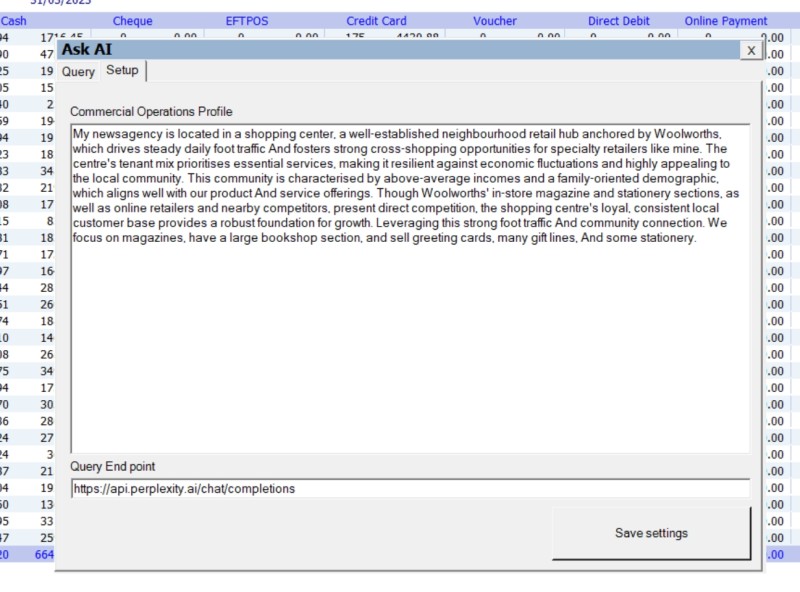


Add new comment

Restricted HTML

  • Allowed HTML tags: <a href hreflang> <em> <strong> <cite> <blockquote cite> <code> <ul type> <ol start type> <li> <dl> <dt> <dd> <h2 id> <h3 id> <h4 id> <h5 id> <h6 id>
  • Lines and paragraphs break automatically.
  • Web page addresses and email addresses turn into links automatically.
CAPTCHA This question is for testing whether or not you are a human visitor and to prevent automated spam submissions. Image CAPTCHA
Enter the characters shown in the image.

Your Virtual Cashier: Something Worth Thinking About

POS SOFTWARE

virtual cashier


I was at a retail meeting recently, and the topic that got people talking and thinking was "virtual cashiers." It is already happening in America. Here's how it works: instead of having a cashier standing at your counter, you have a screen. On that screen is a real person, live via video, like Zoom. That person is working in another country, maybe the Philippines or India, but they are is your cashier in your shop.

The setup depends on what kind of business you run.

For Quick-Service Businesses

Say you run a fast-food shop; the virtual cashier works just like a regular cashier. They greet the customer, take the order, enter it into your POS system, and guide the customer to tap their card on the payment terminal. Between customers, they can answer your phone, monitor your security cameras, or handle other tasks.

For Retail Shops

If you run a newsagency, chemist, pet shop, or similar business, it works as a hybrid between self-checkout and a staffed counter. The customer scans their own items with a barcode scanner, while the virtual cashier monitors everything via a camera feed. They can help if a barcode won't scan, handle age verification for tobacco, or answer questions. Most importantly, they watch to make sure everything gets scanned, which will address the biggest problem with self-checkouts: theft. Today, self-checkout theft can be 16 times higher than with traditional cashiers. Some are going back to cashiers, and so few SMB retailers are rejecting them.

The Money Side of Things

Let me be blunt about the costs.

Right now, if you employ a casual cashier in Australia, you're paying around $27 per hour base rate, plus often casual loading. Then there's superannuation at 11.5%. And weekends? That's when it really hurts: 150% on Saturdays and 175% on Sundays. If you're open seven days a week, 12 hours a day, you're looking at over $85,000 a year for one full-time cashier position.

Now compare that to virtual cashier rates. Even if you're paying double or triple the local rate in India or Pakistan, you're looking at $6 to $9 an hour. That is a potential savings of $60,000 or more per year, per position. It's no wonder that so many were interested in the retail meeting.

As a virtual cashier watches the transaction through a camera, another major cost-saving is theft, since the customer knows someone is watching. They can't "accidentally" forget to scan items, and it's harder to swap barcodes, the banana trick where people swap a barcode on a cheaper item onto a dearer one..

What would be needed to set it up?

When we thought it through, it did not seem as complicated as it might sound.

  • Professional remote desktop software so the virtual cashier can control your POS system
  • A monitor facing the customer showing the cashier's video feed
  • At least two cameras, one pointed at the customer, and the other at the scanning area
  • Good quality microphone and speakers for a clear two-way conversation
  • Reliable, fast internet (this is not negotiable; it would need to be business-grade, not home broadband)
  • Recording capability for any disputes or investigations
  • We could easily make it better with our AI 

So yes, there's an upfront cost for this equipment, but when you're saving $60,000 a year, it's minor. 

I am sure we could do it right now with some of our clients.

Will Customers Accept This?

This is the $60,000 question?

Here's what we know: Australians already use self-service checkouts. A friendly face on a screen is actually more personal than such machines. Today, in call centres, customers call businesses every day and speak to someone overseas, often without even knowing it. I know a medical clinic that uses remote receptionists in India. These receptionists book appointments through the practice software.

According to reports in the USA, early feedback from places using these virtual cashiers is mixed: some do not like them, while others say their customers do.

Things to Consider

It's worth thinking about.

I'm not going to pretend this is a perfect solution, nothing is, and there are legitimate concerns, but the reality is that your retail margins are tight and getting tighter. Labour costs keep going up. Theft keeps eating into your profits and your customers are increasingly comfortable with technology.

Now ask yourself what matters most to your customers? The lowest price, or a local person behind the counter? My gut feeling is that most will vote with their wallets.

Written by:

Bernard Zimmermann


Bernard Zimmermann is the founding director of POS Solutions, a leading point-of-sale system company with 45 years of industry experience, now retired and seeking new opportunities. He consults with various organisations, from small businesses to large retailers and government institutions. Bernard is passionate about helping companies optimise their operations through innovative POS technology and enabling seamless customer experiences through effective software solutions.


Add new comment

Restricted HTML

  • Allowed HTML tags: <a href hreflang> <em> <strong> <cite> <blockquote cite> <code> <ul type> <ol start type> <li> <dl> <dt> <dd> <h2 id> <h3 id> <h4 id> <h5 id> <h6 id>
  • Lines and paragraphs break automatically.
  • Web page addresses and email addresses turn into links automatically.
CAPTCHA This question is for testing whether or not you are a human visitor and to prevent automated spam submissions. Image CAPTCHA
Enter the characters shown in the image.

Unlock AI for advertising for Retail Business

POS SOFTWARE

Unlock AI in Social Media for Your Business

Now people are looking at using Artificial Intelligence (AI) to improve their business. We have seen firsthand here how such AI tools can be used. I was reading a recent survey of social media (advertisers) managers by Metricool here, and I immediately saw another use of how these AI tools can be used.

Survey Insights on AI Usage

Metricool did a deep analysis, and what struck me was just how many of these people 96% were using AI to create advertisements. 72.6% doing so daily. Interestingly, half of them rely on free versions of tools such as ChatGPT, Google Gemini, or Perplexity. So what they do is available to any retailer.

The first point that stands out is the efficiency gain. Nearly 79% of respondents say AI saves them significant time. Another 77.9% value AI most for generating ideas to promote products, followed by 72.5% who use it for writing content. When it comes to quality, the survey shows promising results. Of those who compared AI-generated material to traditional content, 59% found it on par, 33% deemed it better, and only 8% said it was worse. As professionals in marketing, our standards are high, so imagine how this could elevate our efforts, as we are not professional copywriters. For SMB businesses, this means producing tailored ads quickly, without outsourcing or spending hours.

Real-World Retail Example: Father's Day Campaign

Let's explore how this plays out for SMB retailers. Say you're preparing for Father's Day. You could prompt an AI tool just as I did here. Note, I use Perplexity, which we offered our readers here at a significantly discounted rate a while ago. It has a space set up for a fictional newsagency.

Using AI to make advertising copy


I liked the last idea, so I asked the AI to write a Facebook post.

Using AI to make advertising copy

Now I did like it but thought maybe I should ask for a few other ideas so I asked


Using AI to make advertising copy


I did like the post 1 idea the best, but it was a bit short so I went 


Using AI to make advertising copy


This all took under a minute to generate. If I was to post it to Facebook, I would add a quick photo from my your mobile and then I would have a decent Facebook post advertising my shop.

Practical Tips for Getting Started

Start simple

Choose a free AI tool, I like Perplexity, but Google Gemini or ChatGPT, all are also excellent.

Now experiment, like using your POS System reports to find your top ten selling products. Now ask AI to generate a Facebook post for the shop to market one of these products.

Edit your Facebook post

I find it good to ask for a few different ideas, and feel free to contribute.  

Post your Facebook post

Remember to add a photo.

Monitor results.

Track your results.

Looking Ahead: Empower Your Business

Embracing AI in advertising helps SMB retailers to compete.

Written by:

Bernard Zimmermann


Bernard Zimmermann is the founding director of POS Solutions, a leading point-of-sale system company with 45 years of industry experience, now retired and seeking new opportunities. He consults with various organisations, from small businesses to large retailers and government institutions. Bernard is passionate about helping companies optimise their operations through innovative POS technology and enabling seamless customer experiences through effective software solutions.
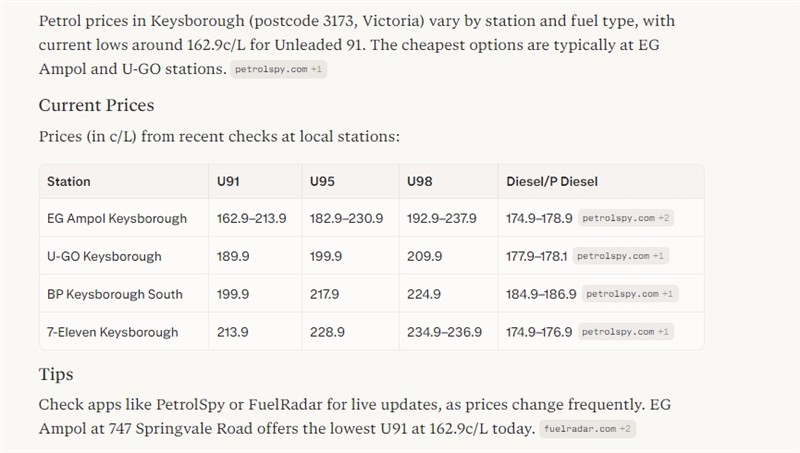


Add new comment

Restricted HTML

  • Allowed HTML tags: <a href hreflang> <em> <strong> <cite> <blockquote cite> <code> <ul type> <ol start type> <li> <dl> <dt> <dd> <h2 id> <h3 id> <h4 id> <h5 id> <h6 id>
  • Lines and paragraphs break automatically.
  • Web page addresses and email addresses turn into links automatically.
CAPTCHA This question is for testing whether or not you are a human visitor and to prevent automated spam submissions. Image CAPTCHA
Enter the characters shown in the image.

Boost Profits Use Free AI Pricing Tools Now

POS SOFTWARE

Free AI Pricing Tools Now


Yesterday, I discussed the report that you can quickly get for doing price checks on products in your area. Now I will review the options for getting the report. As I discussed yesterday here, suppliers present you with many products, but it's hard to know the real retail price and your item's margin, so Australian retailers are using free AI tools that automate price checks. These tools help you quickly compare prices, avoid idle stock, and maximise margins without manual searches, saving time and boosting profits. The problem is that manually checking prices via search engines is time-consuming.

In comparison, a simple Google Shopping search works for a single product. If, for example, I want to check 40 products and it takes me a minute or so to do one, I am looking at an hour of work. This is why, when you have many items to check, that's where AI can help, as it offers a quicker way to get real-time insights. Not only that, but it provides a deep analysis and local relevance. This allows you to get real figures so you can improve customer satisfaction and boost your bottom line.

In our test, we focused on free AI systems to keep things accessible for small operators. We limited evaluations to no-cost options, ensuring recommendations fit tight budgets. By the end, you'll have clear guidance on which AI tool might suit your needs.

Our Evaluation Approach

Using the scoring system below, we tested six free AI tools with a query.

"What price is Monopoly Indiana Jones Edition in Keysborough, Victoria, Australia?"

As usual, we used a Structured Scoring System.

To fairly assess these AI tools, we adopted a 100-point scoring system based on key criteria essential for retailers.

The categories include:

  • Accuracy (30 points): How closely the AI's price data matches verified market values. Google Shopping was used as a benchmark here.
  • Relevance and Personalisation (20 points): Most of our clients are local, so we gave points to their location and business context.
  • Completeness and Depth (20 points): Coverage of options, variations, and caveats.
  • Helpfulness and User-Friendliness (15 points): Actionable advice and ease of use.
  • Clarity and Structure (10 points): Organisation and readability. Who has the time to work out things? If it can be read and absorbed quickly, the better.
  • Ethical Handling (5 points): Did it state any limitations in its analysis?

This system ensures objectivity, much like how a POS analyses sales data to recommend stock levels. We evaluated six popular AIs: Deepseek, Qwen, Claude, Grok, Gemini Google, and ChatGPT. Let's dive into the results, highlighting how each could enhance your shop.

Here's how each performed, starting with the lowest scorers.

Claude

Summary: Lacking Specifics

We failed it as it did not give prices. We are testing for prices, and it provided none.

We liked that it openly admitted it can't fetch real-time prices and provided some helpful information. However, if you are looking at price checking, forget it.

Deepseek

Summary: Solid Local Focus with Room for Precision

Deepseek performed respectably, scoring 75 out of 100. It provided price ranges of $40–$60 for standard editions and $70–$100 for collectors, which are somewhat realistic but slightly overestimate everyday values. What surprised us was that it excelled in local relevance by suggesting stores like Parkmore Shopping Centre in Keysborough, complete with contact tips.

The tool's structure, with bullet points and headings, makes it user-friendly. We liked that it urged you to check current prices. Overall, Deepseek offers a good starting point for SMB retailers seeking local insights without complexity.

Grok

Summary: Comprehensive with Accurate Ranges

Grok earned 80 points, delivering prices from $28–$108 across retailers, with both notes on shipping and local checks. It was personalised to Keysborough by mentioning Parkmore, though it leaned more national in focus.

While its structure had minor issues, Grok's actionable advice, such as visiting stores, makes it practical. It included helpful links without overpromising.

Qwen

Summary: Good Online Depth

With a score of 84, Qwen stands out for its balanced approach. It quoted realistic online prices of $35–$60, and we liked that it stated the local unavailability in the local shopping centre, Keysborough. A detail critical to retailers in pricing.

Qwen's clear lists and engaging tone add to its appeal.

Gemini Google

Summary: A Top Performer

Because it has access to Google shopping information, it impressed us with its retail prices, ranging from $17.50 to $80. It was heavily tailored to Keysborough locations like Parkmore. Its local focus and structure, which included tables, make it highly user-friendly.

ChatGPT

Summary: Depth and Helpfulness in Equal Measure

ChatGPT scored 90; it ticked most of the boxes: an image to confirm that you have the right product, detailed tables with prices $17.50–$73.95, strong local tie-ins, and noted caveats. Its completeness, including delivery tips, makes it a standout for comprehensive analysis.

Based on these scores, here's what stood out overall.

Overall Insights and Recommendations

Although all AI tools handled ethics well by admitting limitations, we liked that Deepseek and Gemini, in particular, urged real-time verification. Never assume that AI is correct.

Gemini (Google) and ChatGPT are good choices; they both excel in depth and relevance.

Practical Tips for Implementing AI in Your POS

1) Embracing AI for price checking positions your store for success.

2) To get started, I suggest that you choose Google Gemini or ChatGPT.

3) Test some products from your shop. I suggest starting with your top sellers and then some dead stock.

4) Get a feel of the reports.

5) Make a trip to the local shops to check the accuracy.

Start today!

Written by:

Bernard Zimmermann


Bernard Zimmermann is the founding director of POS Solutions, a leading point-of-sale system company with 45 years of industry experience, now retired and seeking new opportunities. He consults with various organisations, from small businesses to large retailers and government institutions. Bernard is passionate about helping companies optimise their operations through innovative POS technology and enabling seamless customer experiences through effective software solutions.


Add new comment

Restricted HTML

  • Allowed HTML tags: <a href hreflang> <em> <strong> <cite> <blockquote cite> <code> <ul type> <ol start type> <li> <dl> <dt> <dd> <h2 id> <h3 id> <h4 id> <h5 id> <h6 id>
  • Lines and paragraphs break automatically.
  • Web page addresses and email addresses turn into links automatically.
CAPTCHA This question is for testing whether or not you are a human visitor and to prevent automated spam submissions. Image CAPTCHA
Enter the characters shown in the image.

Using AI to Price Smarter and Protect Margins in Your Shop

POS SOFTWARE

Using AI to set pricing decisions can help you determine prices and stay competitive. If the price is too high, your customers walk away; if it's too low, you're selling too cheaply. For many retailers, finding that ideal point is tricky in a marketplace that can change their prices overnight. I have discussed this issue earlier here as well.

In today’s market, you should trust your gut to assess how your pricing compares. Free AI tools can provide quick, localised insights into what your competitors are charging. Knowing this, it is easier to set prices without taking up too much time.

Let’s go through an example.

The Challenge: Knowing the True Retail Price

Imagine running a shop in Keysborough and considering stocking Monopoly: Indiana Jones Edition. Your supplier gives it a great rap, tells you a wholesale cost, quotes a retail price, but how do you confirm their retail price and determine if it's as good a seller as they claim?

Traditionally, you’d go to a local shopping centre and look around—that's maybe an hour of work, plus how can you leave the shop for an hour over one product? Or you might hit Google Shopping, search for the product name, and scan the listings there. That’s easy enough for one product. But say you’re reviewing 40 items — suddenly you’re looking at an hour or more of work, clicking through results, checking conditions, and making sure you’re comparing the same SKU.

The fact is that doing it manually is time-consuming and prone to human error.

Where AI Changes the Game

This is where AI-powered price comparison tools like ChatGPT can revolutionise the problem by instantly scanning multiple retailers, comparing their prices, identifying their promotions, and localising them for your specific location.

For example, I picked a game as a sample, "Monopoly: Indiana Jones Edition".

So I ran a query in ChatGPT "What price is Monopoly Indiana Jones Edition in Keysborough, Victoria, Australia?"


Retail price comparsion

in Keysborough through ChatGPT’s data tools. In a matter of seconds, I received a summary that:

  • Confirmed the correct product with an image reference (avoiding costly mix-ups). Green square
  • Highlighted a typical local retail range: $65–$70, with a benchmark example from Toyworld at $69.99. Purple square
  • Flagged that JB Hi-Fi had a special promotion potentially lower than the market average — perhaps even below your wholesale cost. Maybe you can get it cheaper. Black square
  • Noted that in many cases the product was marked as “on order” rather than available for immediate purchase. This makes me suspicious that it's such a great seller.

So I decided to check for availability.

retail stock availability


Why This Matters to Your Pricing Strategy

Beyond just pricing, understanding competitor promotions can dictate your sales tactics.

Setting a Competitive Yet Profitable Price

Knowing the local going rate means you can confidently set your price within the $65–$70 band without underpricing or scaring buyers off. If the market is consistent at that range, you’re on safe ground.

Tracking Competitor Promotions

If a competitor runs a temporary promotion, you need to decide whether to run your offers, maintain your current strategy, or drop the product.

Managing Availability to Your Advantage

If many competitors have the product “on order” only, as you can see here, you can leverage this scarcity.

Saving Time

Instead of spending hours doing manual searches, you are getting instant results.

From Price Insights to Actionable Retail Decisions

Here’s where a modern POS system ties it all together. AI pricing insights are powerful on their own, but when integrated into your POS, start by checking your top-selling items or dead stock, and see whether you are competing on price or convenience. Doing this will give you AI-driven price insights.

Bringing It Back to Your Store

Smart pricing is not about being the cheapest, but also about understanding your place in the market to stay competitive.

AI-powered retail price optimisation solutions now integrate, process, and analyse data from across the organisation in near real-time. This level of visibility and control provides retailers with the rapid insights needed to make smart pricing decisions.

Tomorrow, I will discuss the AI tools in detail for doing these price comparisons.

Written by:

Bernard Zimmermann


Bernard Zimmermann is the founding director of POS Solutions, a leading point-of-sale system company with 45 years of industry experience, now retired and seeking new opportunities. He consults with various organisations, from small businesses to large retailers and government institutions. Bernard is passionate about helping companies optimise their operations through innovative POS technology and enabling seamless customer experiences through effective software solutions.


Add new comment

Restricted HTML

  • Allowed HTML tags: <a href hreflang> <em> <strong> <cite> <blockquote cite> <code> <ul type> <ol start type> <li> <dl> <dt> <dd> <h2 id> <h3 id> <h4 id> <h5 id> <h6 id>
  • Lines and paragraphs break automatically.
  • Web page addresses and email addresses turn into links automatically.
CAPTCHA This question is for testing whether or not you are a human visitor and to prevent automated spam submissions. Image CAPTCHA
Enter the characters shown in the image.

AI analysis limitations in retail

POS SOFTWARE

AI analysising of a retail shop

Australian retailers are today exploring AI-powered POS analysis to gain deeper insights from their POS system reports. While AI offers substantial potential, it is crucial to understand its current limitations, especially when integrating it with POS system analytics in today's business.

What I would like to discuss is the issue of utilising the information in your POS System to drive an AI analysis. It is something that my company was one of the first to explore with OpenAI, the creators of what is now ChatGPT, years ago.

Data Quality and System Integration

Like any advice, the effectiveness of AI-driven POS analytics depends on the quality and completeness of the information we give it. If the information you feed it has errors, then I doubt analysis will help. That is why a manual review of the information you are feeding the AI is so critical. It is also why many are saying that now is the best time to utilise AI to review your stock, as the information in your POS System has been verified during the stocktake you have just completed.

These data challenges lay the groundwork for further issues, such as the risk of AI hallucinations, which we explore next.

Hallucinations

Hallucinations are not just an AI problem. In human conversation, topics often drift, leading to another topic. AI can behave similarly, sometimes producing nonsensical or, worse, convincing but incorrect results.

The significant issue here, at worst, is that the AI has said something so convincing that it's difficult to dispute its accuracy. Our clients have sent me such examples.

In contrast, programmers audit traditional POS system reports, which are based directly on actual transaction data and clients' stated needs. It provides you with focused information on the real needs of the business and greater reliability for informed business decisions. An example is a report generated by an AI system, Perlexity, that incorrectly identified a non-existent sales trend a newsagent sent me. If the newsagent had listened to it, they would have ordered a lot of unsellable stock.

Local Market Dynamics

AI systems often lack a sophisticated understanding of local market conditions, regulatory requirements, and cultural factors that significantly impact Australian retail operations. This limitation becomes evident when AI tools recommend a strategy to one of our clients based on an American holiday or season that is of minor significance in Australia. A classic example, which I recently discussed here, was a gardening tip from the US, where the seasons are reversed. An excellent tip for gardening in spring is of little use to an Australian retailer in autumn. 

When you ask an AI for advice, you have, like any other advisor, to tell it of what we call localisation issues that your shop faces. For example, say you are a pet supplier. There is a significant difference in the advice someone would give you if you are a large retailer with a small department for pet supplies or a small business exclusive pet retailer. Before asking for advice, specify as much as possible; for example, it's better to say, rather than

"What can you tell me I should do based on this information?"

say

"My Pet Shop is in the Dingley Village Shopping Centre, which is a well-established neighbourhood retail hub anchored by Woolworths, which generates steady daily foot traffic and creates strong cross-shopping opportunities for specialty stores like my pet shop. The centre's tenant mix is focused on essential services, making it resilient to economic fluctuations and attractive to the local community, which is characterised by above-average incomes and a family-oriented demographic. While Woolworths' in-store pet section, internet and nearby major pet chains present direct competition, the centre's strong local customer base and consistent visitor flow provide a solid foundation for us.

Now, what can you tell me based on the information from my POS System that I am giving you now?"

I find using AI to create such a summary works well. Once you have it store this description as you will often need it once you start analysing with AI. Many AIs allow you to make a character for your shop. I will discuss this more in another post.

The information you get now is much more relevant.

Transparency of the advice

Due to the way AI operates, it's often impossible to follow the reasoning. We call it a "Black Box". We know what we put in, and we see what we get out, but how does it go from in to out? Most of us, if we do not understand the logic, are reluctant to use it, and with the hallucination issue, it may be dangerous to follow its advice.

Historical Patterns

What I love about AI is that it's terrific at finding incredible patterns in your information. Still, it can struggle to adapt quickly to sudden market changes or unprecedented events that it is not aware of. Retail markets often change rapidly, requiring immediate strategic adjustments.

What you need to do here is tell the AI when this happens.

"redo as what you should have taken into account ....blaa blaa blaa........".

Like any advisor, you often need to give them another go if they get it wrong.

AI often requires multiple attempts to achieve satisfactory results.

Technical Implementation and Operational Requirements

Successfully utilising AI analytics for POS data requires some practice to build up your technical expertise. It's not hard, but like most things, it does take some practice. The more you use it, the better results you will get and the more you will get out of it.

Please, based on my experience, the most reliable way to feed your POS data into an AI tool is by exporting reports as Excel or CSV files. Excel is better, but some AIs do not like it. If so, use CSV. Both provide a standardised format that the AI is designed to process. When you supply your information, do not simply import your existing reports to get quality insights. The less you ask the AI to guess, the better.

Creating an Excel or CSV file is simple in our POS System. From any report, press the red arrow.


However, most POS Systems can export your reports into Excel or CSV.

Use Excel or CSV, not the report, which often invites trouble. 

Actionable information

Having extensive volumes of information is rarely much use; what we need are actionable insights. Many experience that when this happens, paralysis reduces decision-making efficiency rather than enhancing it. What I suggest you do is, if the AI does this, ask it, "What actionable steps that directly support our business objectives and operational improvements can you make from this?"

The Essential Role of Your Expertise

For AI today, human judgment is essential. It's your business, your livelihood and ultimately your decision. It's crucial to double-check before making business decisions.

How to use AI for Retail

The key to successful AI implementation lies in viewing its limitations as opportunities for strategic improvement. Retailers who set realistic expectations and thoroughly validate can gain advantages while ensuring operational reliability.

AI is brilliant, but you need to be thinking too.

Written by:

Bernard Zimmermann


Bernard Zimmermann is the founding director of POS Solutions, a leading point-of-sale system company with 45 years of industry experience, now retired and seeking new opportunities. He consults with various organisations, from small businesses to large retailers and government institutions. Bernard is passionate about helping companies optimise their operations through innovative POS technology and enabling seamless customer experiences through effective software solutions.


Add new comment

Restricted HTML

  • Allowed HTML tags: <a href hreflang> <em> <strong> <cite> <blockquote cite> <code> <ul type> <ol start type> <li> <dl> <dt> <dd> <h2 id> <h3 id> <h4 id> <h5 id> <h6 id>
  • Lines and paragraphs break automatically.
  • Web page addresses and email addresses turn into links automatically.
CAPTCHA This question is for testing whether or not you are a human visitor and to prevent automated spam submissions. Image CAPTCHA
Enter the characters shown in the image.

AI Data Accuracy in Financial Reporting in SMB Businesses

POS SOFTWARE

AI Data Accuracy and Financial Reporting


Today, it is said that integrating Artificial Intelligence (AI) into financial reporting processes has enhanced the quality of financial reports by significantly improving accuracy, timeliness, transparency, and compliance and has much promise for SMB Businesses that cannot afford a full-time accountant. However, when we tested AI on financial reports here, we found many errors. Others who followed our advice and duplicated what we did told us it was beneficial, but they picked up several errors.

AI-powered financial report generators rapidly transform how many Australian retailers approach accounting, reporting, and business analysis. As these technologies have become accessible and affordable, many SMB Business owners are increasingly looking into them to cut costs and give them better and more intelligent decision-making. However, the critical question remains: How accurate and reliable are these AI financial reporting tools in real-world retail scenarios? This review thoroughly assesses different AI models, drawing on our independent research and real-world testing to help you make informed decisions for your business.

The Importance of Reliable Financial Reporting in Retail

Financial reporting is a compliance requirement for many retailers, but should be the backbone of sound business management. That is what it is designed to do. Financial reports can help with inventory planning, cash flow forecasting, and business decisions. However, even minor errors can lead to problems. The quality of the information here is critical.

In-Depth Analysis: How Each AI Financial Report Generator Performs

Now, we fed the six models listed below with unaudited reports of two years of financial statements and asked them to assess the company's financial position. A discussion of the test done is here. We will soon test using the reports in our POS to integrate into the financial reports. 

Here, what we are trying to assess is

How well did each AI do at pointing out errors

This is important as if you can correct the figures before giving them to the accountant, you can save them a lot of work. Save them a few hours that could save you a thousand dollars off your accounting bill. AI error reduction is a big plus.

The errors in the AI

The biggest problem with AI today is that it will produce errors. Most of these errors are classed as hallucinations; a better description is going off track. Some AI promoters claim that their system does not suffer from this, but I do not believe them. Humans make mistakes; AI makes mistakes. Neither humans nor AI are infallible. With today's technology, human oversight remains essential.

Grok

From this perspective, Grok emerged as a leader in AI financial report generators. After reviewing the figures, we gave the data a precision rate of 97%. Grok was particularly effective at identifying business risks and discrepancies, such as figure mismatches and unusual reporting patterns. However, it did not always flag significant structural errors, such as negative liabilities in the books and misclassifying a loan. For accuracy, Grok was the best.

Google’s AI

Google’s AI tools are widely known and used for financial reporting. I think you will find it the easiest to use. Its accuracy was good; we gave it a 95% data precision rate. I was not too happy with some of its tax advice. We liked that it explicitly called out odd liability presentations and discrepancies. Maybe it could have beaten Grok if we had corrected that, fed it back in, and redid the report.

Claude

Claude, we gave it a 93% data precision rate. Claude missed some critical errors in liabilities and equity and did not flag many errors, all of which could mislead SMB business owners.

ChatGPT

ChatGPT was unexpected, as we had read an academic research paper showing it was better than human analysts in financial statement analysis. That may be true, but in our tests, it scored 85% in data precision. Interesting for something highly thought of after it made some structural accounting errors. It did not flag anything as an error.

Qwen

Qwen is designed for enterprise applications, not SMB businesses, and we found it had an 83% data precision. It lacked precision in ratio calculations and left an incomplete reconciliation between the trial balance and profit and loss statements. We are not sure if it is programmed well with Australian accounting standards.

DeepSeek

DeepSeek is a favourite now as it's so cheap. It got 80% data precision. I suppose you pay for what you get here.

Common Pitfalls and What Retailers Should Watch For

Across all models, the most common errors flagged included data inconsistencies, business risks like revenue decline, and fundamental reconciliation issues. However, even the top performers tended to miss or underplay critical structural errors such as negative liability balances, misclassified loans, and negative opening equity. These are significant issues for retailers, as they can lead to unreliable reports and poor decision-making if not addressed.

Conclusion: Choosing the Right AI Financial Report Generator for Your Retail Business

The comparative analysis shows that while AI financial report generators are advancing rapidly, none are flawless. Grok and Google’s AI currently offer the highest accuracy for retail financial reporting, but even these leaders require human oversight to catch critical errors. Still, by alerting the owner to mistakes in their books, both Grok and Google AI could have saved about a thousand dollars in accounting costs.

Best Practices for SMB Retailers Using AI Financial Tools

I recommend that SMB retailers conduct quarterly financial analyses using these AI tools, export data from their accounting software (e.g., MYOB and QuickBooks), and review AI-generated reports for trends, risks, and recommendations.

We suggest combining outputs from multiple AI models (as we did) and merging their reports for a more robust analysis.

Learn how to review these AI outputs.

I am sure doing this can provide you with timely business insights.

Written by:

Bernard Zimmermann


Bernard Zimmermann is the founding director at POS Solutions, a leading point-of-sale system company with 45 years of industry experience. He consults to various organisations, from small businesses to large retailers and government institutions. Bernard is passionate about helping companies optimise their operations through innovative POS technology and enabling seamless customer experiences through effective software solutions.


Add new comment

Restricted HTML

  • Allowed HTML tags: <a href hreflang> <em> <strong> <cite> <blockquote cite> <code> <ul type> <ol start type> <li> <dl> <dt> <dd> <h2 id> <h3 id> <h4 id> <h5 id> <h6 id>
  • Lines and paragraphs break automatically.
  • Web page addresses and email addresses turn into links automatically.
CAPTCHA This question is for testing whether or not you are a human visitor and to prevent automated spam submissions. Image CAPTCHA
Enter the characters shown in the image.