
POS SOFTWARE
Say you are running up in the cash register a transaction. You notice that a price, description, quantity, discount, or whatever is not right.
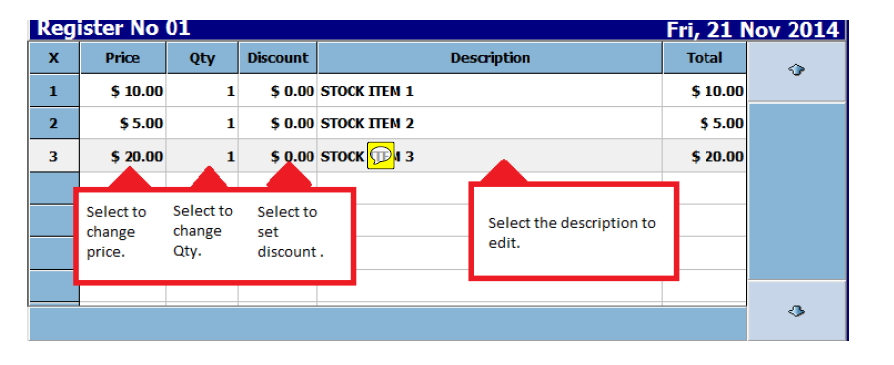
Simply click on the item. For example, to change the item's description in the cash register, click or touch on a touch screen on it.
Then a description override window will then appear.
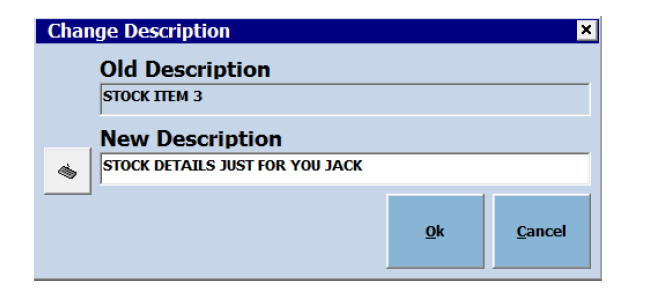
Now you can edit the description.
Then click OK and it will be changed.