
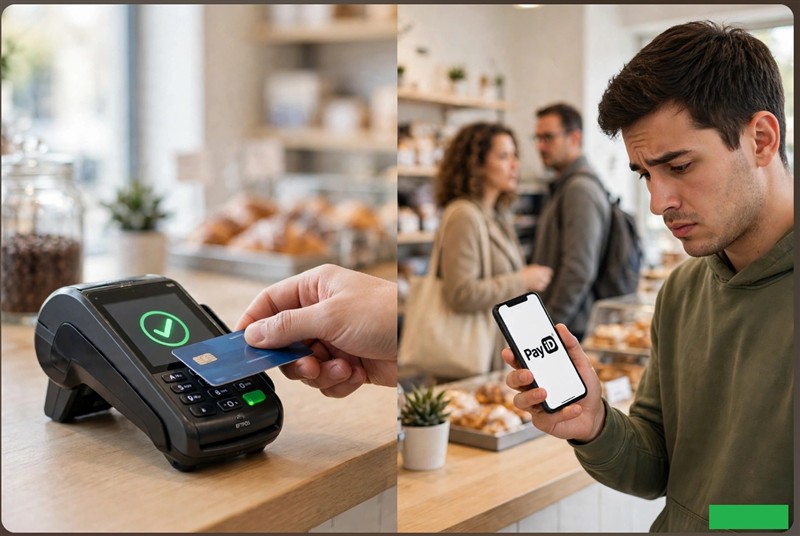
Many business owners have been asking me whether they can use cheap PayID to replace EFTPOS and reduce merchant costs while we scrutinise card fees. The problem is that, although most people can use it, "cheap" quickly becomes "slow, manual, and risky" for many.
For Australian retailers, payment choices depend on three main core KPIs: transaction cost, checkout speed, and risk. PayID affects all three. A good retail payment method must be fast, integrated, secure, and easy for the customer. Standard card and mobile-wallet payments do this perfectly. Manual PayID reduces the direct payment fee but shifts the operational cost onto your staff.
Let us explore some of the current pluses and concerns.
Key takeaways
- PayID is typically fast: settlement is usually under a minute.
- PayID is incredibly cheap: merchant fees are often zero.
- Manual PayID is slow: it adds steps for customers and increases staff workload.
- Fraud risk is higher: there are many more risks at the counter than with EFTPOS.
- Best for back-office: PayID now works best for invoices, deposits, and remote payments.
- Training is required: Using PayID safely requires training for both you and your staff.
What is PayID, and how does it work?
PayID is a bank-transfer system. It lets customers send money from their account to another account using an identifier like an email, phone number, or ABN. Settlement in Australia is generally done in under a minute. The customer enters your PayID in their bank app, and the money gets transferred into your account in seconds. Today, about half of Australians have used it in the past year.
I believe PayID works best when the customer and business do not need to complete the transaction together. A lay-by or an invoice prepared for a customer could serve as an example.
The first issue is that, although most people can use it, not everyone can. Usage depends on the banks and the specific account arrangements you both have. The next point is that even if they can use it, only 50 per cent do. I suspect that even among the 50 per cent who use it, many only use it for specific tasks. In short, "you and the customer having a bank account" and "both of you being ready to accept PayID at the counter" are not the same.
What factors contribute to the slower processing of PayID at the counter?
A card or mobile-wallet payment is now simple. The customer taps their card or phone on the terminal and gets approval in a few seconds.
A manual PayID payment requires much more effort. The customer must:
- Take out and unlock their phone.
- Open their banking app and select the payment function.
- Locate or enter your business PayID.
- Confirm the displayed business name.
- Type in the exact amount.
- Authenticate the payment with a fingerprint or code.
- Wait for the merchant to verify the receipt.
If the customer has never used PayID, your staff may even have to explain how to locate the feature in their specific banking app. You are effectively turning your checkout staff into bank IT support.
Note: The retail landscape is evolving. Some payment providers now offer integrated PayID via dynamic QR codes at the counter. This allows customers to simply scan a code with their phone, which auto-fills the amount and business details, solving the manual entry issue. We are in discussions with a few providers about the integration, and I intend to discuss it more in a future post.
EFTPOS vs. Manual PayID at the Counter
To help you visualise the differences, here is a quick comparison of the two methods at a busy retail counter:
| Feature | Integrated EFTPOS | Manual PayID (Pay Anyone) |
|---|---|---|
| Checkout Speed | Very quick (tap and go). | Slow (requires multiple app steps). |
| POS Integration | Automatic. Receipts print instantly. | Manual. Staff must match bank alerts to sales. |
| Fraud Risk | Very low. The terminal verifies funds. | Higher. There is a risk of encountering fake screenshots or pending transfers. |
| Customer Effort | Low. Just tap a card or phone. | High. Users must navigate the banking app and enter the required amounts. |
| Best Use Case | High-volume, face-to-face counter sales. | Invoices, deposits, lay-bys, and remote orders. |
How does limited POS integration affect your store?
An integrated EFTPOS terminal talks directly to your point-of-sale (POS) system. The POS system does the verification; once it is satisfied, it marks the sale as paid, prints a receipt, and records the transaction automatically.
A manual PayID transfer does not do this. A manual PayID transfer creates several new tasks for your staff. They must match the payment notification in the business bank account, which means they need authorisation and access to your bank app to do so. They then have to manually enter the details of the sale into the POS system. Yes, you avoid a 1.5 per cent card fee, but you will pay for it in lost staff time.
Fraud risk
Never let your staff rely on a customer showing a screenshot of their banking app as proof of payment. For example, a fraudster might use a fake screen to convince you that a payment has been made, tricking you into releasing a $500 premium pet enclosure.
You certainly cannot accept a transaction that shows as "pending". The only reliable proof is confirmation through your own business banking system. Until you see the cleared funds in your account, the sale is unpaid. This brings up the problem mentioned above: only people with secure access to your business bank account can verify that the funds have actually arrived.
The hidden headache of PayID refunds
What I like about EFTPOS is that a refund can be processed with a single tap on the terminal. PayID refunds are entirely manual. You cannot simply reverse the refund. You need to make a new transaction, which takes time and increases the risk of human error, as it's all manual. Because it is two separate transactions, there is also a problem if the banks get involved.
PayID payments can be delayed.
Here is what I see as a major issue with PayID: not all payments are truly "immediate". Many banks delay a first payment to a new payee for up to 24 hours. If something triggers their fraud system, the banks will hold the payment for extra security screening.
My wife, for instance, recently purchased a tablecloth from a French company. Because of international fraud flags, the bank's automated system stopped the payment until I called them to verify it was correct.
This creates an awkward moment at the counter. The customer believes they have paid, but the funds are not in your account. You only have two safe choices: the customer waits until the payment clears, or they must use another payment method. You have to ask yourself: is it better to frustrate a genuine customer with a wait, or put your business at risk by handing over goods for a payment that could be rejected?
How to set a safe PayID policy for your store
If you choose to accept PayID, please treat it as an extra channel, not an EFTPOS replacement.
A sensible policy includes:
- Never release goods just because a customer shows a PayID receipt or screenshot.
- Only release goods after the payment is confirmed in your own business bank account.
- Train your staff clearly on how to check the banking app, how to process manual refunds, and when to politely refuse to hand over goods until funds clear.
What's next for your shop?
I think PayID is an excellent bank-transfer system. If you are reviewing your payment mix—which is a wonderful idea right now—start by considering where PayID could reduce fees without slowing down your counter. I would add it to statements, invoices, and laybys.
Is your shop ready for in-store PayID?
If you decide to accept PayID in your shop, run through this quick checklist first:
- Bank Eligibility: We have confirmed our business bank account can receive PayID and NPP payments.
- Staff Access: We have set up secure procedures for staff to verify payments without sharing our main business banking passwords.
- Refund Process: We have a clear, documented process for handling manual PayID refunds.
- Queue Management: We have a plan for busy periods to prevent manual PayID users from holding up the line.
If you would like a second opinion on your payment strategy, we have a very powerful AI system specially designed for doing this for independent retailers. We also have a marvellous card payment plan.
Written by:

Bernard Zimmermann is the founding director at POS Solutions, a leading point-of-sale system company with 45 years of industry experience. He consults to various organisations, from small businesses to large retailers and government institutions. Bernard is passionate about helping companies optimise their operations through innovative POS technology and enabling seamless customer experiences through effective software solutions.