Point of Sale Software

Here are some Articles from the Blog Subject - Retail barcode -

Why Australian Retailers Must Have Modern Scanners Before 2028

POS SOFTWARE

Traditional barcodes are being phased out by 2028. Large Australian chains, such as supermarkets, pharmacy networks, and liquor stores, have announced they may reject stock shipments that lack a QR code. I expect that any supplier to these chains will soon drop standard barcodes for QR codes 

Key Takeaways

  • Major Australian retailers are adopting a global 2028 industry deadline for QR codes.
  • Traditional laser barcode scanners are physically incapable of reading 2D symbols.
  • Modern imaging hardware protects your local point-of-sale system from technological obsolescence.
  • Advanced 2D codes automatically track exact expiration dates and manufacturing batches.
  • Upgraded scanning hardware minimises wrist strain and improves counter checkout speeds.
  • Newsagents must audit their current magazine scanners to prevent front-counter bottleneck issues.

What is the GS1 Sunrise Transition

The GS1 Sunrise transition is a coordinated global retail initiative that aims to replace traditional barcodes with QR codes by the year 2028. By the start of 2028, large Australian chains such as supermarkets, pharmacy networks, and liquor stores have announced they may reject stock shipments that lack a QR code. The primary driving force behind this massive change is that old-fashioned linear barcodes only encode a basic product number. In contrast, next-generation QR codes store thousands of pieces of information. This advanced information helps to solve critical supply chain tracking issues that barcodes cannot. For example, during the recent Greenlip Abalone scare, the immediate problem the authorities wanted to address was tracking the source of the biotoxin contamination. In trying to navigate this crisis, a store owner would discover that his Greenlip Abalone was a pretty broad category. Here, a QR barcode solves this tracking problem by embedding the exact location the product came from, the production date, the specific batch number, and the use-by date directly into the checkout code. With that information, we could configure the POS System to automatically block the sale of that item if the cashier tries to sell it.

As this is a worldwide transition, we expect many products from overseas, not just Australian-made ones, to be affected. For example, if you buy goods directly from China, you may find that some have a QR code but no barcode.

Other pluses of QR Codes

2D barcodes could prevent retail financial losses by assigning a digital serial number to each item. This means your POS software knows more history of every specific item in your shop. For example, if a shoplifter steals a high-value pen set from another shop and attempts to return it for a cash refund in your shop, the 2D code can help to verify whether you sold these items. This would allow us to block the fraudulent refund immediately.

Moreover, our field tests prove that image-based 2D scanners scan better. With a QR code, you do not need to align a barcode to get a good, meticulous read. Your cashiers will find it easier to work with.

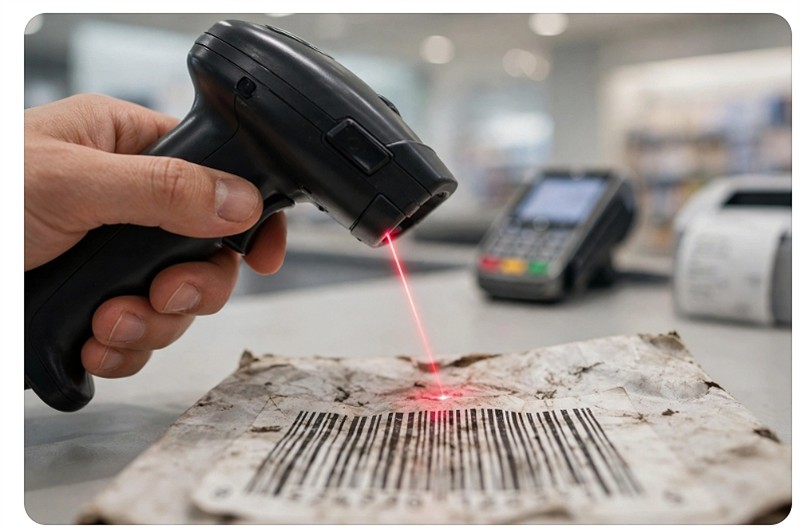
We also found that these QR codes read better on heavily distorted, crinkled, or faded labels.

Does Your Shop Already Have a 2D-Capable Scanner?

Most of our clients who recently purchased scanners from us will likely already own 2D-capable scanners. This is because we have been aware of this for several years and have almost exclusively sold these scanners. The exception will be the scanners we sold for magazine handling; some of these, for obvious reasons, did not have QR codes. These dedicated magazine units are often older, low-cost laser models that lack the internal programming to read multi-dimensional QR patterns. We do not expect any problems with these scanners as long as they are used purely for processing publications.

Still, I do suggest you check your scanners. If you have a problem checking, please get in touch with us.

Conclusion: Don't Risk Technology Obsolescence at Your Counter

In conclusion, upgrading to a modern, 2D-capable POS System should not be treated as an optional retail luxury. We have a reasonable window of time to prepare before the 2028 roll-out. Buying an obsolete scanner today is a waste of money. For a little more, get a QR scanner.

Add new comment

Restricted HTML

  • Allowed HTML tags: <a href hreflang> <em> <strong> <cite> <blockquote cite> <code> <ul type> <ol start type> <li> <dl> <dt> <dd> <h2 id> <h3 id> <h4 id> <h5 id> <h6 id>
  • Lines and paragraphs break automatically.
  • Web page addresses and email addresses turn into links automatically.
CAPTCHA This question is for testing whether or not you are a human visitor and to prevent automated spam submissions. Image CAPTCHA
Enter the characters shown in the image.

How to print easily scannable barcodes

POS SOFTWARE


Barcode
 

Barcode scanning failures cost retailers time.

Choose the Right Label Material

The foundation of a good barcode starts with the label itself. White labels are the best, but light-coloured labels do work. The problem with colour ones is they may reduce the contrast between the barcode and the background, making scanning harder.

Optimise Barcode Placement

Keep Barcodes Isolated

Ensure your barcode is away from other barcodes on the product. This separation helps scanners focus on the intended barcode without interference.

Avoid Reflective Surfaces

Don't place labels near reflective areas on your product. Reflections can interfere with the scanner reading the barcode accurately; a laser scanner can also reflect into your eye.

Opt for Flat Surfaces

Whenever possible, place barcode labels on the product's flat surfaces. It helps maintain the barcode's integrity and ensures it remains easily scannable.

Essential Print Settings

When printing barcodes, use a resolution of 300 DPI or higher. It ensures that barcode scanners can easily read the code. I find pure black ink on a bright white background works well.

Test Before Mass Production

Before printing a large batch of barcodes, always print a test sheet and verify that the barcodes work correctly. This simple step can save you time and resources.

Maintain Your Printing Equipment

Regular maintenance of your barcode printer is essential. Clean your printer to prevent dirt from affecting print quality.

Environmental Considerations

Protect Your Barcodes

To maintain barcode integrity over time, avoid folding or crumpling the barcode. Keep barcodes out of direct sunlight for extended periods. These simple steps can significantly extend the life and readability of your barcodes.

Quality Control Steps

Size and Proportions

Ensure your barcodes are at least 4 cm by 2.5 cm.

Consider Your Scanning Environment

Different scanning environments may require different barcode placements. For retail point-of-sale, consider omnidirectional scanner requirements.

By following these tips, you'll be well on your way to producing easily scannable barcodes that streamline your retail operations. Remember, a little attention to detail in barcode production can improve efficiency and customer satisfaction at the checkout.


Frequently Asked Questions

Q: What is the best way to print barcodes?

A: The best way to print barcodes is to use a dedicated barcode printer or thermal printer. These printers are designed specifically for producing high-quality, scannable barcodes. They use thermal printing technology, which doesn't require ink and produces crisp, clear barcodes that are less likely to smudge or fade[3]. For optimal results:

  1. Use white labels with a matt finish to ensure good contrast and reduce light reflection
  2. Choose labels with permanent adhesive to keep barcodes securely attached to products
  3. Set your printer to the highest quality settings available
  4. Ensure proper barcode size and maintain correct proportions
  5. Leave adequate quiet zones around the barcode

Q: Can you print barcodes with a regular printer?

A: Yes, you can print barcodes with a regular printer, but it's not ideal for large-scale or professional use. If you choose to use a standard printer:

  1. Use high-quality printer labels compatible with your printer type (inkjet or laser)
  2. Select "Labels" or "Heavy Paper" print settings and use the highest quality option
  3. Be prepared for more waste during the testing phase, as you'll need to print full sheets of labels
  4. Remember that regular printers may not produce barcodes as durable or scannable as those from dedicated barcode printers

Q: Can I make my own scannable barcode?

A: Yes, you can create your own scannable barcodes. More details here


Advantages of using QR codes rather then emailing receipts

POS SOFTWARE

Studies are presently showing that 2/3 of all shoppers now use their smartphones during purchasing. The important point here is they have their smartphones and they are using them.

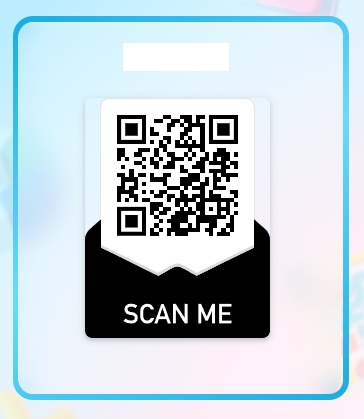
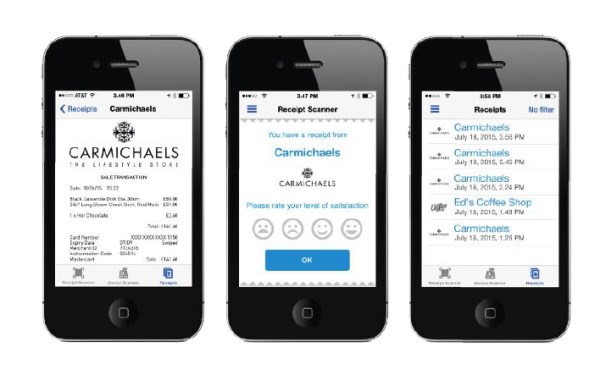
Furthermore, many, particularly older people and women, have expressed reluctance to supply email addresses to the retailer; plus, even if they do, it's an effort to collect an email address for just one receipt, so retailers often go back to issuing printed receipts. It's a waste of time and money. Now, with our system, you can immediately issue a receipt using Uniqode's QR codes to the shopper's smartphone with no privacy issues. Uniqode's QR code generator helps tailor marketing efforts by allowing businesses to create interactive, scannable experiences that instantly connect customers with personalized offers, detailed product information, and exclusive promotions.

Besides achieving the lowest possible OPERATING COST, you get many other benefits.

As these digital receipts WILL NEVER fade away and will always be available in “original quality," so people do not have to contact you to get another copy.

The free printing of promotional material and coupons, with these eye-catching receipts which the power to generate MORE SALES as it is combined with digital receipts. I WILL always BE legible and as your clients KEEP their phones with them, so they will have these coupons when they return to the shop – instead of what happens now they lose them so wasting your marketing strategies.

People can read these receipts as they CAN BE magnified on their screen a real if you have older people as clients who often have problems with eyesight.

Your clients will have a permanent record of their bills.

These receipts CAN BE shared easily with 3rd party applications, even at the end of the financial year for claiming business expenses, taxation, customer service, emailing, etc.

Our point of difference, is we are always a step ahead.