
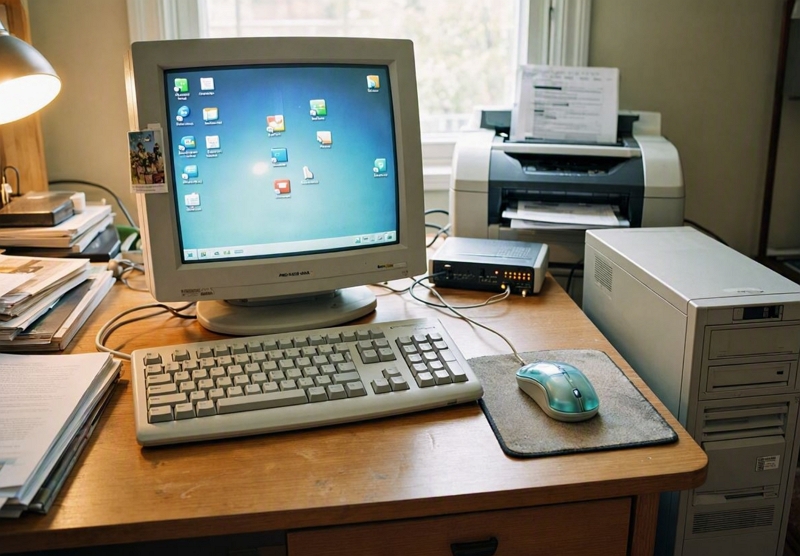
A modern retail computer tends to run 10 hours a day, six or seven days a week. That is very different from a home computer used for a couple of hours at night. After ten years of that kind of daily use, ageing components will take their toll.
The usual problems always appear at the worst possible time, when the shop is busy, and you really need it. Here are five common issues I see in older retail computers.
Now, one point before I start: if you are thinking of doing anything inside your computer, anything with the electrical system, or anything that looks like it could be dangerous, please turn the computer off and do not touch it for a few minutes. Many components can retain charge even when turned off.
Key Takeaways
- Old computers run slowly because they are slow computers.
- Dust, ageing components and a nearly full system drive can make them run slower.
- A slow point-of-sale system costs money. We see longer queues, wasted staff time and customer frustration.
- An old computer may still work, even if it runs slowly.
- Ageing hardware can eventually limit what software, security updates and peripherals it can support.
- In retail environments, a lot of dust can block vents and fans, causing overheating.
- Early attention to warning signs can fix problems before the computer dies.
The reality of old Computers
Old computers run more slowly because they are less advanced. As new software is released, your old computer runs slower because it can't keep up with modern requirements. Nothing we can do about that. That will cost a business money. Your customer queues will be longer; you and your staff will spend more time waiting for the computer to work. Although a computer may physically last 10 years, it generally isn't designed to run for that long. For many businesses, five years is a sensible planning life for a computer. At work, any computer that lasts longer is a bonus.
Still, replacing a working computer costs money. If an old computer still runs the POS system reliably, it is worth maintaining. That's what we will discuss here. Just remember: a computer that still turns on isn't necessarily a computer you should trust.
Does Your Shop Computer Lose Time or Refuse to Boot?
You turn on the computer. Instead of Windows loading, you see a black screen with a message: "CMOS checksum error". Sometimes the computer asks you to press F1 to continue. If it works, you may notice the date and time are wrong. You enter the correct date and time. Sometimes that fixes the problem, but sometimes the printer behaves weirdly, or your online software shows certificate or security errors. This is because these depend on the computer having the correct date and time. If your computer isn't keeping the date and time accurately, the battery is a likely cause.
The first thing I would suspect is the CMOS battery. This battery powers the clock when the computer is powered off. These batteries last around five to ten years. It may last less if your computer runs hot. So it's normal for a ten-year-old computer to need a battery replacement. Replacing it is a simple job for a technician.
Does Your Computer Keep Restarting or Suddenly Shut Down?
If your computer crashes and then works again after a wait, it is likely overheating. Often, you'll notice the computer slowing down before it crashes. This is because components automatically reduce their speed to protect themselves from excess heat.
Typical warning signs include a fan running loudly and constantly. Put your hand on the case to see if it's hot.
Start by checking for dust. Retail shops can accumulate a lot of paper dust, especially around printers, paper-handling areas, and stock areas. Over time, dust blocks vents and coats fans and heatsinks, trapping heat inside the computer.
A good video on how to do this is available here. https://www.youtube.com/watch?v=FEdC_Np6jUs
Is Your Computer Making a Grinding or Clicking Noise?
A grinding, buzzing or clicking noise can be an early warning sign. It may come from a worn cooling fan, a cable touching a fan, an ageing mechanical hard drive or, less commonly, the power supply.
Do not ignore a new or worsening noise. If the computer still starts, back up important POS, accounting and business files immediately. A failing hard drive can stop working without much warning.
Do not touch the power supply yourself. Even when unplugged, it can retain an electrical charge. A technician can determine whether the problem is the fan, hard drive, power supply, or another component, and advise whether repair is worthwhile.
Does the Computer Crash During Busy Tasks?
If the computer crashes during heavy processing, for example, an end-of-day reconciliation. Start with simple checks. Make sure air can flow to the computer, check for dust blocking airflow, and confirm the fans are working.
If those checks do not fix the problem, you may need a technician to inspect the cooling system. On older computers, I have seen heat sink issues, a failing fan, or deteriorated thermal compound between the processor and heat sink.
You can replace thermal paste, but it requires disassembling and correctly reinstalling the CPU cooler. It is usually inexpensive for a technician to do, and I would not recommend people attempt it themselves.
Why Does Retail Software Freeze or Crash at the Register?
Retail software can freeze for many reasons, including heat, a failing hard drive, network issues or problems in the POS software itself. One common, easy-to-check cause is a nearly full system drive.
Windows requires free disk space for updates, temporary files, and daily use. Keep at least 10–15% of the main drive free, especially on older computers. Microsoft offers built-in tools to review storage and safely delete temporary files or unused apps.
Start by opening Settings > System > Storage in Windows. Review temporary files, large or unused files, cloud-synchronised files and unused apps. Windows also provides Disk Cleanup and Cleanup recommendations to help remove files safely.
I find the free utility CCleaner useful for this.
https://www.possolutions.com.au/blog/speeding-up-your-computers
Be careful with anything related to POS, accounting or customer data. Before deleting or archiving business records, make sure you understand what they are and confirm they are backed up. We have a recommended archiving process.
When to Stop Repairing and Replace the Computer
Maintaining an old computer makes sense only as long as it remains reliable and cost-effective. Like any device, the cost of repeated repairs, lost staff time, and business disruption will eventually exceed the cost of replacement.
Consider replacing the computer rather than repairing it if:
- It cannot run a supported version of Windows or the current version of your POS software.
- It freezes, crashes or restarts more than occasionally.
- A hard drive, power supply, or motherboard repair would cost a large proportion of the cost of a replacement computer.
- Staff regularly lose time waiting for it to start, to load reports, or to respond at the counter.
- You cannot obtain suitable replacement parts.
- It does not work properly with current printers, scanners, payment services or other equipment.
- It has no reliable backup, or restoring it after a failure would stop trading for too long.
The aim is not to replace computers unnecessarily. It is to replace them before an avoidable failure disrupts a busy day's trading.
Conclusion
Today's computers are generally reliable, but every computer has components that eventually wear out. A shop computer should physically last for 10 years; look after it, and it will.
Written by:

Bernard Zimmermann is the founding director at POS Solutions, a leading point-of-sale system company with 45 years of industry experience. He consults to various organisations, from small businesses to large retailers and government institutions. Bernard is passionate about helping companies optimise their operations through innovative POS technology and enabling seamless customer experiences through effective software solutions.