
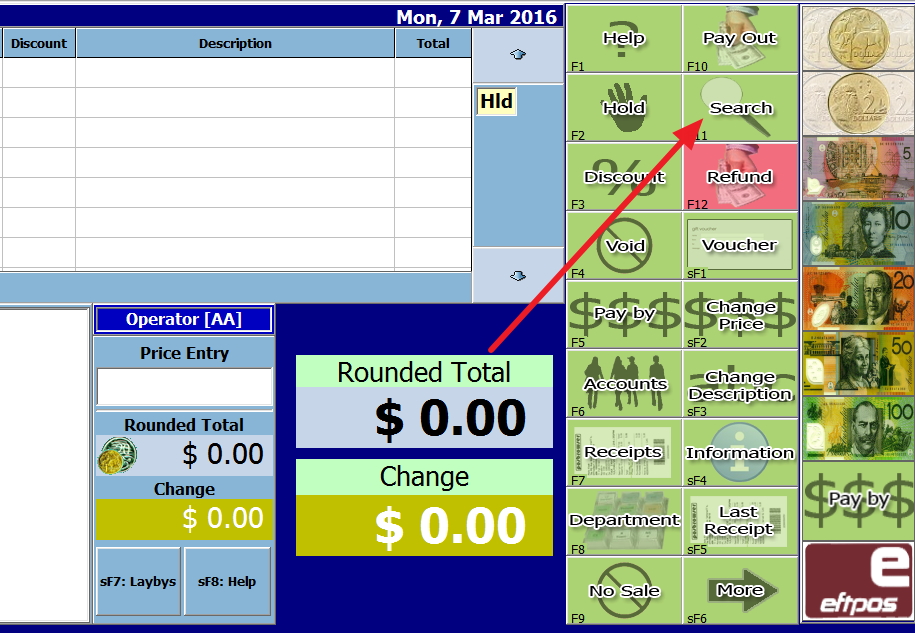
This is a step by step your google like stock search.
In the Cash Register, press on the search button - see red arrow
Out pops out the following search page.
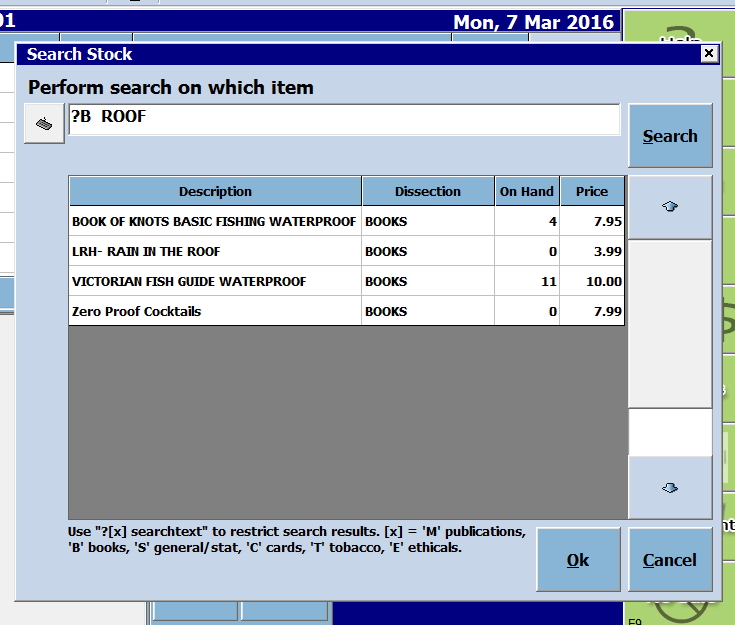
Now first look at the bottom of this image where you will see ? [x] searchtext. This is your advanced search.
Now imagine that a customer is looking for a particular book but does not know the title exactly. He knows that in the title, it has the word "roof" in it.
So you are looking for a book that has the word "roof" in the title.
? [x] searchtext
So its
? - because you do not know
B - as its a book
ROOF - that is what is known.
So I put in
?B ROOF
Now see what I got in the image above.
All titles with roof, plus several other details like the on hand and the retail price, etc. is displayed.
Now click on the one you want.
Enjoy!