Make Better Retail Images Using AI
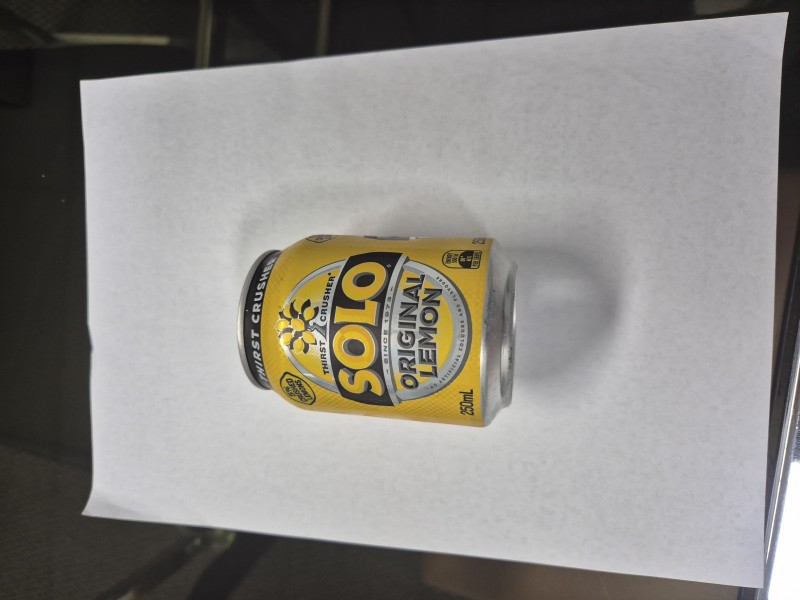
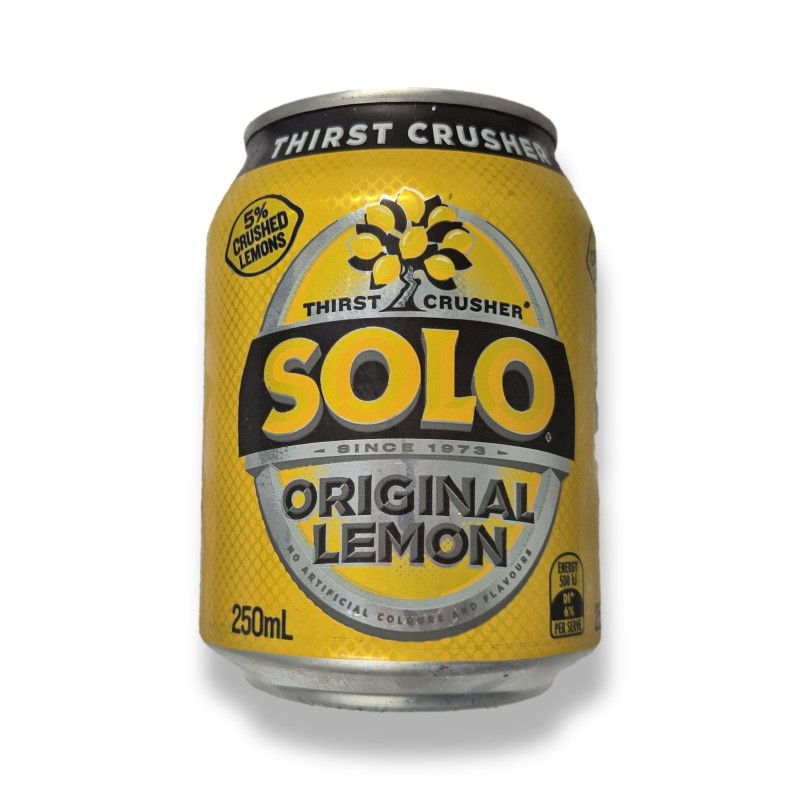
Today a retailer often needs images, but many put it off. They see what others produce and they feel that their images are not as good, that they lack the skills to take professional photos or that it’s simply too time-consuming. That is not true today, as you can use AI to create high-quality images for your shop’s social media, advertising, online store, eBay listings, or even technical diagrams. See above for a before and after shot of a can of drink. Here is how to do it.
Key Takeaways
- AI tools can instantly and easily correct your images
- Your products and store displays can look like they were shot in a studio
- Basic smartphone skills are enough
What is AI-assisted image editing for retail?
You are using AI to fix lighting, remove messy backgrounds, and improve the image. The result is a clean, professional image ready to use. Better images matter because they increase engagement, clarify instructions, and improve product presentation. If a photo is poor quality, customers simply won't look at it.
It’s an immediate turn-off.
I once had a client who drew a rough, handwritten plan for the council. Because it looked messy, in an argument with another party, they stated that his poor presentation of his plan showed how bad the proposal was. If he had taken a photo of that hastily drawn layout and fed it to an AI tool, he could have asked it to turn his idea into a professional-looking visual. Ask yourself, how do you react to a poorly drawn diagram?
How can SMB retailers use images to promote on social media?
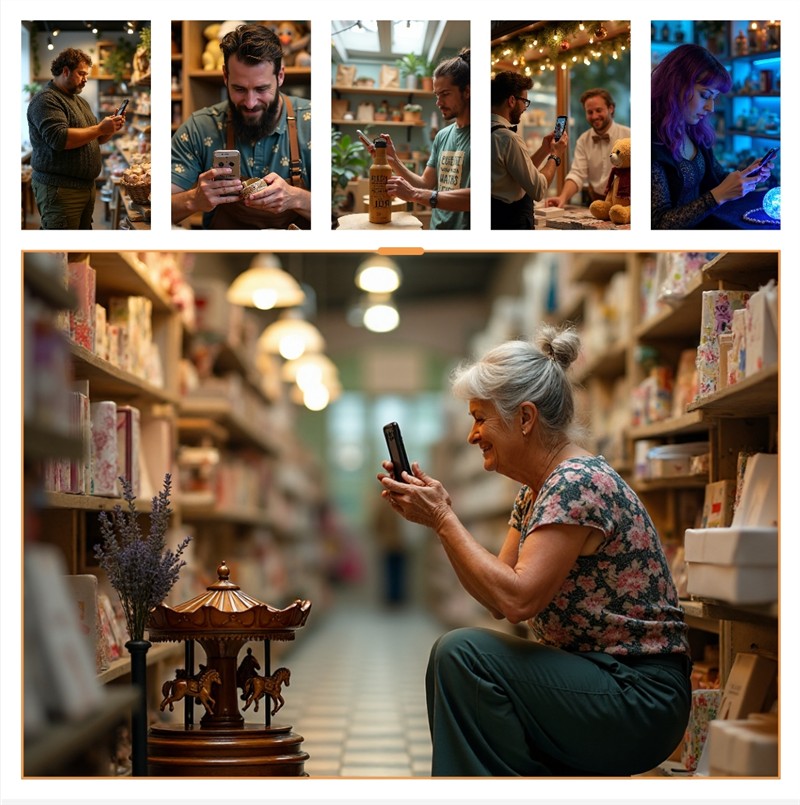
For many of my customers, social media is their primary form of advertising. It’s cost-effective, quick, and effective. However, to get people to look at them, you need decent photos.
Just look at the social media pages of major retail brands; you will see that their posts rely heavily on high-quality imagery. They know they only have a few seconds to grab a person's attention. With a good picture you have a chance that they will read your offer. Who is going to take up an offer if they first see a bad photo?
The images don't have to be spectacular. Many successful social media photographs are quite ordinary. You could simply show:
- A new jigsaw puzzle that has just arrived in your shop
- A newly released book
- A Christmas and Mother's Day promotion
- A unique gift item
- An intriguing new toy in your pet shop
- A floor display in your store
- A clearance sale
How to get started
1. Take the photos.
Start by using your smartphone. Because digital photos cost nothing, take at least five shots from different positions. I find placing the product on a white sheet of cardboard under good, natural light works best. The better your initial photo, the better the AI can improve it.
- Move closer (for detail)
- Move further back (for context)
- Take a photo from directly above
- Try the left side
- Try the right side
You will often find the best shot is your first choice, but it is always worth experimenting.
2. Edit with AI
Next, open your preferred AI tool. Most modern AI platforms have image processing capabilities. Now give the AI your photos and ask it to improve them as you want professional images to send to your customers. Ask for a few different attempts; it saves time.
If you don't like the result, tell the AI what you don't like and ask it to try again. Keep going until you get the look you want.
3. Check your details
Crucial step: You must check that labels, logos, prices, packaging, and visible text match the real product before using any AI-edited image. AI can sometimes "hallucinate" and alter text and branding. Your goal is for the image to show the real product.
Always do a final visual check.
Group shots
Getting the whole retail team together for a staff photo is notoriously difficult. Often you find, once you take it, someone has ruined the shot. They looked away, their eyes bulging, etc. Instead of doing reshoots, submit a few attempts to an AI image editor and ask it to fix the photos. AI can easily remove blinkers, fix stray hairs, or blend the best faces from multiple takes into one perfect group shot. It's a good idea to have everyone in the group have something unique so you can say the redhead girl looked away in the photo and use this photo to show her looking at the camera.
Diagrams and Layouts
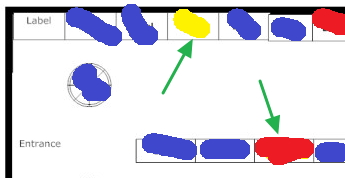
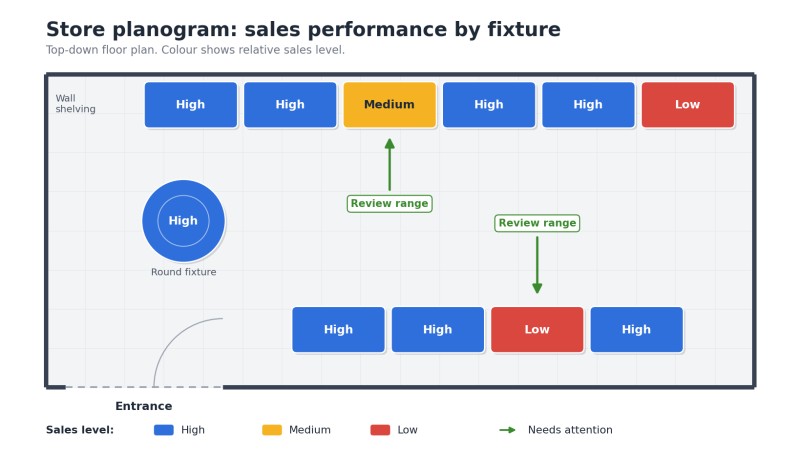
If a hand-drawn sketch of a window display, custom order, or store layout looks messy, no one will take it seriously, including the customer. You can upload your rough sketch to an AI image tool and ask it to clean it up, turning a bad drawing into a professional, clear diagram or 3D-style visual. See a before and after shot.
Technical checklist
- Resolution: Aim for product images at a minimum of 2000×2000 px
- Format: Save as JPEG or WebP at about 90–95% quality. I prefer JPEG but most prefer WebP
Conclusion
"The examples above show how a quick smartphone photograph or a rough hand-drawn idea can be developed into a clearer, more professional image with the help of AI. The purpose isn't to replace the original idea, but to communicate it more effectively to your customers."
Please always double-check the finished image to ensure that product details, labels, and prices remain 100% accurate!
Written by:

Bernard Zimmermann is the founding director at POS Solutions, a leading point-of-sale system company with 45 years of industry experience. He consults to various organisations, from small businesses to large retailers and government institutions. Bernard is passionate about helping companies optimise their operations through innovative POS technology and enabling seamless customer experiences through effective software solutions.