
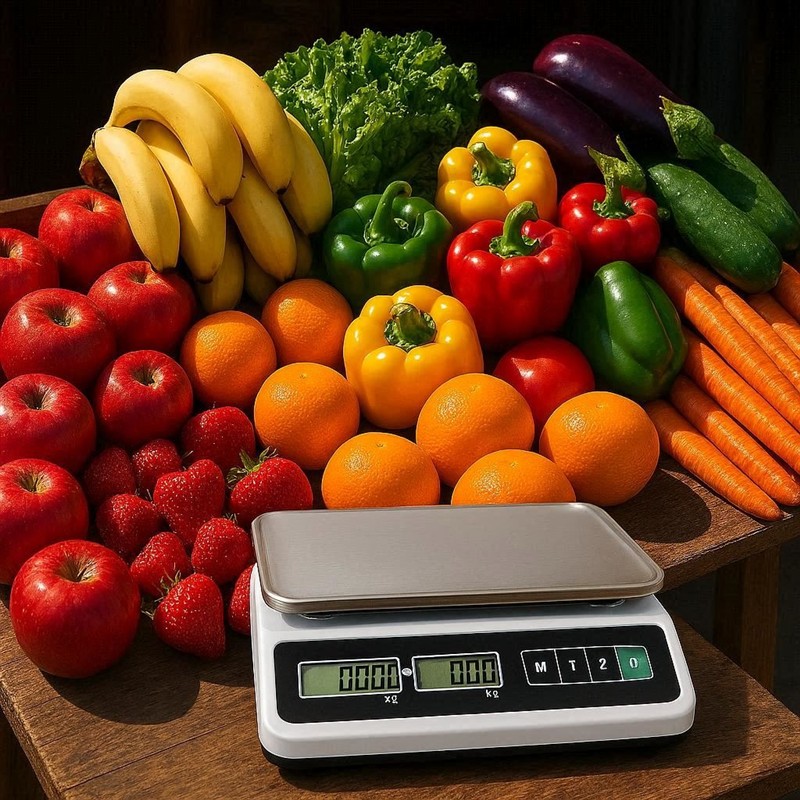
Fresh fruit and vegetables are steady sellers. I like them in a shop, as people buy them in good times and tough times. While your customers might cut back on luxury items, they always need food. Integrating a fruit‑and‑veg point of sale system into your store can bring in steady foot traffic, but fresh produce also puts unexpected pressure on your operations.
Can your current setup handle it? Yes, we have many fruit shops successfully using our Point of Sale (POS) system. However, getting it right requires some planning. In this guide, I’ll walk you through the common challenges of selling fresh produce and show you practical ways to avoid headaches from day one.
Why Produce Changes Your Checkout
Most retailers run a smooth counter because the workflow is simple: scan a barcode, take payment, and print a receipt. But once fresh produce enters your inventory, that simple routine changes.
Here is what happens when you add fruit and veg to your checkout:
- Weight‑based selling: You sell many items by weight rather than per unit. This means your cashier has to take extra steps before they even know the price.
- Manual entry: A lot of loose produce has no standard retail barcode. Your staff must search a screen menu or enter a PLU (Price Look‑Up) code instead of just scanning. (As a workaround, most of our clients slap an in‑house barcode on these products.)
- The multiplier effect: Customers tend to buy several produce lines at once. If a customer buys eight produce items and each one takes 10 seconds longer than a simple barcode scan, that adds an extra 80 seconds to a single sale. Over a busy day, those seconds add up quickly.
These extra steps can affect your queue times, staff training, and overall customer satisfaction.
Choosing Trade‑Approved Scales
If you sell loose produce by weight directly to customers, the scale becomes a legal part of the sale. You must use trade‑approved scales.
In Australia, the National Measurement Institute (NMI) legally requires retailers to use their certified scales when selling by weight. A standard kitchen scale might be accurate, but you can only use it for back‑office use, not for customer transactions.
Furthermore, if you want your scale to talk seamlessly with your POS system in Australia, you need to check compatibility. Not all scales integrate smoothly with our software, so it’s best to chat with us first.
Setting Up an Efficient Counter
Once you have chosen the right scale, your next challenge is fitting it into your existing counter. This gets tricky in smaller shops. Because you must accommodate new hardware alongside your existing registers, you need to carefully measure your counter space. Alternatively, many of our clients find a hanging scale to be a great space‑saving solution.
Before you commit to a layout, do these three quick checks:
- Measure your usable counter space.
- Plan the “hand path” (where staff place items, where the bags sit, and where the EFTPOS terminal goes).
- Decide if customers can see the weight and price clearly without having to lean over the counter.
A clean, logical layout reduces mistakes because your staff won’t need to juggle items awkwardly.
What a Good Setup Looks Like
In a well‑designed checkout:
- Staff places the produce on the scale just once.
- The weight transfers to the POS system, either manually or electronically.
- The cashier selects the item by scanning an in‑house barcode or by tapping a quick key.
- The POS system automatically calculates the final price, and the sale continues smoothly.
Managing PLUs and Barcodes
Produce creates a unique “product data” problem. You are not just selling new items; you are selling items with different identifiers, packaging, and pricing rules. You might even need several codes for the exact same product, which can easily cause errors at the till.
Using PLU Codes Effectively
A PLU is a short code used to quickly identify produce items. Many retail scales and produce workflows rely on PLUs and the scale’s “memory” functions to speed up the checkout.
PLUs work incredibly well, but they depend on you keeping a tidy product list. They also rely on your staff finding the right item quickly while under pressure. If you want PLUs to succeed, I strongly suggest keeping your range tight and manageable.
Barcode Challenges and Solutions
Packaged fresh items often use GS1 DataBar barcodes. These barcodes carry richer information than basic retail barcodes, and GS1 publishes clear guidelines to help you sell fresh foods efficiently. However, if your scanners are older, they might struggle to read these complex barcodes.
Additionally, standard barcodes on fresh produce are sometimes hard to read because the fruit or packaging surface is often curved, uneven, or wet. If you are struggling with supplier barcodes, printing your own in‑house labels is often the most reliable fix.
Handling Waste and Shrink
Beyond checkout efficiency, managing fresh stock is a daily balancing act. Fresh produce is time‑sensitive inventory. It will inevitably create “shrink”—meaning stock you paid for but can’t sell due to bruising, spoilage, or handling errors.
Simple Waste Tracking Tips
You need to give your staff a single, simple method for recording waste, and have them do it daily. Review your stock regularly, pull out the damaged items, and decide what to do with them.
A very popular strategy is to have a dedicated stand for quick‑sell items at markdown prices. This allows you to recover some costs before you have to throw the produce away.
Good markdown habits include:
- Marking down items at the same time each day, usually early in the morning.
- Keeping a short, clear list of eligible items for markdowns.
- Clearly marking the discounted items, for example, by drawing a coloured line on the label.
POS FAQs for Produce Retailers
Here are the most common questions small retailers ask about selling fresh produce through a Point of Sale (POS) system.
Q: Do I need “trade‑approved” scales to sell loose produce by weight?
A: Yes, if you are selling directly to customers. If you are only weighing items in the back office for your own prep, then no.
Q: What’s the difference between trade‑approved and non‑trade‑approved scales?
A: Trade‑approved scales are specifically designed, tested, and legally verified for selling goods to consumers by weight.
Q: We’re weighing items, but staff still have to type numbers into the POS. Is that normal?
A: It is very common. Fully integrated scales exist, but they are more expensive and less commonly used in smaller shops.
Q: We sell loose produce—do we need PLU codes?
A: Yes, using a PLU is the most common and efficient way to sell loose produce when there’s no barcode to scan.
Q: How do we stop staff from selecting the wrong item (e.g., standard tomatoes vs. organic tomatoes)?
A: The best way is to use in‑house barcodes where possible. Otherwise, ensure your POS descriptions are crystal clear. Be very careful with similar‑looking items; use distinct names like “Organic Tomatoes” versus “Truss Tomatoes.”
Q: What should an itemised receipt show for loose produce?
A: The receipt must clearly show the item name, the weight, and the price basis (for example, $4.99 per kg).
Q: Our barcode scanner won’t read the produce stickers from our supplier. What do we do?
A: You will likely need to print and use your own in‑house barcodes for those items.
Q: Should we start by selling pre‑packed items or loose items at the scale?
A: Pre‑packed, barcoded produce is usually the easiest way to start because it keeps your checkout fast. Loose produce offers your customers more flexibility, but it requires trade‑approved scales and a tighter integration with your POS.
Q: How often will we need to update produce prices in the system?
A: Much more frequently than other retail categories. The easiest way to stay on top of it is to set a strict routine—update prices at the same time each day or week—and make one specific staff member accountable for it.
Q: We need to clear old stock at the end of the day. How do markdowns work in a POS?
A: I suggest using markdown pricing rules on the existing item rather than creating a brand‑new “discounted” product in your system. This makes it much easier to keep your sales and inventory reports accurate.
Q: Our counter is tiny. How do we fit the POS, scale, and EFTPOS without creating a mess?
A: Look into hanging scales. They clear up valuable counter space while keeping the weight visible to both the cashier and the customer.
Ready to Streamline Your Produce Sales?
Selling fresh fruit and veg doesn’t have to slow down your checkout. With the right hardware, clear processes, and a smart software setup, you can keep your queues moving and your customers happy.
If you want to know more, reach out to us.
Written by:

Bernard Zimmermann is the founding director of POS Solutions, a leading point-of-sale system company with 45 years of industry experience, now retired and seeking new opportunities. He consults with various organisations, from small businesses to large retailers and government institutions. Bernard is passionate about helping companies optimise their operations through innovative POS technology and enabling seamless customer experiences through effective software solutions.

