Point of Sale Software

Barcodes against a QR Code

POS SOFTWARE

As Australian retailers modernise their operations, we strongly suggest you replace your barcode readers with 2D scanners that read QR codes. Upgrading to QR code readers, though with a minor hardware cost increase, provides notable benefits in data capacity, efficiency, and customer engagement, offering high ROI.

Enhanced Data Capacity and Versatility

The most significant advantage of QR codes is their superior data storage capacity. A standard barcode is sufficient only for a price or basic product code. In contrast, a QR code can hold over 4,200 alphanumeric characters. It contains a lot of text information that suppliers can use to store product specifications. We use it too for weighing items for the POS Systems.

Improved Scanning, Efficiency and Reliability

QR codes are engineered for superior performance in a fast-paced retail environment. Unlike traditional barcodes that need scanning in a straight line, two-dimensional QR codes can be read from any angle, so you don't have to line them up as much, which speeds up barcode reading significantly.

What I like about QR codes in particular is their better error-correction capability. I have seen them scanned even when the QR code is badly damaged, dirty, or obscured.

Streamlined Operations and Inventory Management

Because it has better error correction, it is much faster. There are far fewer attempts to read the barcode.

Industry pressure

QR codes are entering the market; we are now seeing products without barcodes, only with QR codes. If you want to handle such products, you need a scanner that reads QR codes, or you need to stick a barcode on each product.

Loyalty programs

Our CRM can use QR codes. Many suppliers also use a QR code for the same reason. 

Accessibility

QR codes are inherently accessible because suppliers favour them, as smartphones can easily scan them.

By adopting QR code readers, you are future-proofing your business.

Written by:

Bernard Zimmermann


Bernard Zimmermann is the founding director of POS Solutions, a leading point-of-sale system company with 45 years of industry experience, now retired and seeking new opportunities. He consults with various organisations, from small businesses to large retailers and government institutions. Bernard is passionate about helping companies optimise their operations through innovative POS technology and enabling seamless customer experiences through effective software solutions.

 
 
I love the picture above by Dominique Mariez.

Add new comment

Restricted HTML

  • Allowed HTML tags: <a href hreflang> <em> <strong> <cite> <blockquote cite> <code> <ul type> <ol start type> <li> <dl> <dt> <dd> <h2 id> <h3 id> <h4 id> <h5 id> <h6 id>
  • Lines and paragraphs break automatically.
  • Web page addresses and email addresses turn into links automatically.
CAPTCHA This question is for testing whether or not you are a human visitor and to prevent automated spam submissions. Image CAPTCHA
Enter the characters shown in the image.

Save using predictive analytics in your shop

POS SOFTWARE


It is not an exaggeration to say that seeing the future is a gift every business wants, but such superpowers are only in fiction. Still, the predictive technology and analytics in your POS Software will give you a better understanding of future events. 

For example, using your data-driven analytics and artificial intelligence in your POS system can help you predict your ideal stock holding now based on its historical data. This can help you make real-time decisions, allowing, for example, you to overcome current delivery issues that are leading to shipping delays. 

The problem is that you now have thousands of stock items in your shop. Keeping track of all these stock items is, in practice, unworkable as it is too much work. To reduce the workload, many people try to pick the top-selling items and essentially ignore the rest. It works for the top, say 100 items, but leaves the rest out of control. But it is no problem for the computer to control thousands of items. 

So stop guessing, use your POS System. Users of our POS System have a free AI system years ahead of any other POS Software I know of that can predict future sales, a challenge every retail business faces. Although precise foresight remains fictional, modern Point of Sale (POS) systems with predictive analytics provide a close second. This technology analyses your past sales data to deliver highly accurate demand forecasts, enabling you to optimise stock levels, boost profitability, and make smarter purchasing choices.

The High Cost of Inaccurate Inventory

Ineffective inventory management directly impacts profitability. The most visible consequences are stockouts and overstocking, which contribute to a global problem for retailers. Inventory distortion, which includes both overstocks and stockouts, was projected to cost retailers almost $1.8 trillion in 2023. Stockouts alone account for nearly $1 trillion in lost sales for retailers worldwide each year, as customers who cannot find the product they want will often take their business elsewhere. Research shows that retailers lose nearly half of all intended purchases when a product is unavailable. These lost sales represent a significant revenue loss and can damage brand reputation and customer loyalty over the long term. Furthermore, many businesses resort to costly emergency measures such as expedited shipping and overtime labour to manage stock shortfalls, which erode financial stability.

From Guesswork to Growth: How Predictive Analytics Works

Manually tracking thousands of individual stock items is an unworkable and inefficient task that often leads to errors. Many retailers attempt to manage this by focusing only on their top-selling products, leaving the majority of their inventory unmanaged and susceptible to costly stockouts or overstocking. Predictive analytics integrated within a POS system automates this entire process, providing a comprehensive solution.

The system’s artificial intelligence uses historical data to forecast ideal stock levels for every single item. This enables data-driven, real-time purchasing decisions that can mitigate challenges such as shipping delays. For instance, consider a scenario where your system flags a specific item for review. The data might show you have only two units on hand, but the predictive analytics, based on recent sales velocity and seasonal trends, forecasts four sales for the upcoming week. The system immediately recommends a reorder, allowing you to prevent missed sales and ensure customer satisfaction.

Measurable Business Outcomes and ROI

The implementation of predictive analytics delivers tangible returns by converting data into strategic assets. By ensuring popular items are consistently available, you not only capture immediate sales but also strengthen customer loyalty and satisfaction. One of our clients, a mid-sized retail business, discovered an unforeseen surge in demand for a niche product line through their POS system's analytics. By flagging the initial sales trend, the system enabled them to adjust their ordering strategy promptly, capturing significant sales that would have otherwise been lost.

Moreover, this technology greatly cuts the financial cost of overstocking, freeing up capital that would otherwise be tied up in unsold goods. Case studies have demonstrated that businesses using real-time inventory tracking and predictive analytics can boost revenue by 12% and cut emergency replenishment costs by 30% within 6 months. By automating replenishment, organisations can cut stockouts by up to 40%, directly increasing profits and encouraging sustainable growth.

Conclusion

Shifting to a proactive, data-driven strategy is essential for growth.

Ready to stop guessing and start selling smarter?

Let me show you an example. See the example of a stock item above in the ordering screen. 

We have here two (2) on hand. The expected sales for this week (focus quantity) are four (4) sales a week. So the computer is saying you need to order ASAP or miss out on sales this week and a few next week until you get it in stock. 

That is one item. You now have thousands of stock items in your shop. Doing this is too much work manually. 

Using it, you can spot early warning signs.

One of my clients recently discovered that he had forgotten about Diya lamps. These surged in sales last month, so okay, he missed some but managed to get much of it. So he got some excellent sales that he would have missed out on without this predictive analytics. 

If you need any help or want to get an automated stock control system going in your shop, please get in touch with us.

Written by:

Bernard Zimmermann


Bernard Zimmermann is the founding director of POS Solutions, a leading point-of-sale system company with 45 years of industry experience, now retired and seeking new opportunities. He consults with various organisations, from small businesses to large retailers and government institutions. Bernard is passionate about helping companies optimise their operations through innovative POS technology and enabling seamless customer experiences through effective software solutions.


Add new comment

Restricted HTML

  • Allowed HTML tags: <a href hreflang> <em> <strong> <cite> <blockquote cite> <code> <ul type> <ol start type> <li> <dl> <dt> <dd> <h2 id> <h3 id> <h4 id> <h5 id> <h6 id>
  • Lines and paragraphs break automatically.
  • Web page addresses and email addresses turn into links automatically.
CAPTCHA This question is for testing whether or not you are a human visitor and to prevent automated spam submissions. Image CAPTCHA
Enter the characters shown in the image.

Product bundling

POS SOFTWARE

Product bundling is probably the most successful and standard marketing tool in business today. Ours is one of the few retail packages that does it really well, I have noticed. So please follow the logic and the solution below.

You go to buy a a cable TV plan. It will have a set of channels and access to some loyalty club, all for one price. Another example would be going to a restaurant and getting a special price if you buy a set menu. In both cases, if you add up the items, you will find it cheaper to take the bundle.

From the business point of view, the fact is that you were unlikely to pay for six (6) news channels. Once they sell you on one, the rest is a bonus. Few would buy a full meal at a restaurant, so they package a few high-margin items, sell them at a low price, and give you a bit of a discount, so you buy more. Both are classic examples of product bundling.

Where it often works well in retail is to take a hot seller and pair it with an item that isn't selling well, so you intend to discount it to get rid of it, then put the two items together and make a bundle at a special price. What you often find is that you can sell more as a result of the hot sellers and get a better price for the lousy seller together than you could obtain individually.  

Try it out. I think you will find it's a lot better an idea than discounting.

You will find it one of the most effective ways to generate traffic in your shop and generate sales.

Here is where you do it. In this example, one ordinary Father's Day card was used to sell four good sellers in one bundle.

Bundling several products into one package is a great retail strategy. It works well because customers see it as good value, which prompts them to spend more than they originally intended. For businesses, this tactic isn’t just about providing discounts; it’s also a smart way to control inventory and boost profits.

The real magic occurs when you combine a best-selling item with an older, slower-moving product. For example, if you have a popular book that sells quickly and a related magazine that isn't moving well, instead of cutting its price, you can bundle it with the bestseller. This way, you're not only selling the hot item but also moving the less popular one without significant losses. Customers tend to focus on the overall value of the package rather than individual prices. This simple strategy has helped some businesses increase their average sale amount by 20-30%.

There are several strategies to consider. Why not create exclusive bundles, such as a "new parent" kit? It could include a parenting book and a small toy, sold as a bundle. Then, offering your customers the option to buy items separately or as a discounted bundle. This encourages bundle sales. You can test products with different categories. Pairing a popular novel with a toy to get them to explore new products.

Bundles are especially incredible for holidays and seasons. Christmas 2025 is just around the corner. You could start thinking about gourmet hampers that mix books with chocolates or family activity boxes with board games and snacks. And don't forget the "build your own" bundle. Letting customers pick any three books for a set price, for instance, gives them a sense of control and personalisation that people really appreciate.

You don't have to guess what to bundle, either. Your own sales system is probably sitting on a goldmine of information. By looking at your sales reports, you can see what products people are already buying together. Suppose you notice that customers often buy a specific magazine whenever they pick up a particular genre of book. In that case, you’ve got a ready-made bundle idea that's already backed by real behaviour. 

A modern point-of-sale system can make this all seamless, allowing your staff to process a bundle with a single scan while automatically updating inventory and pricing.

Written by:

Bernard Zimmermann


Bernard Zimmermann is the founding director of POS Solutions, a leading point-of-sale system company with 45 years of industry experience, now retired and seeking new opportunities. He consults with various organisations, from small businesses to large retailers and government institutions. Bernard is passionate about helping companies optimise their operations through innovative POS technology and enabling seamless customer experiences through effective software solutions.



[1](https://www.wikiwand.com/en/Product_bundling)

Add new comment

Restricted HTML

  • Allowed HTML tags: <a href hreflang> <em> <strong> <cite> <blockquote cite> <code> <ul type> <ol start type> <li> <dl> <dt> <dd> <h2 id> <h3 id> <h4 id> <h5 id> <h6 id>
  • Lines and paragraphs break automatically.
  • Web page addresses and email addresses turn into links automatically.
CAPTCHA This question is for testing whether or not you are a human visitor and to prevent automated spam submissions. Image CAPTCHA
Enter the characters shown in the image.

Start Your Black Friday Sale Now

POS SOFTWARE

Black Friday Sale 2025


Black Friday Sale 2025


Black Friday 2025 will make $6.8 billion. Not bad over four days. Six million Australians will participate. About 44% of Australian retailers will join, up from 41% in 2024.

The official start of Black Friday 2025 is 28 November, but waiting is not a good idea. Standard practice for many Australian retailers is to start now. Major retailers like Myer and David Jones have already begun their sales. Some promotions actually started in late October. Amazon has announced its Black Friday sale begins next week, on 18 November. The Black Friday period has expanded, making an early start crucial. Here are some images of shops that have started their Black Friday Sales now. I took some pictures of retailers now in a shopping centre in the DFO in Moorabbin, Vic, already pushing their Black Friday Sales.We are also doing a Black Friday Sale now. 

Leveraging POS System

Your POS systems provide critical tools, such as the "Top Selling Items" report, to identify high-demand products. Analyse your sales of last November 2024 and the previous 30 days to see what sells in your shop. Details here.

Conclusion

Early Black Friday sales in 2025 offer you a strategic edge by starting now.

Written by:

Bernard Zimmermann


Bernard Zimmermann is the founding director of POS Solutions, a leading point-of-sale system company with 45 years of industry experience, now retired and seeking new opportunities. He consults with various organisations, from small businesses to large retailers and government institutions. Bernard is passionate about helping companies optimise their operations through innovative POS technology and enabling seamless customer experiences through effective software solutions.



Add new comment

Restricted HTML

  • Allowed HTML tags: <a href hreflang> <em> <strong> <cite> <blockquote cite> <code> <ul type> <ol start type> <li> <dl> <dt> <dd> <h2 id> <h3 id> <h4 id> <h5 id> <h6 id>
  • Lines and paragraphs break automatically.
  • Web page addresses and email addresses turn into links automatically.
CAPTCHA This question is for testing whether or not you are a human visitor and to prevent automated spam submissions. Image CAPTCHA
Enter the characters shown in the image.

Cut off dates for Christmas by Australia Post

POS SOFTWARE

Australia Post


​As retailers, we're heading into our busiest and most profitable time of the year. As deliveries grow, managing delivery expectations is crucial to customer satisfaction and repeat business. Let me share some practical advice on handling your Christmas shipping schedule.

Choose the Right Service Level

Considering what happened last year, Express Post is your best mate for last-minute orders. It offers next-business-day delivery to 80% of Australian addresses. While it costs more than standard delivery, the tracking capabilities and faster delivery times make it worth every cent during the Christmas rush. Plus, you get verification from Australia Post that it was delivered.

Setting Your Store's Cut-off Dates

Remember, the dates below are guidelines, not guarantees. The earlier you send your parcels, the better their chance of arriving before Christmas. Consider offering Express Post as a premium option for last-minute shoppers who need guaranteed faster delivery.

Australia Post Christmas lodgement dates are here.  One point is that these dates apply to items delivered by 2:30 pm at an Australia Post outlet.

Delivery issues now

Australia is currently experiencing a shortage of postal and delivery drivers of about 14% as we approach Christmas. It's important to be cautious about pushing current shipping deadlines, as many shoppers do switch to retailers that offer faster delivery. Plus, if you do miss these deadlines, it will lead to significant customer dissatisfaction.

Domestic Deliveries

I recommend setting your store's order cut-off dates at least 2-3 days before Australia Post's deadlines:

  • Regular parcels: Set your cut-off to 17 December
  • Express orders: Final orders by 20 December

International Shipments

New Zealand: 13 December 2025

United States: 16 December 2025. Note: As of now, Australia Post can no longer use couriers to the USA.

Canada: 13 December 2025

United Kingdom: 13 December 2025

Practical Tips for Smooth Operations

-Packaging and Processing Tips Address Verification Essentials Proper addressing might seem basic, but it's crucial for timely deliveries. Include:

Unit/apartment numbers

Complete street address

Suburb and postcode

Trust me, no one will complain if you put too much detail.

Order Processing

  • Dedicate specific times each day to packing orders
  • Print shipping labels in batches
  • Use your POS to generate packing slips automatically

Communication Strategies

Clear Messaging Display shipping cut-off dates:

  • On your website homepage
  • At checkout
  • To confirm emails
  • In-store signage

Customer Updates Use your POS system to:

  • Send shipping notifications to your customer when you send it, and include the expected delivery date
  • Include tracking information
  • Alert customers about potential delays
  • Bookmark the Australia Post Page for reference.

Preparing Your Team

  • Understand and communicate delivery timeframes
  • Handle shipping enquiries confidently
  • Process orders efficiently using your POS system

Looking After Regional Customers

If you're serving customers in WA, NT, or regional areas:

  • Add extra processing days
  • Consider express shipping options
  • Be upfront about extended delivery times

Last-Minute Solutions

For those inevitable last-minute shoppers:

  • Offer click-and-collect until 24 December
  • Provide gift cards as a backup option
  • Consider local courier services for nearby customers, or deliver it yourself.

Remember, while Australia Post has announced its cut-off dates, we retailers must work backwards from them.

Planning and using your POS system effectively can turn the Christmas rush into an opportunity.


Add new comment

Restricted HTML

  • Allowed HTML tags: <a href hreflang> <em> <strong> <cite> <blockquote cite> <code> <ul type> <ol start type> <li> <dl> <dt> <dd> <h2 id> <h3 id> <h4 id> <h5 id> <h6 id>
  • Lines and paragraphs break automatically.
  • Web page addresses and email addresses turn into links automatically.
CAPTCHA This question is for testing whether or not you are a human visitor and to prevent automated spam submissions. Image CAPTCHA
Enter the characters shown in the image.

How to sort of determine the Age of Your Computer

POS SOFTWARE

Scammed buying a computer

Recently, a client brought an almost-new computer, it was claimed, but it turned out to be an old one. Interestingly, the client himself is very computer-knowledgeable, and he was fooled.

Here, you can discover how to protect your investment and avoid getting scammed when buying a computer with these expert verification techniques. I always recommend purchasing only from reputable vendors. Note that this means more than just big ones, as many small vendors are reputable.

The Importance of Accurate Age Verification

Outdated systems disguised as new can create multiple problems:

• Performance issues affecting daily operations

• Compatibility problems with modern software

• Potential security vulnerabilities are threatening your business.

Consider these statistics:

  • The average lifespan of a new system is 3 to 5 years; a two-year-old computer gives you 1 to 3 years, and a three-year-old probably has about a year left.
  • Outdated systems will have higher repair costs.
  • Performance degradation in older systems will lead to slower transaction times.

The Bigger Picture

While determining the exact age of a computer system is crucial, it's not the only factor to consider when upgrading your POS setup. The reliability, compatibility with your chosen Best POS software, and the vendor's support are just as crucial.. A slightly older, well-maintained system that's fit for purpose might serve your business better than a brand-new system that needs optimisation for retail operations.

Consider these key factors:

  • System reliability and uptime
  • Compatibility with modern POS software
  • Vendor support and warranty options
  • Overall performance for your specific retail needs

Serial Number: Your First Line of Defence

The serial number is your most reliable age indicator.

To locate it:

• Check the back of desktop computers

• Look under Computer

• Inspect the battery compartment.

The Difficulty of Changing Stickers

Now it's not impossible to change a sticker if it's there, but its not easy for anyone trying to do so deceptively:

  • Designed for Tamper-Evidence: Manufacturers often use special adhesives and materials that cause the sticker to tear, shred, or leave behind a "VOID" pattern if peeled off.

  • Hard to Replicate: The stickers are printed with specific fonts and layouts, and often include barcodes that are difficult to reproduce.

  • Physical Imperfections: Check if the sticker is peeling at the corners, isn't aligned correctly, or has bubbles underneath it.

For Windows-based systems, use the Command Prompt.

"wmic bios get serialnumber"

It might display the serial number if it is in the BIOS.

Once you have the serial number, visit the manufacturer's website or contact customer support. Many companies can provide manufacturing date information based on the serial number.

However, many computers today do not have the serial number here, so you get a "Default String."

While serial numbers can be reliable indicators, sometimes they're not accessible. In such cases, the BIOS date provides another verification method."

BIOS Date: A Window into the Past

Look for the "BIOS Version/Date"

This date shows when the computer's BIOS was last updated. Now, some manufacturers or tech-savvy sellers might update the BIOS before selling, which could mask the system's actual age. So, like always, buyer beware.

Another way I prefer to determine the approximate time your computer was assembled is to check the BIOS date here. You can check the system information in Windows. To access this, type "system information" in the Start menu's search bar, then run it; a window will pop up showing details about the computer, including the BIOS Date.


System information accessing


What you will get is

BIOS Date

This will only work if the computer's BIOS has not been updated since the initial installation. 

Here's how to check it:

  1. Open the Command Prompt (search for it in the Start menu).
  2. Type one of these commands and press Enter:

While you are there, look at the processor. Doing a net search, you can quickly find when the manufacturer first released that computer. It will not tell you how old the computer is, but it will tell you the oldest possible age.

Windows Installation: A Clue, Not a Guarantee

In Windows settings > About, it will tell you the Windows version and when Windows was installed. Again, it is no longer a guide, as a new version of Windows may have been installed on that computer.

Windows install date


Checking the Windows installation date can tell you its setup date, but it does not always indicate the hardware's age. Here's how to find this information:

  1. Go to Windows Settings (use the Windows key + I shortcut).
  2. Navigate to System > About.
  3. Scroll down to find the Windows version and installation date.

However, someone may have reinstalled Windows by upgrading it. Again, this date might reflect that not the computer's age. However, it can be a helpful piece of the puzzle when combined with other verification methods, as it can reasonably be assumed that the computer is older than this date. I can only emphasise that a computer cannot be older than its processor.

Check the Hard Drive

While the methods above help determine the age of the computer's core components, a savvy buyer should also inspect the components themselves. The hard drive is, I think, the most important as an old, heavily used drive is just real trouble.

How to Check Power-On Hours

You will need a free third-party tool to get this. CrystalDiskInfo is pretty good. It's the one I mainly use, but there are others. Download, install, and run this program. It will automatically scan your drives and display their health status and detailed information, including the "Power-On Hours" value.​

Interpreting the Results

By comparing Power-On Hours with other clues, such as the CPU release date, you can uncover the computer's true history. Let us say the laptop is 2 years old; one would expect the hard drive to be used about (2 years) x (250 days) x (8 hours) = 4,000 hours.

  • Scenario 1: New Drive
    The hard drive has only 50 Power-On Hours. This suggests the hard drive was recently replaced. I would not complain about that.

  • Scenario 2:Problems
    The seller claims the PC was "lightly used," but the Power-On Hours are really high (e.g., over 15,000).  Something does not sound right.

  • Scenario 3: A Consistent Story
    The drive shows around 4,000 Power-On Hours. This story adds up.

By checking the Power-On Hours, you move beyond simply finding the computer's age and start to understand its history, condition, and actual value.


Component Inspection: Devil in the Details

For those with more technical know-how, inspecting individual components can reveal much about a system's age, but this raises another problem. I have seen people replacing components with older ones. If you open the computer, you may find stickers that can help you.

Summing up

It is not easy to find out. These methods, at best, can only help.

It's important to note that a computer's age is not always an accurate indicator of its performance or lifespan. An older computer that has been well-cared for often functions perfectly for many years. New computers that are lemons are not uncommon, either.

FAQ

Q: How can I tell if a computer is new?
A: Check multiple age indicators: serial number verification, BIOS date, CPU model release date, and Windows installation date. No method is foolproof, so various verification techniques provide the best assurance.

Q: What's the most reliable method to check a computer's age?
A: The serial number is the most reliable indicator when available. You need this number when contacting the manufacturer to obtain the manufacturing date.

Q: How do you find out how old a computer is?
A: Use multiple verification methods above.

Q: How do you find the date on the computer?
A: Access dates through System Information (systeminfo.exe) to find the Original installation date and BIOS Version/Date, or check Windows Settings > System > About for the installation date.

Q: What is the age of the computer System?
A: Generally, computer systems are typically categorised
- New (1-2 years)
- Middle-aged (3-5 years)
- Aging (5+ years) 

Most businesses value a computer for five years, and after that, it has no book value. 

Q: How old is my computer in human years?
A: This is an awful measure, but it is commonly stated that a computer ages at five human years for each actual year. 

Q: Can the BIOS date be manipulated?
A: The BIOS can be updated, which changes its date. That's why using multiple verification methods is essential rather than relying solely on BIOS information.

Q: How do I check the Windows installation date?
A: Access Windows Settings > System > About. While this shows when Windows was installed, remember that Windows could have been reinstalled on older hardware.

Q: What should I do if I discover my "new" computer is used?
A: Document all evidence, contact the seller immediately for resolution, and if necessary, file complaints with consumer protection agencies. 

Q: How often should I replace my computer?
A: Replacement for business and POS systems is typically recommended every 3-5 years. Systems older than this are often prone to performance issues and security vulnerabilities.

Q: Can I trust component inspection?
A: Component inspection can be helpful but requires technical knowledge. Be aware that components can be swapped, so this method should be used alongside other verification techniques.

Q: What if the serial number shows "Default String"?
A: This is common in modern computers, where the serial number isn't stored in the BIOS. In these cases, check the device's physical serial number or use alternative verification methods.

Q: How can I verify the age of individual components?
A: Use system information tools to identify component models, then cross-reference their release dates with manufacturer specifications. However, keep in mind that components may have been replaced over time.


Updated: I was asked some questions by a client a few days ago, so rather than answer them, I decided to rewrite this article and give my readers here an answer too.


Written by:

Bernard Zimmermann


Bernard Zimmermann is the founding director at POS Solutions, a leading point-of-sale system company with 45 years of industry experience. He consults to various organisations, from small businesses to large retailers and government institutions. Bernard is passionate about helping companies optimise their operations through innovative POS technology and enabling seamless customer experiences through effective software solutions.
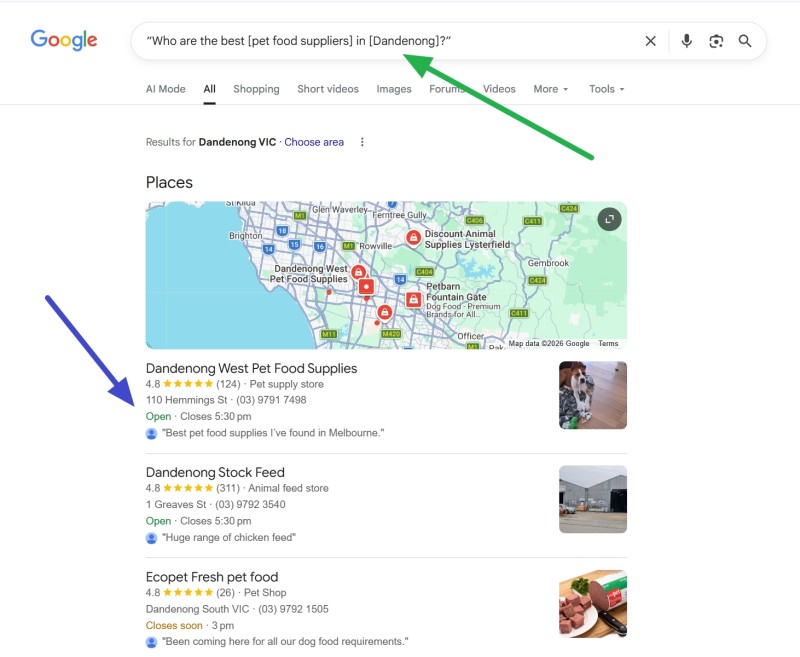
 

Comments

I would like to find out if there is an easy way to upgrade my windows 10 to windows 11. I am an old man and cant understand half of what they are telling me. Please help

Here's a straightforward approach:

  1. Download and run Microsoft's PC Health Check app to see if your computer can run Windows 11
  2. If your computer is compatible, go to Microsoft's Windows 11 download page
  3. Click "Download Now" under Windows 11 Installation Assistant
  4. Run the downloaded program and click "Accept and install."

Add new comment

Restricted HTML

  • Allowed HTML tags: <a href hreflang> <em> <strong> <cite> <blockquote cite> <code> <ul type> <ol start type> <li> <dl> <dt> <dd> <h2 id> <h3 id> <h4 id> <h5 id> <h6 id>
  • Lines and paragraphs break automatically.
  • Web page addresses and email addresses turn into links automatically.
CAPTCHA This question is for testing whether or not you are a human visitor and to prevent automated spam submissions. Image CAPTCHA
Enter the characters shown in the image.

Important note on your EFTPOS provider

POS SOFTWARE

RBA review of merchant card payments
 

Dear Valued Customer,

We have received several inquiries about renewing EFTPOS plans, and we are writing to provide strategic advice in light of the Reserve Bank of Australia's (RBA) proposed surcharging reforms. We recommend proceeding with caution before committing to any new or existing supplier.

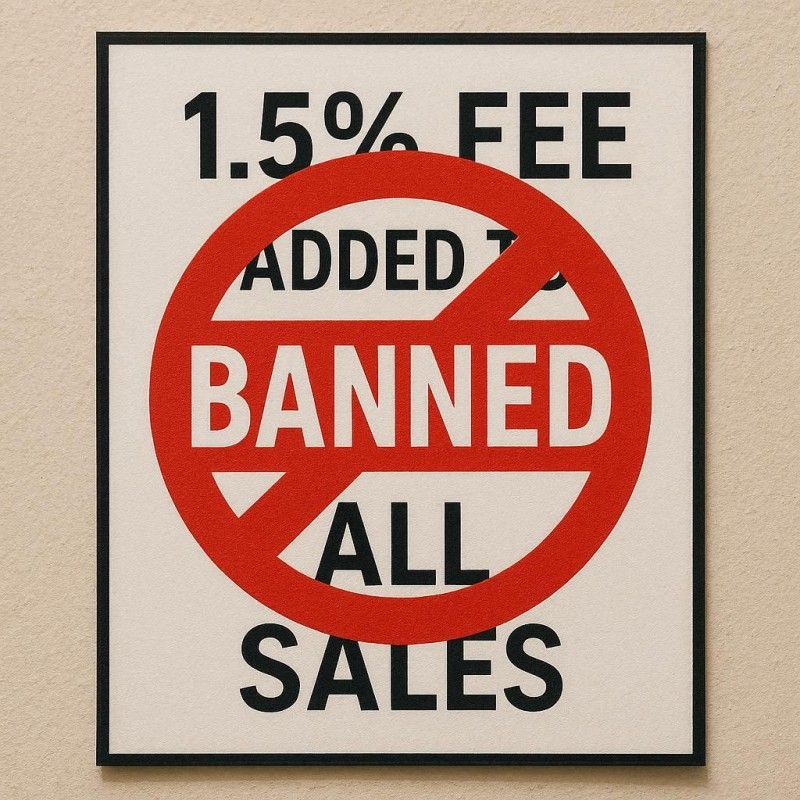
The RBA is moving to ban surcharges on EFTPOS, Visa, and Mastercard payments, with the changes likely to be effective from July 2026.

Looking at these blended-rate surcharging plans currently being promoted by EFTPOS providers, we have big doubts about some of their claims. While these plans are often presented with attractive incentives, they may expose your business to higher-than-necessary fees once you can no longer pass on those costs to customers.

Warning: Before renewing your agreement, we strongly advise you to:

  • Ask your provider how your plan will be affected if surcharging regulations change.
  • Audit your current payment costs to understand the financial impact of a surcharge ban on your business.
  • Be aware of exemptions, as it's unlikely that overseas cards like Amex or specific digital wallets will be included.

Our priority is your business's long-term profitability.

You can give us a call to discuss your options if you want.

Best regards,

Bernard Zimmermann

Written by:

Bernard Zimmermann


Bernard Zimmermann is the founding director of POS Solutions, a leading point-of-sale system company with 45 years of industry experience, now retired and seeking new opportunities. He consults with various organisations, from small businesses to large retailers and government institutions. Bernard is passionate about helping companies optimise their operations through innovative POS technology and enabling seamless customer experiences through effective software solutions.



Add new comment

Restricted HTML

  • Allowed HTML tags: <a href hreflang> <em> <strong> <cite> <blockquote cite> <code> <ul type> <ol start type> <li> <dl> <dt> <dd> <h2 id> <h3 id> <h4 id> <h5 id> <h6 id>
  • Lines and paragraphs break automatically.
  • Web page addresses and email addresses turn into links automatically.
CAPTCHA This question is for testing whether or not you are a human visitor and to prevent automated spam submissions. Image CAPTCHA
Enter the characters shown in the image.

Our Black Friday sale

POS SOFTWARE

Start of our Black Friday Sale


 Don't Get Left Behind: Upgrade Your Shop with Our Biggest Black Friday POS Sale Ever!

Is your old cash register slowing you down? This Black Friday, revolutionise your newsagency with a next-generation POS system at an unbeatable price. We've negotiated exclusive deals with our suppliers to help you boost efficiency, manage your unique inventory, and increase profits. This is a limited-time offer you can't afford to miss.

Secure Next-Gen POS Systems at Low Prices

Now is a good time for us to offer you low prices, as many of our partners have excess stock that they know they cannot clear out for months. They are keen to move, so we offer to pass some good savings on to you to help you and them. We tell them what we want: "Our Black Friday Sale is here, with limited-time offers and doorbuster deals!" That's why we worked with our suppliers to bring you incredible Black Friday deals.

I can tell you this: when this stock goes, it doesn't return at these prices.

Huge Savings on Computer Equipment

If you've been holding off on upgrading your computers and tech gear, now is a great time to take the plunge! We have deep discounts. See our newsletter for details.

Why Upgrade Now? 

Inflation and the Australian Dollar

This is the last chance to get such great prices on computer equipment. With rising inflation and the weakening Aussie dollar against the US dollar, prices are expected to increase next year.  The dollar doesn't look pretty right now.

Improved Efficiency

Upgrading your POS system can lead to faster checkouts and happier customers, ultimately driving more sales. Stay ahead of the competition by investing in technology that supports long-term growth.

Call Us Now for a Free Quote and See How a Modern POS System Can Transform Your Shop.

Offer Ends Soon!.


Comments

These deals are great

Please, Rick, no advertising here. Contact me, and we can discuss it properly.

Add new comment

Restricted HTML

  • Allowed HTML tags: <a href hreflang> <em> <strong> <cite> <blockquote cite> <code> <ul type> <ol start type> <li> <dl> <dt> <dd> <h2 id> <h3 id> <h4 id> <h5 id> <h6 id>
  • Lines and paragraphs break automatically.
  • Web page addresses and email addresses turn into links automatically.
CAPTCHA This question is for testing whether or not you are a human visitor and to prevent automated spam submissions. Image CAPTCHA
Enter the characters shown in the image.

Instantly check your Retail Success for Halloween with Data

POS SOFTWARE

examining retail sales data

Today, your data must back your strategic decisions. Analysing sales data moves you from gut feel to certainty, revealing what boosts profits. Your POS system captures this info to refine growth strategies.

Analysing Halloween Sales Performance

Begin by extracting detailed insights from your POS system to evaluate Halloween results.

Your POS system has the information you need. It's there, waiting for you to dig in. Here is how to gather insights you can use.

Getting Started: Your First Data Deep Dive

Here's how you can tap into this resource to gain a clear picture of your performance:

Accessing Your Sales Comparison Report

Knowing where your business is going is essential.

Now is an appropriate time to take a quick look at how well you did in 2024, where you are now in retail strategy and compare your performance to previous years.

Go to the register reports.

Now select the item marked "Sales Comparison for a Given period".

Key Performance Metrics to Track

Let's use a month of information as the holiday starts nowadays, long before the actual day, and continues a bit after. Here's how to do it:

Conducting a Month Analysis

First Comparison:

Input the date range: 06/10/2024 to 06/11/2024 AND 06/10/2025 to 06/11/2025.

Run the report and note key figures

Second Comparison:

Return to the report and input: 06/10/2023 to 06/11/2023 AND 06/10/2025 to 06/11/2025.

Record key statistics

These data points give you a solid foundation for understanding your business's performance over the past two years.

Visualising

A simple graph of your annual turnover can provide a clear visual representation of your business's growth trajectory.

Go to the Cash register.

Then go to Sales - Register Select Dissection Monthly Sales Trend (Graph)

Please select the date range. I suggest 4 weeks, 06/10/2025 to 06/11/2025

As you examine your sales data, ask yourself:

Is there a consistent upward trend in turnover?

Are there any noticeable dips or spikes? What might have caused these?

How does your 2025 performance compare to previous years?

What factors influenced your sales performance over this period?

Now, go back and look at the past two years. Two years is good, as you can see from the seasonal variations.

Remember, this analysis isn't about numbers. It's about understanding the story. We are using these numbers to gain insights that will help us make a strategy for the future.


Essential Metrics for Evaluation

Prioritise these indicators when reviewing reports to assess the impact of your initiatives.

Turnover is a good start as it shows what customers spent in your shop. This top-level figure gauges overall success.

Examine sales by category to pinpoint strong performers. For example, compare revenue from Halloween gifts, cards, books, and magazines; a surge in themed decor might signal inventory adjustments for future seasons.

Track transaction volume to measure customer engagement. Higher numbers suggest effective marketing and better conversion of store traffic.

Average transaction value reveals spending habits. An uptick indicates successful upselling, such as bundling items, while a decrease may require review of promotions.

Leveraging Advanced POS Features

While this simple analysis provides valuable insights, your POS system offers even more advanced reporting capabilities. Use these features to uncover powerful insights that will drive your business decisions:


Written by:

Bernard Zimmermann


Bernard Zimmermann is the founding director of POS Solutions, a leading point-of-sale system company with 45 years of industry experience, now retired and seeking new opportunities. He consults with various organisations, from small businesses to large retailers and government institutions. Bernard is passionate about helping companies optimise their operations through innovative POS technology and enabling seamless customer experiences through effective software solutions.
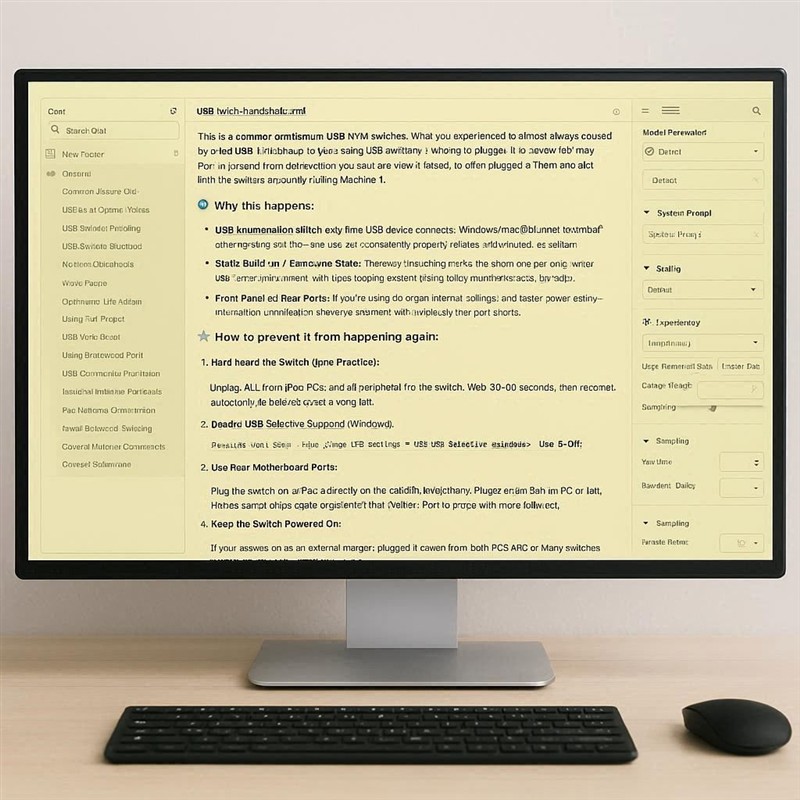


Add new comment

Restricted HTML

  • Allowed HTML tags: <a href hreflang> <em> <strong> <cite> <blockquote cite> <code> <ul type> <ol start type> <li> <dl> <dt> <dd> <h2 id> <h3 id> <h4 id> <h5 id> <h6 id>
  • Lines and paragraphs break automatically.
  • Web page addresses and email addresses turn into links automatically.
CAPTCHA This question is for testing whether or not you are a human visitor and to prevent automated spam submissions. Image CAPTCHA
Enter the characters shown in the image.

Card Fees, Surcharges, and the RBA Debate

POS SOFTWARE

RBA review of merchant card payments
 

The Australian Labor Party made an election promise to eliminate debit card surcharges; this policy was supported to some degree by all major Australian Parties, so as day follows night, we can expect changes here. In response, the Reserve Bank of Australia (RBA), after looking into it, decided to float the idea of banning all surcharges on Australian Debit and Credit cards —but, strangely, not on overseas cards. Now, many of my clients have heard about the Reserve Bank of Australia's (RBA) proposed changes to merchant card payments, but most aren't clear about what's actually being discussed. There's a lot of noise out there, and too few people understand what the proposals mean for their day-to-day business operations. I was pretty stunned to find that many of the industrial bodies that represent them had not asked for their thoughts and then told them what they submitted on their behalf. 

To cut through the confusion, I reviewed every official submission to the RBA's consultation—covering banks, card networks, business associations, consumer groups, and technology providers. I pulled out each central position, concern, and argument to show what's really being debated. It took some time, but the goal is to help business owners like you clearly see who supports what, who's opposed, and what that might mean in real-world terms. So below is a summary table outlining each key issue, why it matters, and where the main stakeholders stand. It’s designed to make a complex discussion easier for you to follow.

Issue Explanation Why Matters Stakeholders For Stakeholders Against Concerns
Ban Surcharging Merchants could no longer charge extra fees for card payments (EFTPOS, Visa, Mastercard); surcharges would be banned. Consumers save $1.2B/year; more straightforward pricing, but small businesses lose a cost recovery method—may need to raise prices or close. CHOICE, Consumer Groups, Major Banks COSBOA, Small Businesses, Travel Industry Costs will be passed on to retailers, who may have to raise prices for all customers.
Lower Interchange Caps RBA proposes cutting bank fees per transaction (debit: 10¢ to 6¢, credit: 0.5% to 0.3%). Could save merchants $1.2B/year; helps small businesses most, but unclear if savings will actually be passed through. CHOICE, Consumer Groups, Small Businesses, Retailers Banks, Card Schemes, Fintech Australia Banks may raise other fees; most of the costs are being ignored in the RBA study.
Issuer Cost Study Methodology Questioned Banks and card schemes say the RBA's cost study is flawed (only 11 issuers surveyed; key costs excluded). If flawed, the basis for fee caps may be incorrect; small-issuer costs often exceed caps. Card Schemes RBA, Consumer Groups If the study is flawed, the conclusions are dubious.
American Express Not Regulated AmEx, as a three-party scheme, is not subject to a cap, while Visa/Mastercard are capped. Creates a competitive imbalance; may lead merchants to stop accepting AmEx. Banks, Card Schemes AmEx, Current Regulations It is a market distortion
Buy Now Pay Later (BNPL) Regulatory Arbitrage BNPL providers (Zip, AfterPay, Klarna) charge merchants much higher fees (~5.3% vs 1.8% for cards); they are currently unregulated. Banning surcharging on cards but not BNPL steers customers to higher-cost BNPL methods. Macquarie Bank, Consumer Advocates BNPL sector BNPL offers consumers a better deal, but what is wrong with merchants charging more to recover the costs of that better deal?
Mobile Wallet Fees (Apple Pay) Apple Pay takes ~15 basis points per transaction from issuers; with lower interchange, this is half or more of what’s left for banks. Not reflected in the RBA’s study; costs go offshore; increases as wallets become more common. Banks Apple, Wallet Providers Issuer margins shrink; if the banks do not pay for higher costs, who will?.
Commercial Card Exemption Business credit cards are usually exempt elsewhere; Australia proposes regulating at the same rates as consumer cards. Commercial cards support working capital for SMEs; new cap threatens their viability; 700,000 cards in use. Card Schemes (e.g. Mastercard) RBA, Current proposal Why should a business credit card cost more?
Innovation & Fraud Prevention Investment Interchange fees help fund fraud detection technology, cybersecurity, tokenisation, and payments innovation. Less interchange = less funding for such investments; risks more fraud, declined transactions, and security breaches. Banks, Card Schemes Consumer Groups, RBA Underfunded security can hurt merchants and customers alike. Fraud protection is critical.
Smaller Issuers & Fintech Competition Small banks and fintechs have costs above the proposed cap, making it hard for them to compete. Risk of market consolidation to big banks; less innovation and higher costs in the long term. Fintech Australia, Small Issuers Big Banks Fewer issuers = less choice. It possibly offers lower merchant fees.
Newsagent/Lottery Agent Sector: Agency Model Agency operators (newsagents, lottery) receive fixed commissions, with no control over product prices; transaction fees may exceed the commission earned. Zero pricing power; costs can erase margin; may lead merchants to drop cards or close. COSBOA, Small Business Advocates RBA (issue not addressed) Agency businesses like newsagents of lotto can't offset proposed cost increases.
Thin Margins Retailers, travel agencies, hotels, and restaurants often operate at 0-4% profit margins. Card costs are a significant burden. Surcharge bans remove cost recovery; foreign card fees remain; some sectors may not survive any new cost shock. Travel Industry, ATIA RBA, Consumer Groups Any cost increase can be dangerous for thin-margin businesses.
Scheme Fee Regulation & Asymmetric Regulation Scheme fees (Mastercard/Visa charges to banks) are unregulated and rising, potentially offsetting the benefits of interchange cuts. If only interchange is capped but scheme fees aren’t, savings may not reach merchants (as the UK saw). CHOICE, Retailers, Small Businesses Card Schemes Interchange fees are just one of many fees, and they are the only ones currently proposed for regulation. If interchange fees are eliminated, what will take their place?
Transparency Requirements Payment processors must publish fee schedules by card type and method, making costs clear for merchants. Helps merchants compare, puts competitive pressure on processors; broad support. All parties are generally supportive Some concern over reporting format/frequency/definitions Merchants deserve transparency regarding their expenses; they need to understand what they are being charged.

In summary, Many of the proposed changes from the RBA have mixed effects. They could help consumers and some businesses, but may also push new costs onto retailers with limited ability to absorb them. For small, local shops—especially those operating on agency models or with very tight margins- it's essential to understand these effects and engage in the debate.

I hope this helps you follow the current debate.

Written by:

Bernard Zimmermann


Bernard Zimmermann is the founding director of POS Solutions, a leading point-of-sale system company with 45 years of industry experience, now retired and seeking new opportunities. He consults with various organisations, from small businesses to large retailers and government institutions. Bernard is passionate about helping companies optimise their operations through innovative POS technology and enabling seamless customer experiences through effective software solutions.
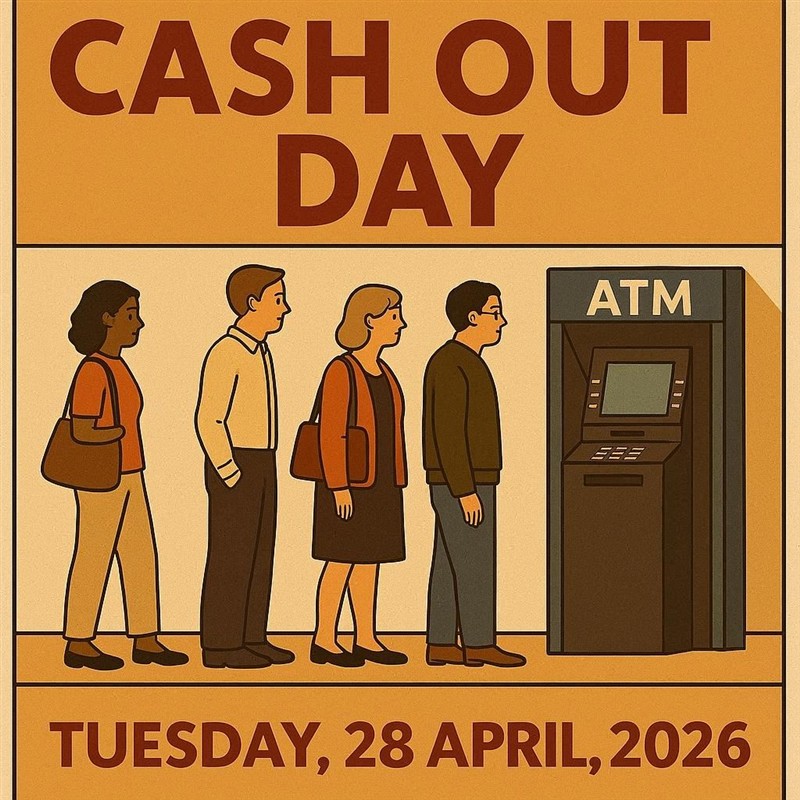


Add new comment

Restricted HTML

  • Allowed HTML tags: <a href hreflang> <em> <strong> <cite> <blockquote cite> <code> <ul type> <ol start type> <li> <dl> <dt> <dd> <h2 id> <h3 id> <h4 id> <h5 id> <h6 id>
  • Lines and paragraphs break automatically.
  • Web page addresses and email addresses turn into links automatically.
CAPTCHA This question is for testing whether or not you are a human visitor and to prevent automated spam submissions. Image CAPTCHA
Enter the characters shown in the image.

Chasing the Wrong Market in Retail

POS SOFTWARE

New product launch


In retail, sales often slip away because retailers are targeting the wrong crowd. They do research, stand behind your products, but nothing shifts. It’s frustrating and confusing. Sometimes, though, it's not about the shop, the prices, or even the promos. The issue might be that they're trying to fill a need for folks who aren't coming or not prepared to buy those products from them.

A Real-World Example

I remember helping out a guy who loved board games. He stocked his shop with a solid selection, popular ones selling well. He did the research, which checked out; prices were good, and the display looked sharp. Still, those games did not sell.

He was stumped, of course. "How can I move more of this?" he said. He figured a tweak to the signs and a slight price cut would do it. But it became clear: the shoppers in his store weren't into buying these games, and the ones who did buy them didn't wander in. Worse, some of those game fans were already his regulars for other things, but they did not buy it from him. The real snag wasn't how to sell them. It was whether he should bother stocking them there at all.

Sticking to the Wrong Ideas

When things slow down, retailers naturally start poking at fixes. You end up asking stuff like:

  • How can I push my products harder?
  • Would dropping prices help me compete?
  • Is my lineup off somehow?

These are thoughtful questions because they're action-oriented and suggest you're just one adjustment away from turning it around. That's the pitfall. You keep fiddling with bits and pieces, chasing a win that doesn't show. But these questions miss the point by assuming these products are for you.

The Question That Matters

Better to flip it: Do the folks who want what I'm offering actually step into my place?

That's where the gap shows up for so many shops. It happens in a few ways.

Your items might fly off shelves elsewhere, but that does not mean they move here like they do at that store, where the demand existed but not the right crowd.

Or you've got traffic pouring by, but it's the mismatch kind; a packed sidewalk means nothing if they're not people for your stock.

Market research can trick you here. It shows something's overall hot, but doesn't indicate whether those buyers will hit your spot. That's where your point-of-sale setup shines. It uncovers the real story: how often people buy, what your top spenders grab, their typical haul, and what pairs up in carts.

The wake-up hits when that data shows that your main buyers don't align with the crowd you're after. That's the sign you've been off track.

Spotting the Disconnect

Before jumping in, ask yourself, What is the market for these items.

How do they get it now online, from rivals, across town?

Are they quick grabs or planners who seek it out?

Do these people want to buy these products from you? My daughter, for example, prefers to buy her cosmetics from a shop that specialises in these products.

Then, who's actually passing by or popping in?

Glance at the flow outside. Do they match your ideal buyers?

Are they there on purpose or just cruising through?

What draws them, daily errands, or something touristy?

The Big Lesson

  • Start off small
  • Prepare in advance a plan to pull out of that product if it does not work
  • If possible ask for sale or return
  • Closely monitor your sales in your POS System.

The sad reality is that, in business today, we say only one in three products works. The odds are that what you pick will fail. You need new products, but you need to be ruthless: admit you made a mistake, you chased the wrong thing, you made a bad start, and rethink it all.

Before dumping more cash on promo, time on shelves, or worry, face this: Do the buyers for my stuff show up here? If so, better ads, cheaper tags. More sweat won't cut it; it's the wrong fight. Step away?

Written by:

Bernard Zimmermann


Bernard Zimmermann is the founding director of POS Solutions, a leading point-of-sale system company with 45 years of industry experience, now retired and seeking new opportunities. He consults with various organisations, from small businesses to large retailers and government institutions. Bernard is passionate about helping companies optimise their operations through innovative POS technology and enabling seamless customer experiences through effective software solutions.
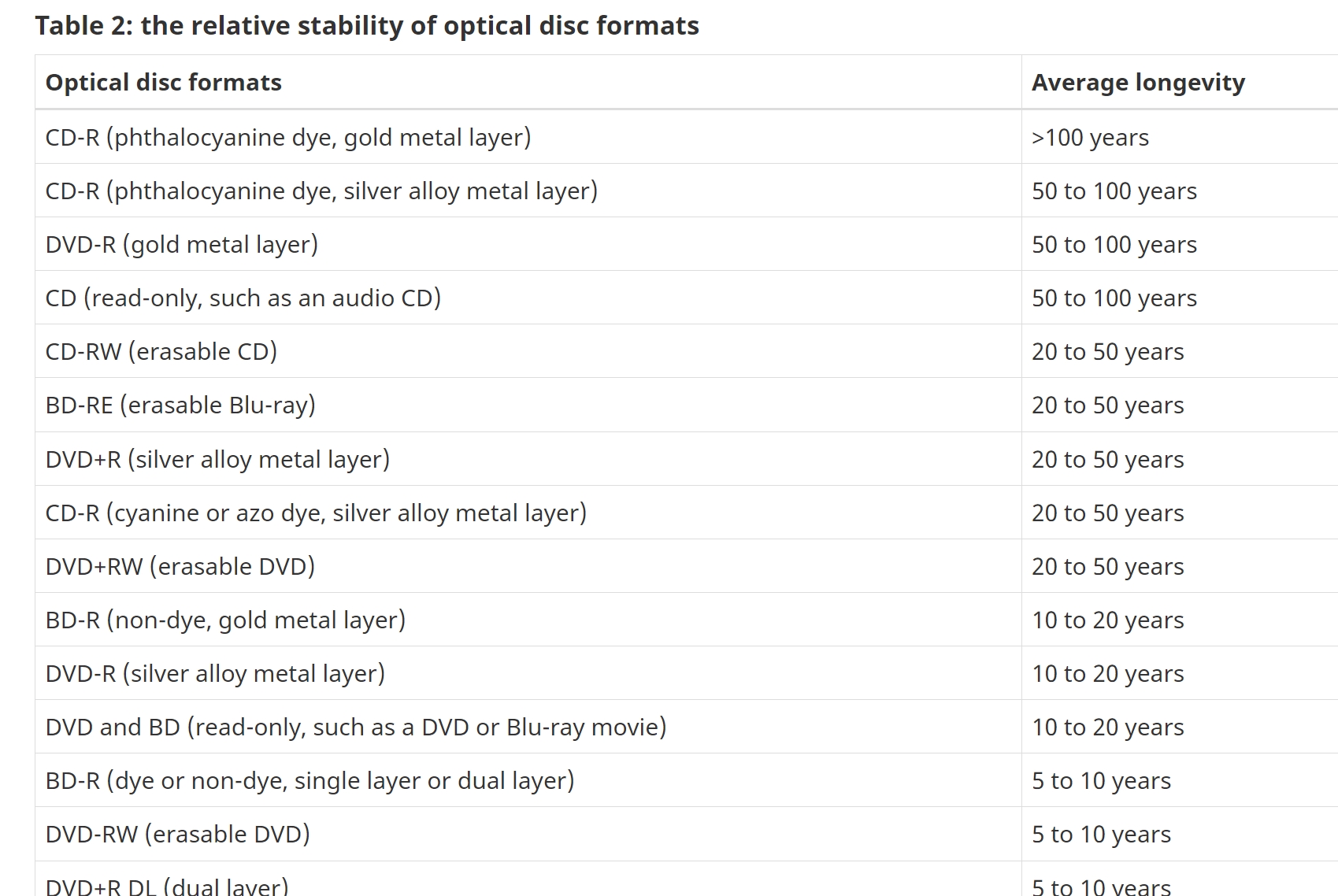


Add new comment

Restricted HTML

  • Allowed HTML tags: <a href hreflang> <em> <strong> <cite> <blockquote cite> <code> <ul type> <ol start type> <li> <dl> <dt> <dd> <h2 id> <h3 id> <h4 id> <h5 id> <h6 id>
  • Lines and paragraphs break automatically.
  • Web page addresses and email addresses turn into links automatically.
CAPTCHA This question is for testing whether or not you are a human visitor and to prevent automated spam submissions. Image CAPTCHA
Enter the characters shown in the image.

1688 vs AliExpress: I uncovered a 70% Price Difference

POS SOFTWARE

Alibaba group


Current ecommerce sites

When you buy, the higher up the pyramid, the better the deals you can get, as every layer adds cost. Unfortunately, as a rule, the higher you go, the harder it is to trade. Now I have spoken here at length about sourcing goods directly overseas. Doing this lets you bypass local importers. Say, for example, the importer buys it for $10 and puts a 100% markup, so it's $20 now. Once you buy it for them, set a 50% markup: the retail price is $30, and your profit is $10. If you went direct, you probably will not get it for $10 as you do not know the market as well and you buy less but you should be about to get it for $13, you decide to put a 100% margin and you are now at $26, 4 dollars cheaper then the retail price and your margin is $13, 30% more. It sounds good, huh.

Today, one of the best places to buy goods is in China. China is a significant manufacturing power today. Due to current American policy, the Chinese are looking for new markets. This is what is exciting Australian importers. The primary site for importing into Australia is AliExpress. I have spoken about it often here. It's a site most importers use. Now, here is a tip: there are more platforms that China uses, such as Alibaba. The one I will suggest to you now is 1688.

Why 1688 Beats AliExpress on Price

When you stack 1688 against AliExpress, the 16688 usually comes out way cheaper, sometimes by 30% to 70%. Why the gap? It boils down to their target market. 1688 is all about connecting Chinese factories with buyers in China for big wholesale deals. AliExpress, on the other hand, sells straight to shoppers around the world, like a regular online store. By buying from 1688, you are going up the pyramid. These savvy buyers can turn this to their advantage, as they are not paying for advertising or the Chinese wholesaler's commission.

I compared prices: a cross-body bag costs about 27 AUD on 1688 but 82 USD on AliExpress. Makeup brushes are $2.10 on 1688 and $7 on Aliexpress. An iPhone case costs 80 cents on 1688 versus $2.50 on AliExpress. These differences highlight good potential savings.

Problems You Can't Ignore

Sure, those unit prices on 1688 look great, but they don't tell the whole story. Like I said, the higher up the pyramid, the harder it is to trade.

Language

The main issue is that 1688 operates in Chinese. I used Google Translate to communicate, but it was difficult. I selected items on Aliexpress, translated their titles into Chinese, and searched on 1688. Most were found, but it was challenging. If I were doing it for a big order, I would hire someone who knows Chinese to make the order. Such people are not expensive, as Australia is full of Chinese speakers, and you only need them for a short time. You go on Aliexpress, pick what you want, then call them in to go on 1688 and ask for quotes. Do not undersell or oversell yourself. Today, you may be shocked at how much information about your shop people can find on the internet. Tell them the truth: you are a successful retailer, you deal with these items, and you are enquiring about a buy price for delivery to Australia to try out their product, which, if it works, you will buy in much larger quantities.

Shipping

It is another big one. 1688 sellers mostly stick to China, so you need to find a company on 1688 that can handle Australia. It's a hassle; in the worst case, they will be able to put you in touch with one of their agents who can help you. It's doable, adds a layer. AliExpress handles that worldwide delivery for you, but yeah, at a premium.

Payments

1688 was not bad. I did notice that they accepted PayPal, which means you do have at least a PayPal guarantee. I would be reluctant to use direct deposit from my bank to a foreign country. 

Quality

1688 is looking for big orders. You may get some nos, but you cannot take nos. I question what you are doing in business at all.

How to start

In the end, you're pushing for bigger profits and an edge that lasts. 1688 opens the door to lower stock costs. In my study, I feel its prices are lower than those on Alibaba or AliExpress. 

Start with AliExpress to poke around. Have a chew on what looks good.  While Halloween is fresh on your mind, take a look for some of the products you handled to see what price you could get. Now look at 1688 to see what you can see. If you decide it's too hard to buy on 1688, go back to Aliexpress and tell them why their prices are so high when 1688 is quoting much better.

Let me know how it goes.

Written by:

Bernard Zimmermann


Bernard Zimmermann is the founding director of POS Solutions, a leading point-of-sale system company with 45 years of industry experience, now retired and seeking new opportunities. He consults with various organisations, from small businesses to large retailers and government institutions. Bernard is passionate about helping companies optimise their operations through innovative POS technology and enabling seamless customer experiences through effective software solutions.


Add new comment

Restricted HTML

  • Allowed HTML tags: <a href hreflang> <em> <strong> <cite> <blockquote cite> <code> <ul type> <ol start type> <li> <dl> <dt> <dd> <h2 id> <h3 id> <h4 id> <h5 id> <h6 id>
  • Lines and paragraphs break automatically.
  • Web page addresses and email addresses turn into links automatically.
CAPTCHA This question is for testing whether or not you are a human visitor and to prevent automated spam submissions. Image CAPTCHA
Enter the characters shown in the image.

RBA Delays Card Payment Reforms to March 2026

POS SOFTWARE

RBA
The Reserve Bank of Australia (RBA) delayed its final decision on card payment reforms until March 2026. It is to allow more time to review submissions from businesses and the public. This extension means SMBs, including retailers, will keep using the current system longer, with surcharges helping to offset processing fees, which still frustrate many customers.

I've seen firsthand how card fees affect low-margin operations like corner stores and newsagents. Our company submitted detailed feedback to the RBA, emphasising that surcharges are strictly for cost recovery under the Australian Competition and Consumer Commission (ACCC) guidelines, and that removing them could shift the burden onto merchants rather than payment providers as claimed.

Reform Timeline and Key Impacts

The Labor Party's 2022 election pledge aims to eliminate debit card surcharges, reducing costs for consumers and small businesses.

October 2024: RBA review begins with a paper proposing bans on surcharges on domestic debit cards and some low-cost credit transactions, caps on interchange fees, and greater transparency.

15 July 2025: A consultation paper shows these fees, totalling $4.3 billion annually, are borne mainly by SMB retailers handling many low-value card payments as cash declines.

26 August 2025: The consultation closed, receiving many submissions, which delayed further analysis.

These reforms could reshape payment processing. It may require adjustments to the POS Systems setups.

Why This Matters for Your Business

  • Cash is going, and cards now dominate
  • The $4.3 billion in annual fees underscores the need for transparent, cost-effective payments.
  • This delay extends uncertainty. Stay informed.

Let's see how it plays out.

Written by:

Bernard Zimmermann


Bernard Zimmermann is the founding director of POS Solutions, a leading point-of-sale system company with 45 years of industry experience, now retired and seeking new opportunities. He consults with various organisations, from small businesses to large retailers and government institutions. Bernard is passionate about helping companies optimise their operations through innovative POS technology and enabling seamless customer experiences through effective software solutions.


Add new comment

Restricted HTML

  • Allowed HTML tags: <a href hreflang> <em> <strong> <cite> <blockquote cite> <code> <ul type> <ol start type> <li> <dl> <dt> <dd> <h2 id> <h3 id> <h4 id> <h5 id> <h6 id>
  • Lines and paragraphs break automatically.
  • Web page addresses and email addresses turn into links automatically.
CAPTCHA This question is for testing whether or not you are a human visitor and to prevent automated spam submissions. Image CAPTCHA
Enter the characters shown in the image.

Troubleshooting Your POS Software After Microsoft Updates

POS SOFTWARE

Windows Updates and POS Software

Windows updates are essential—they boost security and often add handy features—but they can also shake things up in ways that cause real headaches. In a POS Software, if an update glitches your point-of-sale setup, it's more than annoying. I have seen it stop sales processing and mess up POS systems. It leaves retailers and customers fuming. Recently, we saw the Windows KB5044284 patch freeze a client's cash registers due to a network hiccup. We had to uninstall this update on our customer site.

Treating updates as essential to your business makes sense and is necessary. Here, we outline a practical approach to handling them, keeping systems running smoothly and securely with minimal surprises.

Why Automatic Updates Can Hurt Your Bottom Line

Letting updates roll in without a plan invites trouble. New patches sometimes clash with your POS gear or software, and you never know until it's too late. Here's what it looked like in practice on our client's system.

  • Sales ground to a halt when the registers locked up.
  • Customers who waited in line got irritated.
  • Staff scramble with paper and pens, wasting time on error-prone work instead of helping shoppers.

You can't avoid updates forever, but getting ahead of them turns potential chaos into something you control.

Building a Smarter Update Plan

Instead of crossing your fingers with auto-updates, take charge. What I suggest is that you delay them a bit so others can spot the kinks first, and let them serve as the testing ground. Microsoft usually fixes most issues quickly once reported.

Steps to Pause and Tame Updates

Timetable for windows updates

It's not complicated to reduce the risks.

Pull up Settings in Windows.

Head to Update & Security on version 10, or just Windows Update on 11.

Hit pause and pick how long from the list. I use seven (7) days, which works well.

To reduce disruptions even further, consider your busiest times.

Set active hours in the same menu to avoid your store's peak shifts. That way, if it's a problem, it won't be as bad.

Aim for early Tuesday or Wednesday so tech can assist during regular hours if issues arise—no weekend heroes needed.

First, fix the problem if it happens

A simple restart is often all that is needed to clear up software issues caused by these updates. Follow these steps:

  • Close any open programs on your system
  • Shut down the server computer completely
  • After 1 minute, restart the server and let it boot up fully
  • Try using the POS software again; the issues may be resolved!

Restarting your server essentially clears any memory errors or software conflicts that the updates may have caused. It's a quick first step to try before investigating deeper issues.

Contact Our Support Team

If restarting your POS server doesn't fix the problems you've been experiencing, please reach out to our customer support team immediately.

Our support reps can troubleshoot further, analyse your system logs, and identify exactly which Microsoft updates are causing the conflicts. We can then provide targeted solutions to get your POS software back to working correctly.

Let us know if you have any other questions! We're here to help.


Wrapping It Up: Stability Fuels Success

Handling updates this way isn't flashy, but it keeps your retail shop humming.

Written by:

Bernard Zimmermann


Bernard Zimmermann is the founding director of POS Solutions, a leading point-of-sale system company with 45 years of industry experience, now retired and seeking new opportunities. He consults with various organisations, from small businesses to large retailers and government institutions. Bernard is passionate about helping companies optimise their operations through innovative POS technology and enabling seamless customer experiences through effective software solutions.



Add new comment

Restricted HTML

  • Allowed HTML tags: <a href hreflang> <em> <strong> <cite> <blockquote cite> <code> <ul type> <ol start type> <li> <dl> <dt> <dd> <h2 id> <h3 id> <h4 id> <h5 id> <h6 id>
  • Lines and paragraphs break automatically.
  • Web page addresses and email addresses turn into links automatically.
CAPTCHA This question is for testing whether or not you are a human visitor and to prevent automated spam submissions. Image CAPTCHA
Enter the characters shown in the image.

Finding the Right Cash Box for Your Business

POS SOFTWARE

Sturdy cash box

A cash box is a secure, portable container that keeps cash, coins, receipts, and small valuables safe, commonly used outside the shop. For a retailer, protecting the money is vital to their business operations. An efficient and secure cash management system helps you stay organised and minimise losses from mishandling or theft. It is excellent in the shop, but you will need a cash box now and then to store money outside the shop.

Security

These are in demand, commonly for retailers who operate at markets, fairs, or pop-up events.

Pros and Cons of Cash Boxes

Before we discuss features, consider the advantages and disadvantages of using a cash box in your retail operation.

Pros:

  • Durable and sturdy construction
  • Easy organisation of cash and coins
  • Portable and compact for mobile businesses
  • More affordable than high-security safes
  • Versatile use for money, receipts, or small valuables

Cons:

  • Limited security, because they are portable, they are easy to steal. A person can grab them and run away.
  • Not hard to steal if left unsecured
  • Some models have quality issues
  • Limited capacity and often not suitable for large amounts of cash

Let's evaluate the advantages and disadvantages of different cash box systems.

Key Features to Look For

Based on my experience, these are the essential characteristics of a cash box.

Sturdy

The reality is that most of these cash boxes will not last five minutes against a determined person, but that is no reason to make it easy for someone to break into them. This is why I prefer metal cash boxes. Unfortunately, they sometimes make the cash box too heavy.

I like rubber feet to add stability on uneven surfaces.

Simplicity

Remember, a cash box's purpose is to store cash; anything beyond that is a bonus. If the cash box doesn't handle some money efficiently, then nothing else matters.

The simpler they are, the better. Every function is just something that can go wrong.

Security

It is a pain to use a key to open and close them. We suggest having a latch and a lock. In my experience, many need more substantial locks. Make sure you get a decent lock.

Make sure you have a spare key; they do get lost.

Bright colours make your cash box easier to look after, thanks to improved visibility. For added peace of mind, one of our customers anchors their box to a stall using a drilled hole and a lock.

Sized for Your Needs

Please consider the volume of cash you need to handle. A small box might suffice for low-volume businesses, but you'll need more if you deal with many notes and coins.

The compartments should be roomy enough to accommodate multiple stacks of bills and rolls of coins without overflowing.

Make sure that the cash box can handle Australian notes. Chinese and US cash boxes often can't handle our Australian notes. I wonder why people sell them to Australian retailers, but they do.

  • Removable trays
  • Enough compartments for different denominations
  • Tiered cantilever designs for easy access
  • Ensure you have enough room in the cash box to handle change.
  • Test the compartments before buying.

Portability and Protection

Since you'll move the box around to collect cash deposits, find one that is lightweight yet sturdy. Look at fireproof and waterproof options that offer extra security to protect your money.

Can it be secured to a table? One client drilled a hole into the cash box and used a bike lock to secure it to the stand.

Maintenance

A well-maintained cash box lasts forever if it is correctly cared for.

Periodically check the lock mechanism to ensure smooth operation

Conclusion

Consider a cash box as an investment in your business's security and efficiency.

Written by:

Bernard Zimmermann


Bernard Zimmermann is the founding director of POS Solutions, a leading point-of-sale system company with 45 years of industry experience, now retired and seeking new opportunities. He consults with various organisations, from small businesses to large retailers and government institutions. Bernard is passionate about helping companies optimise their operations through innovative POS technology and enabling seamless customer experiences through effective software solutions.



Add new comment

Restricted HTML

  • Allowed HTML tags: <a href hreflang> <em> <strong> <cite> <blockquote cite> <code> <ul type> <ol start type> <li> <dl> <dt> <dd> <h2 id> <h3 id> <h4 id> <h5 id> <h6 id>
  • Lines and paragraphs break automatically.
  • Web page addresses and email addresses turn into links automatically.
CAPTCHA This question is for testing whether or not you are a human visitor and to prevent automated spam submissions. Image CAPTCHA
Enter the characters shown in the image.

The Australian Government's Paper on Mandating Cash

POS SOFTWARE

Australian Government

The Australian government has released a draft proposal to mandate cash acceptance. It is a much watered-down version of its previous statement. The most crucial point is that it does nothing about the big problem of disappearing bank branches and ATMs, which makes it difficult for many who want to use cash.

The good news is that for most business owners, this new rule won't change much and accepting cash will be a business decision for you, not a legal one.

Do You Have to Accept Cash?

For most retailers, the simple answer is no.

The new rule applies only to specific businesses, as the paper mainly covers supermarkets and many petrol stations. If you own a pet shop, a newsagency, a chemist's, or another type of small store, you are excluded as the rule only affects businesses that make more than $10 million in a year. Most independent shops fall well below this line.

If you run a local shop, you can decide for yourself whether to accept cash or go cashless.

An Exception for Franchise Stores

There is one important exception. If your shop is part of a big chain, like a 7-Eleven or a branded petrol station, you might have to accept cash. This is because the $10 million rule applies to the whole organisation, not just to a shop.

Deciding What's Right for Your Business Since the law doesn't force you to accept cash, you can choose what benefits your business. Consider these points.

Reasons to Keep Taking Cash

Retain all customers: Some prefer cash, especially older shoppers or those on tight budgets. While most now use cards, about 1.5 million Australians still rely on cash for daily shopping. Accepting cash helps you keep these customers.

Stand out from competitors

The big supermarkets will still be taking cash. This means people wanting to pay in cash will be forced away if you do not accept it.

Credit and debit card fees

These are high and likely to go up soon.

Reasons to Go Cashless

Save time

Handling cash takes time

Cost

It does cost to accept.

The future is digital.

It's getting harder to find banks and ATMs. As this trend continues, as a society, we are losing the ability to accept cash. Going cashless now can help prepare your business for the future.

Your Choice to Make

Choose payment methods that suit you. Consider your customer types and cash handling costs. Whether using cash or digital, the choice is yours.

Written by:

Bernard Zimmermann


Bernard Zimmermann is the founding director of POS Solutions, a leading point-of-sale system company with 45 years of industry experience, now retired and seeking new opportunities. He consults with various organisations, from small businesses to large retailers and government institutions. Bernard is passionate about helping companies optimise their operations through innovative POS technology and enabling seamless customer experiences through effective software solutions.


Add new comment

Restricted HTML

  • Allowed HTML tags: <a href hreflang> <em> <strong> <cite> <blockquote cite> <code> <ul type> <ol start type> <li> <dl> <dt> <dd> <h2 id> <h3 id> <h4 id> <h5 id> <h6 id>
  • Lines and paragraphs break automatically.
  • Web page addresses and email addresses turn into links automatically.
CAPTCHA This question is for testing whether or not you are a human visitor and to prevent automated spam submissions. Image CAPTCHA
Enter the characters shown in the image.

Mark Heavy Items in your shop

POS SOFTWARE

Heavy items can seriously hurt your staff. Lifting today cause about 30% of all retail workplace accidents. If you get one the person will probably be out for months. Now there's no single weight limit by law, Safe Work Australia used to say 45 kg needs extra care now they says anything over 16-18kg lifted repeatedly, or over 25-30kg lifted occasionally, creates a danger to your workers. Preventing these injuries can save you money, keeps staff happy, and avoid expensive compensation claims.

Your POS system can help prevent these accidents.

Use Your POS System to Warn Staff About Heavy Items

Modern POS systems like ours have a built-in safety feature in that you can mark heavy items with a special flag so everyone knows to be careful.

Here's how it works: Go to your stock maintenance screen, click on a heavy product, and tick the "heavy item" checkbox.

Stock marked as heavy


Now, whenever looks up that product on the computer they'll see a clear warning. This means your staff will know to get help or use a trolley before they try to lift something dangerous.

Here are some hacks that can reduce the problem.

Smart Storage Saves Backs

Where you put heavy items on shelves makes a huge difference to safety.

Always store heavy products between your mid-thigh and shoulder height. The best spot is waist height because staff can lift without bending or reaching. Put light things like cards, wrapping paper, and magazines on the top shelves. Never put heavy items up high—lifting above your shoulders doing this is just asking for trouble.

Also, don't store other products behind heavy items. If staff have to move heavy boxes every time they need something else, you're multiplying the injury risk for no reason.

Create Clear Safety Rules

Your team needs to know exactly what to do with heavy items.

Two-Person Rule

Make it clear which items need two people to move. A good rule is that anything over 25kg always needs two people. More importantly, make sure your staff feel comfortable asking for help, many injuries happen because people try to lift alone when they shouldn't.

Buy the Right Equipment

Trolleys and hand carts are cheap insurance. They cost far less than one workplace injury claim. Make sure you have enough equipment so staff can easily move heavy stock from delivery to storage.

Work With Your Suppliers

Talk to your suppliers about making deliveries safer.

Tip: Ask them to send smaller packages. One of our clients asked their supplier to provide 12.5kg pet food bags instead of the regular 25kg bags. The supplier agreed at the same unit price. Most suppliers will work with you if it's about safety.

Why This Matters

Beside the legal problems, no wants anyone to get hurt?

Flag heavy items in your POS System. Then organise shelves, and equip staff with the right tools to reduce injuries.

Add new comment

Restricted HTML

  • Allowed HTML tags: <a href hreflang> <em> <strong> <cite> <blockquote cite> <code> <ul type> <ol start type> <li> <dl> <dt> <dd> <h2 id> <h3 id> <h4 id> <h5 id> <h6 id>
  • Lines and paragraphs break automatically.
  • Web page addresses and email addresses turn into links automatically.
CAPTCHA This question is for testing whether or not you are a human visitor and to prevent automated spam submissions. Image CAPTCHA
Enter the characters shown in the image.

Halloween is expected to be a record

POS SOFTWARE

Expected Halloween sales in Australia for 2025 are projected to reach a record-breaking $500 million. This forecast, based on research from the Australian Retailers Association (ARA) and Roy Morgan, represents an 11% increase in spending compared to last year.​

More than 4.8 million Australian adults (one-in-five) are expected to participate in Halloween festivities. It's an event for all ages, with participation among those aged 50 to 64 rising to 21% (an 8% increase) and those over 65 also at 21% (a 12% increase).​

The average spend per person is expected to be $103 in 2025, which is an 11% increase from 2024.​ Click here for what we can expect people to buy. 


Written by:

Bernard Zimmermann


Bernard Zimmermann is the founding director of POS Solutions, a leading point-of-sale system company with 45 years of industry experience, now retired and seeking new opportunities. He consults with various organisations, from small businesses to large retailers and government institutions. Bernard is passionate about helping companies optimise their operations through innovative POS technology and enabling seamless customer experiences through effective software solutions.
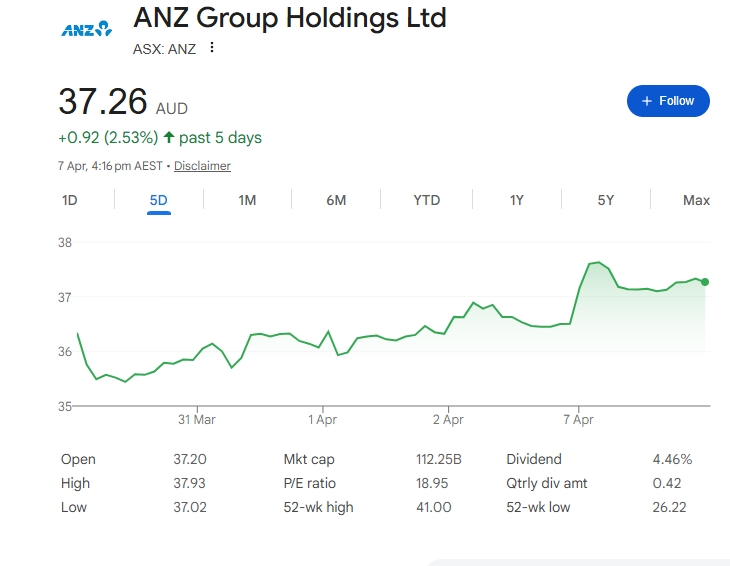


Add new comment

Restricted HTML

  • Allowed HTML tags: <a href hreflang> <em> <strong> <cite> <blockquote cite> <code> <ul type> <ol start type> <li> <dl> <dt> <dd> <h2 id> <h3 id> <h4 id> <h5 id> <h6 id>
  • Lines and paragraphs break automatically.
  • Web page addresses and email addresses turn into links automatically.
CAPTCHA This question is for testing whether or not you are a human visitor and to prevent automated spam submissions. Image CAPTCHA
Enter the characters shown in the image.

Do not confuse markups and margins!

POS SOFTWARE


Markup vs Margin: Understanding the Difference for Retail Success

In your shop, suppliers will quote you "markup" and a "margin". Markup is your profit added to the cost. I always think it's UP on cost. Margin is the profit percentage of the suggested sale price.

They are different. Suppliers often prefer to use markup, I think, partly because the number sounds more appealing and makes their profit seem more favourable. For instance, telling you that you get a 33% markup sounds good, but being told it's a rather ordinary 25% margin does not seem so good.

Margin to Markup

How to Calculate Them

Your POS System will do it automatically.

Here is the theory. Say you sell an item for $20, and it costs you $15 to buy. Your profit is $5.

Working Out Markup

Markup Formula: (Profit ÷ Cost) × 100

Using our example: ($5 ÷ $15) × 100 = 33%

It means that for every $100 you buy in stock, you make $33 profit.

Working Out Margin

Margin Formula: (Profit ÷ Sale Price) × 100

Using our example: ($5 ÷ $20) × 100 = 25%

It means you keep 25 cents out of every dollar you earn.

Why Margin Matters More

For running your business day-to-day, margin is the better number to use. Here's why.

Your accountant uses margin when looking at your financial reports. When you do your tax paperwork or business statements, margin is what is commonly quoted.

Margin gives you a more accurate picture of your business's health. It shows what you actually keep from each sale, which helps you make smarter decisions about pricing and buying stock.

The worst thing to do is to mix them in use. In your shop, use only one; otherwise, you will get confused. You should use margins throughout your whole shop.

Set your POS System to do that.

Quick Conversion Guide

When suppliers quote you a markup, you can convert it to a margin to see what you'll really make. Here's a handy table.

[Conversion table image would be placed here]

Notice how markup percentages are always higher than margin percentages for the same profit? That's why suppliers prefer quoting markup.

Bottom Line

Use margin only for all your pricing decisions.

Add new comment

Restricted HTML

  • Allowed HTML tags: <a href hreflang> <em> <strong> <cite> <blockquote cite> <code> <ul type> <ol start type> <li> <dl> <dt> <dd> <h2 id> <h3 id> <h4 id> <h5 id> <h6 id>
  • Lines and paragraphs break automatically.
  • Web page addresses and email addresses turn into links automatically.
CAPTCHA This question is for testing whether or not you are a human visitor and to prevent automated spam submissions. Image CAPTCHA
Enter the characters shown in the image.

Know Your Business Profit instantly

POS SOFTWARE


How to Check Your Shop's Profit Using Cash Register Reports

examping you business profit

Understanding your shop's profitability is essential for making informed business decisions. Your cash register reports provide valuable insights into how much money you're making and where potential losses might be occurring. This guide explains how to quickly access and use profit reports to improve your business performance.

How to Get Your Profit Report

Getting a detailed profit analysis for your shop is simple. Follow these steps to access your profitability data:

Profit report menu selection

Navigate to your cash register reports section and click on "Sales."

From there, select "Dissection Sales / Profitability"

Now choose the date range you want to analyse.

The report displays your profit in dollars alongside your profit margin, which represents the percentage you retain after covering costs.

Profit report 


The last row of the report is vital because it shows scanning problems—items that didn't scan correctly at checkout. These mistakes will cost you time and money, so check this regularly to minimise losses.

Why Check Profit Every Day

Looking at your profit report daily helps you run a better business in several important ways. Here's why daily tracking matters:

Find What Works

Daily tracking shows which products and sales promotions make you money and which ones lose money. This stops you from running discounts that don't work and helps you focus on profitable offerings.

Catch Mistakes Fast

Checking daily can help you spot billing errors, theft, or scanning problems before they result in significant financial losses. Early detection means you can take corrective action immediately.

Control Your Cash

Tracking daily income and expenses helps in timely bill payments and planning. Shops that monitor profits daily make smarter decisions based on real data rather than guesses, leading to better financial management and stability.

Conclusion

Using cash register profit reports provides clear business performance insights. Checking reports daily helps fix issues, reward good performance, and boost profits. Start analysing your profits now—it's quick and can help grow your business by giving you the information needed to make informed decisions that drive success.

Written by:

Professional headshot of the author, Bernard Zimmermann

Bernard Zimmermann is the founding director at POS Solutions, a leading point-of-sale system company with 45 years of industry experience. He consults to various organisations, from small businesses to large retailers and government institutions. Bernard is passionate about helping companies optimise their operations through innovative POS technology and enabling seamless customer experiences through effective software solutions.
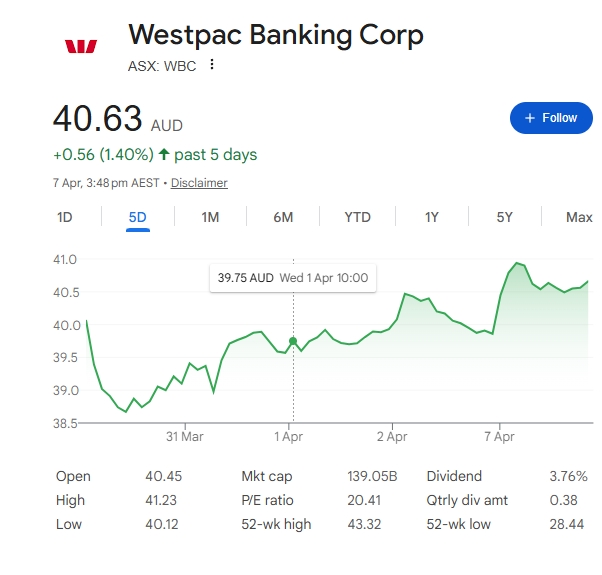
LinkedIn Profile link icon


Add new comment

Restricted HTML

  • Allowed HTML tags: <a href hreflang> <em> <strong> <cite> <blockquote cite> <code> <ul type> <ol start type> <li> <dl> <dt> <dd> <h2 id> <h3 id> <h4 id> <h5 id> <h6 id>
  • Lines and paragraphs break automatically.
  • Web page addresses and email addresses turn into links automatically.
CAPTCHA This question is for testing whether or not you are a human visitor and to prevent automated spam submissions. Image CAPTCHA
Enter the characters shown in the image.